Virtual photo booth Thailand · Cammi by Klobbi: A photo booth
in every guest's hand
Cammi is Klobbi's virtual photo booth for events in Thailand: guests scan a QR code at their table and shoot branded photos on their own phones, in the browser, with no app and no queue. It suits gala dinners, staff parties and product launches, and Klobbi's Bangkok team supports your event locally.
Software by Klobbi Pte Ltd, Singapore: ISO/IEC 27001 certified, CSA Cyber Trust mark · Bangkok team for events in Thailand

From QR scan to shared gallery in five taps
What a guest actually does on the night, starting from the card on their table.
How the QR code booth works-
Step 1
Snap
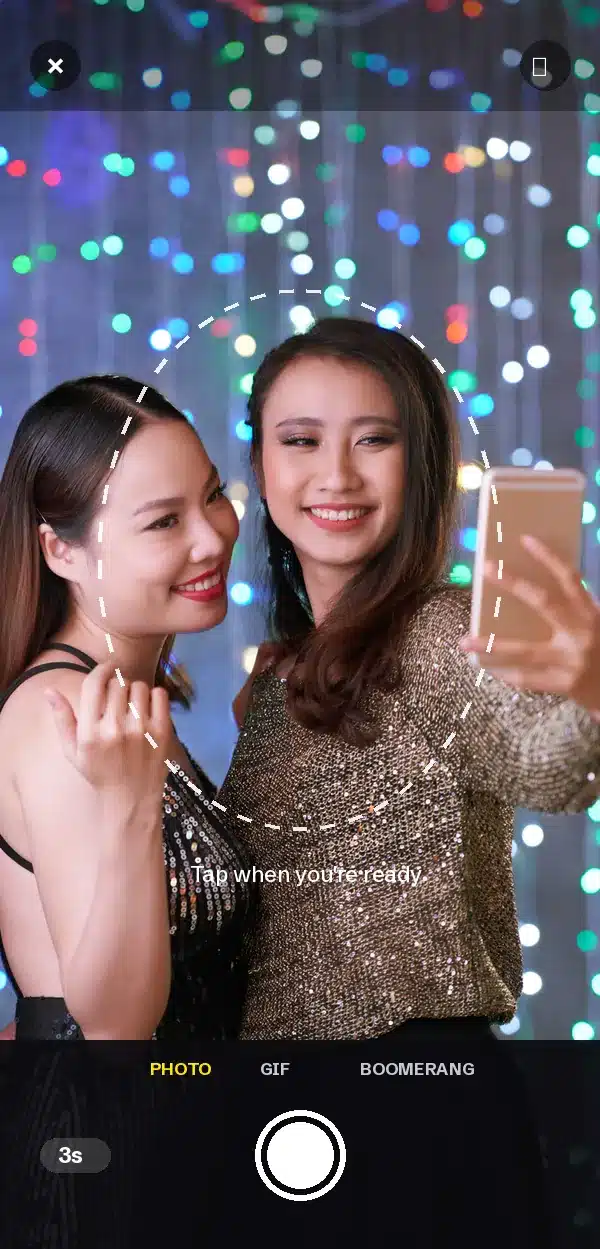
The phone camera opens in the browser with a three-second countdown and an on-screen guide, so the whole group fits and nobody blinks.
-
Step 2
Pick a frame
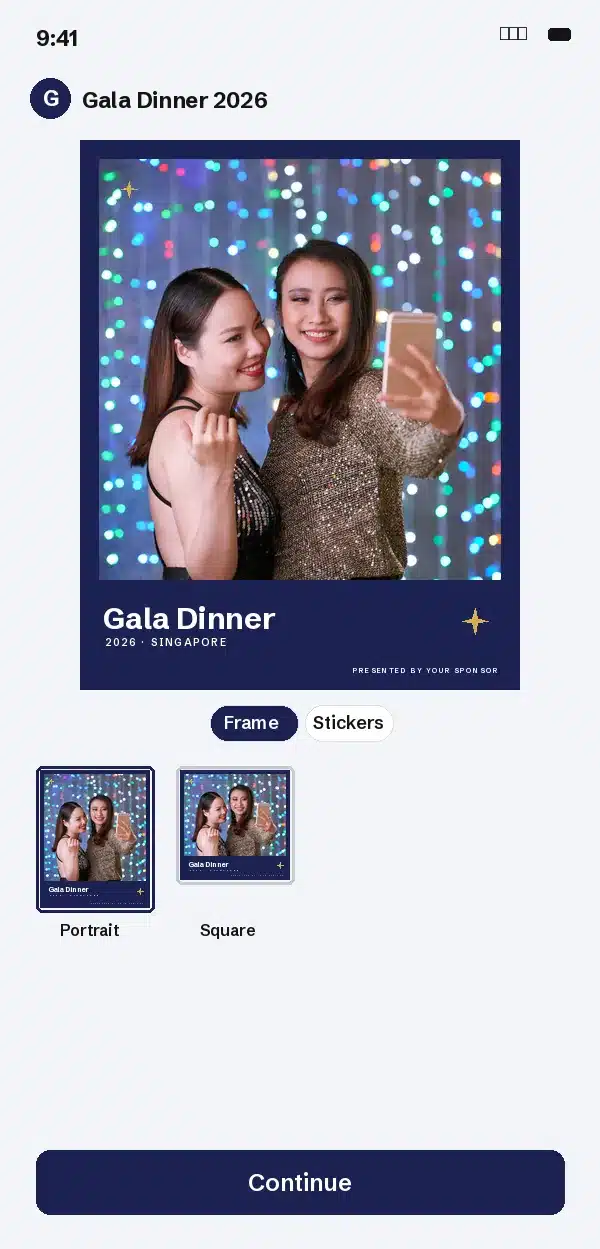
The frame carries your event title, the date and your sponsor, in a 4:5 portrait or a square format.
-
Step 3
Decorate
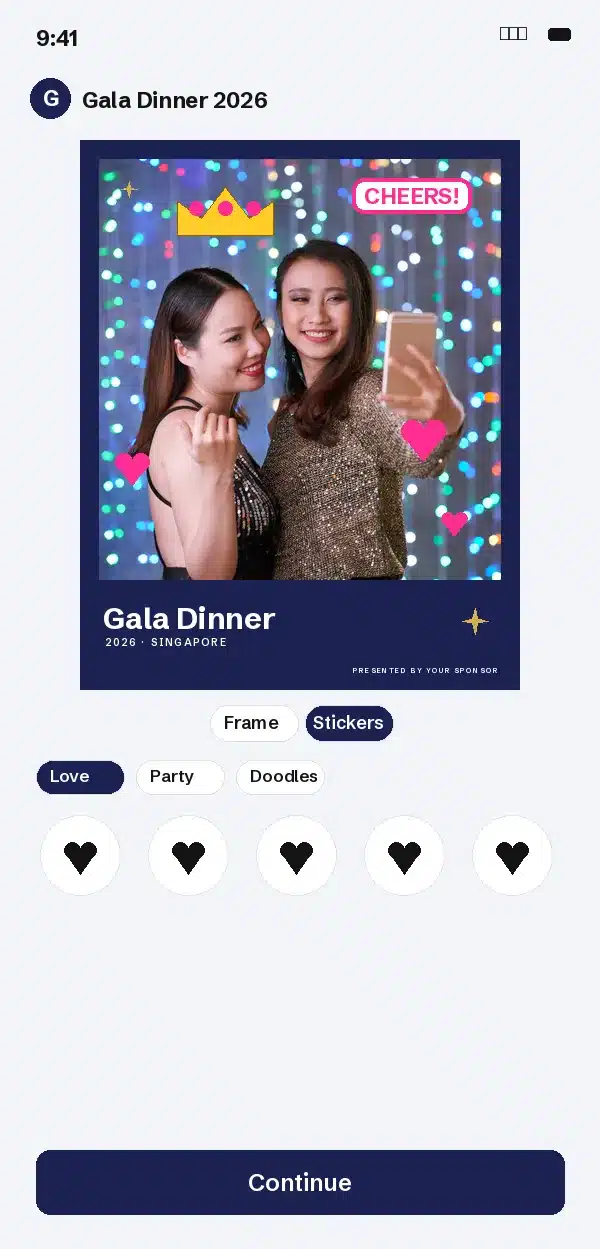
Guests drop on crowns, heart-shaped glasses or a disco ball, then drag and spin them into place.
-
Step 4
Keep and share
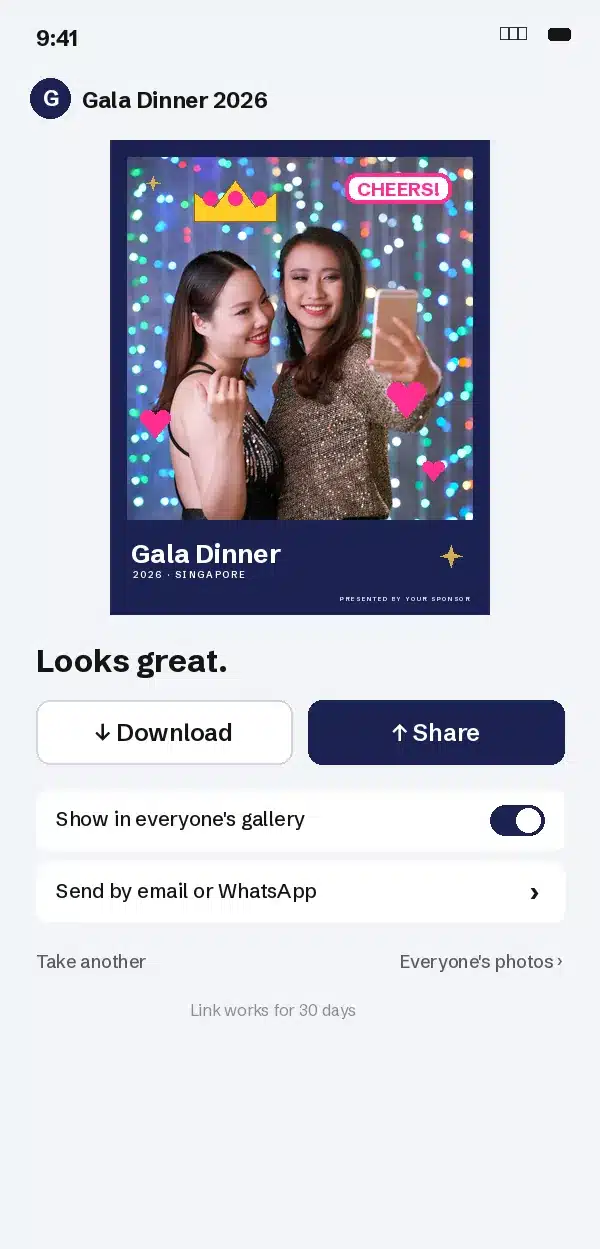
Save it to the phone, post it, or get it by email or WhatsApp; the photo link stays live for 30 days.
-
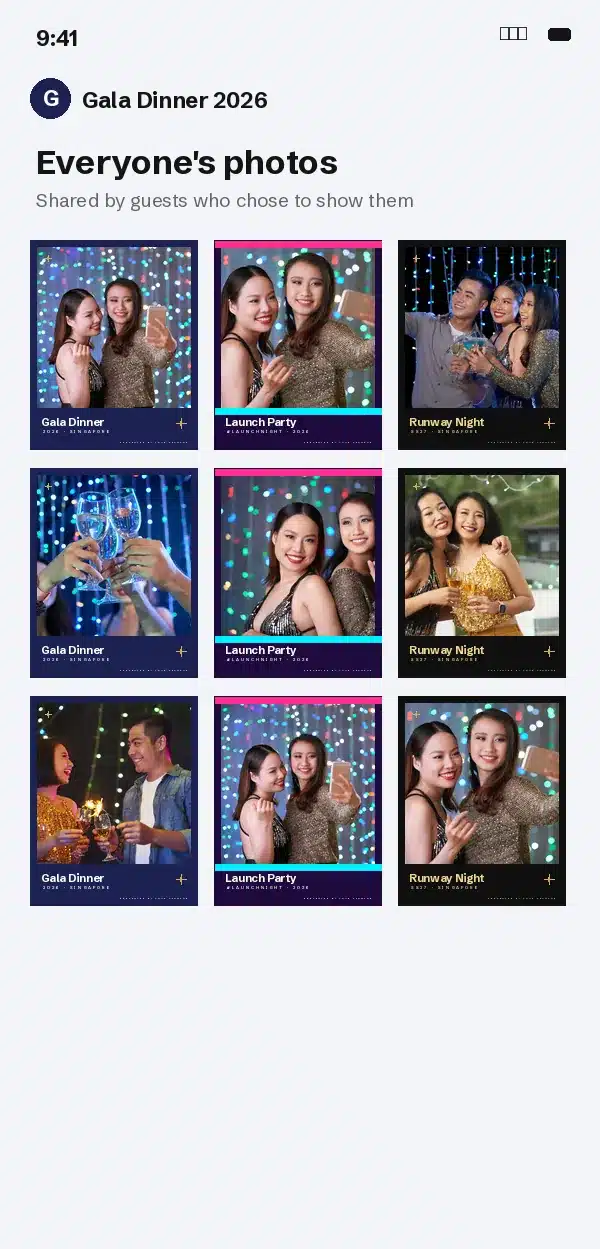
Step 5
Add to the gallery
Each guest chooses, one picture at a time, whether it joins the shared event gallery.
Screens shown from a demo event.
Four extras to switch on
Use one, or combine them for the night you have planned.
-
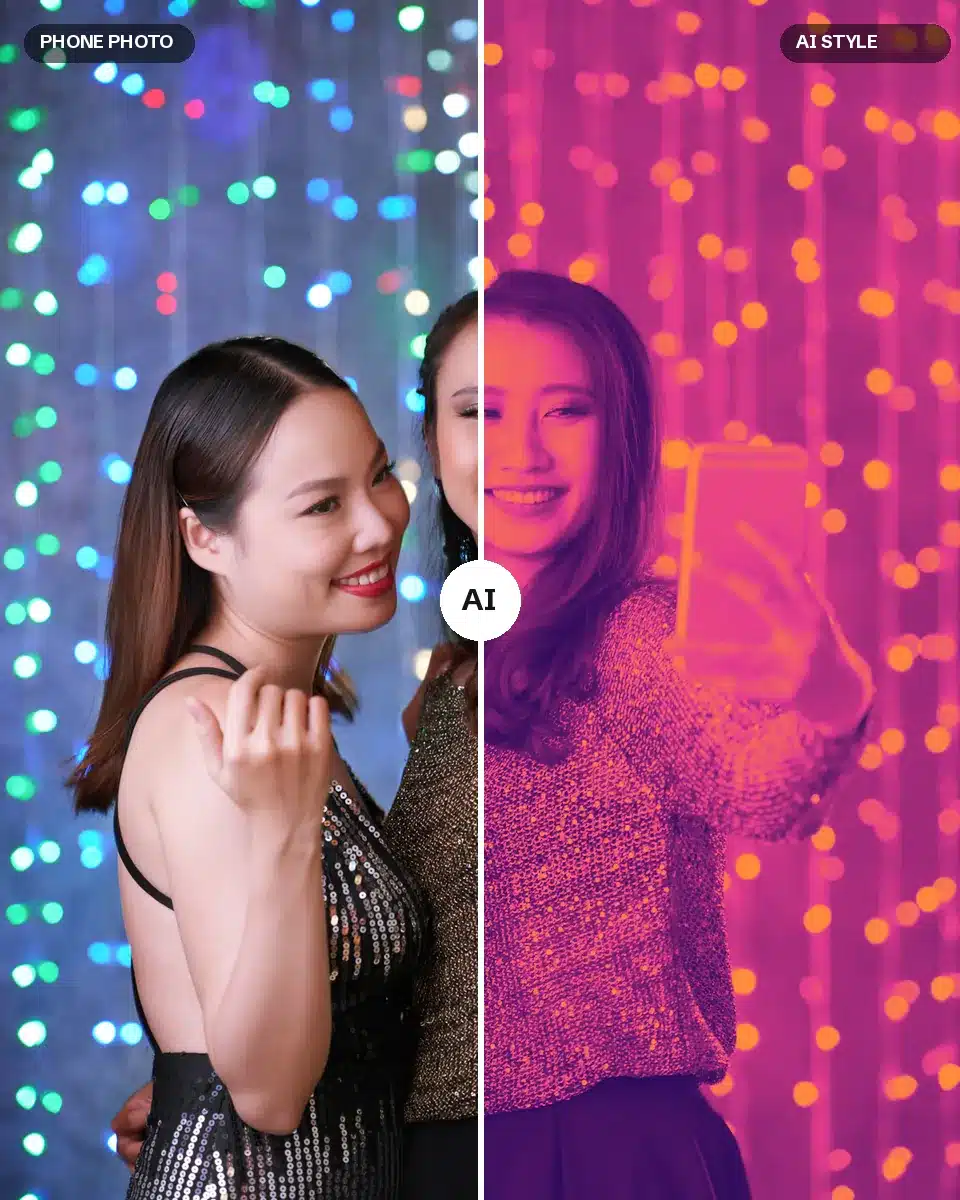
AI booth AI booth
Restyled shots and new backdrops
The AI redraws the picture in a new look, or replaces the ballroom behind your guests.
Explore the AI booth -

GIF and boomerang GIF and boomerang
Loops and boomerangs
Some moments need movement: glasses meeting in a toast, a quick spin, confetti that plays forwards and back.
Explore the GIF booth -
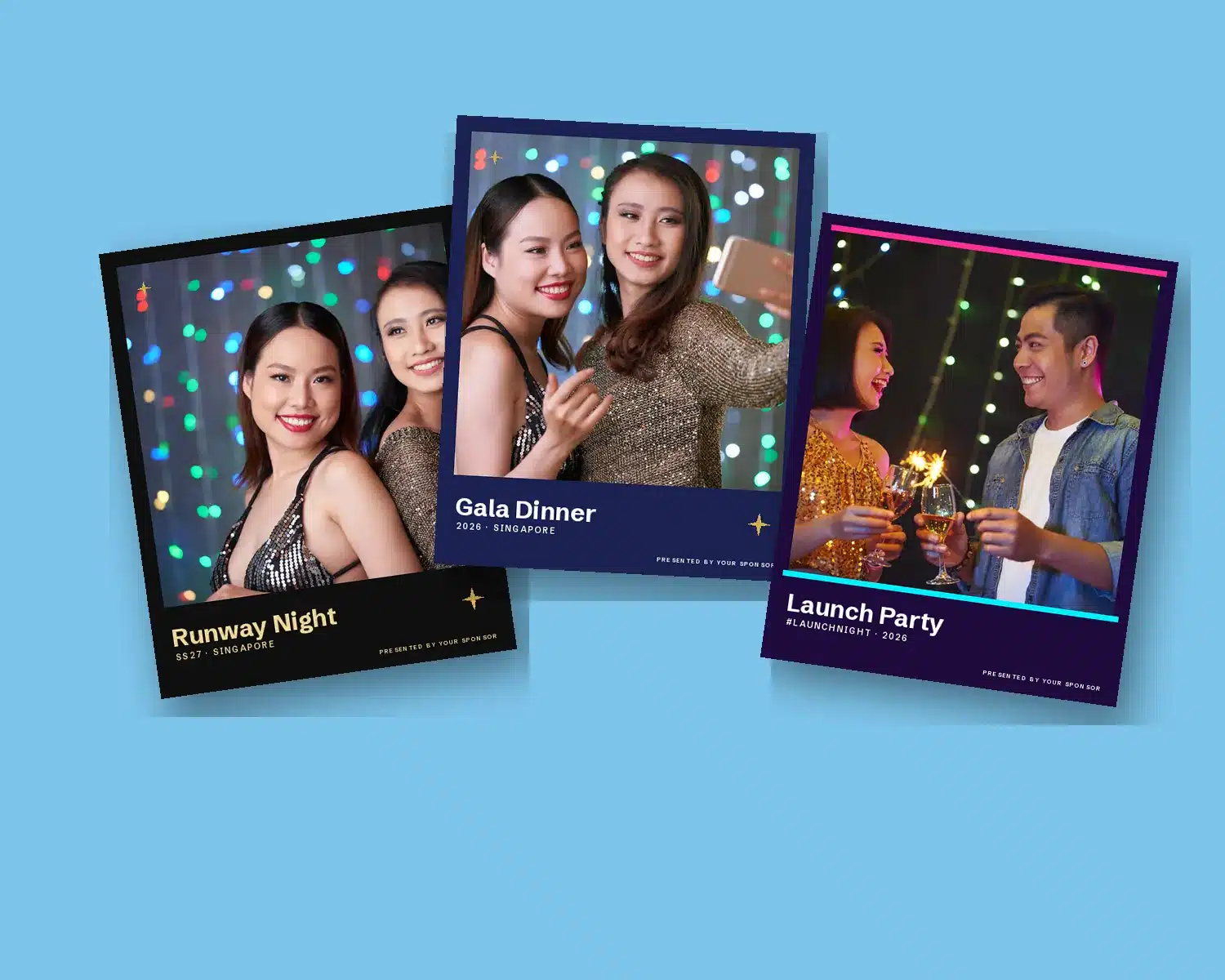
Branded frames Branded frames
Your brand in every shot
Klobbi designs frames around your theme, title, date and sponsor, and guests can add sticker packs on top.
Explore branded frames -
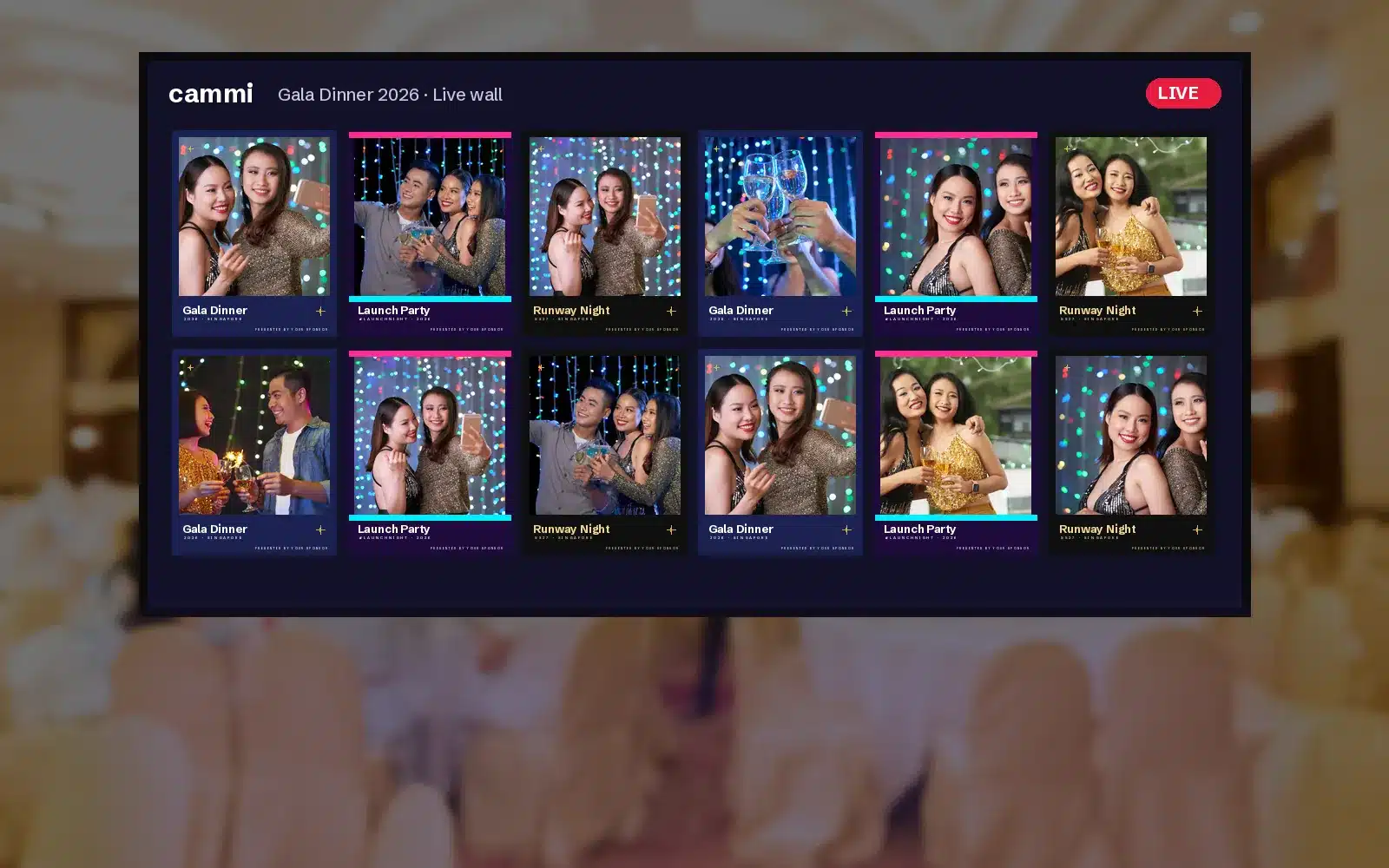
Live wall Live wall
On screen and in the gallery
Shots can appear on a screen in the venue, while guests who say yes are added to the shared gallery.
Explore the live wall
Photos and screens from a demo event.
Where the photos end up
Wherever a photo travels, your event branding goes with it.
Save and post
Guests save to their camera roll or post to chats and social media, with the frame and sponsor still on.
By email or WhatsApp
A copy can be sent to the guest by email or WhatsApp, and the link stays open for 30 days.
On the venue screen
During the event, the live wall shows the evening's photos on a screen in the room.
Printed on site
Add printing at the venue and guests take a physical copy home.
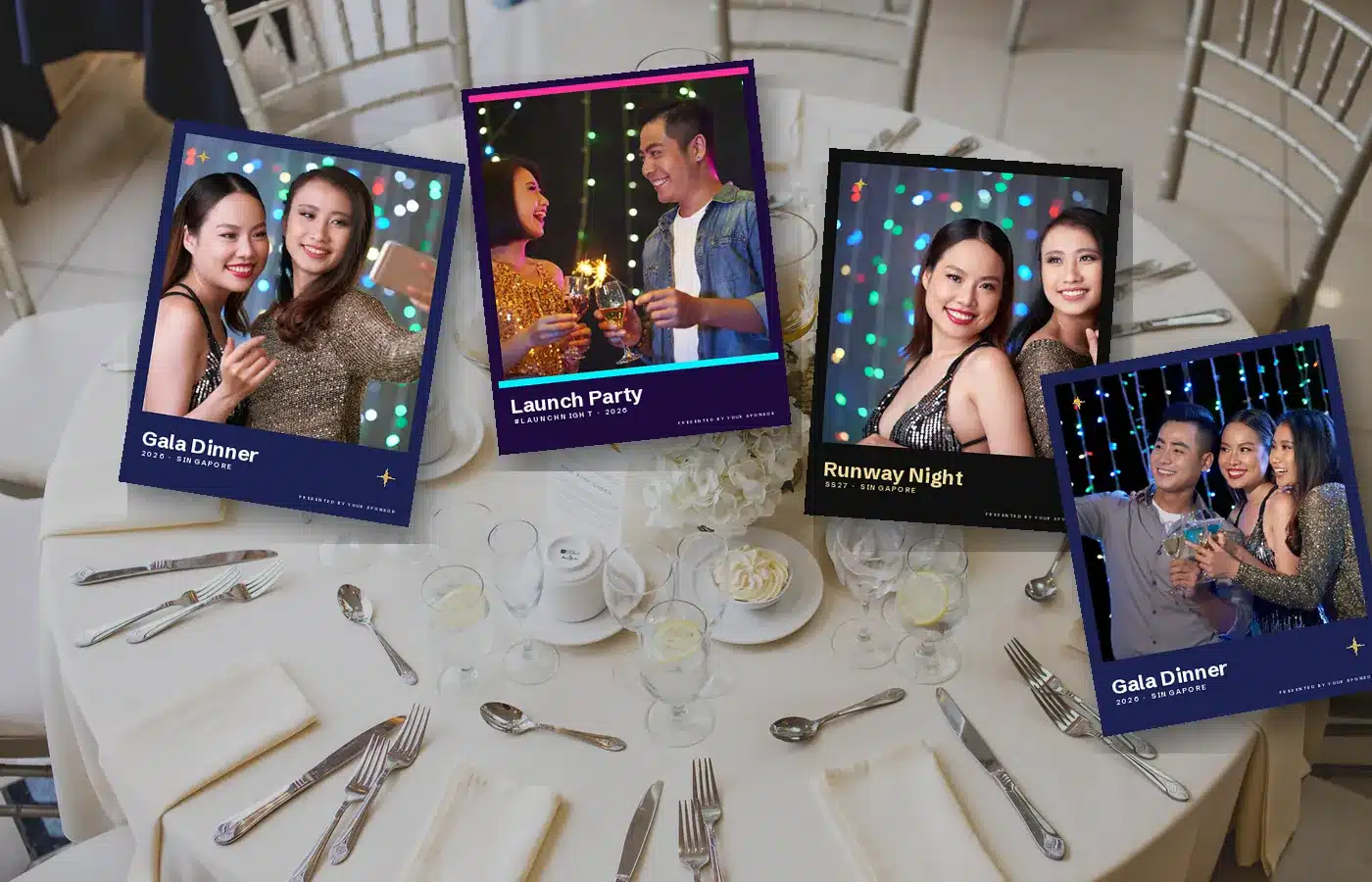
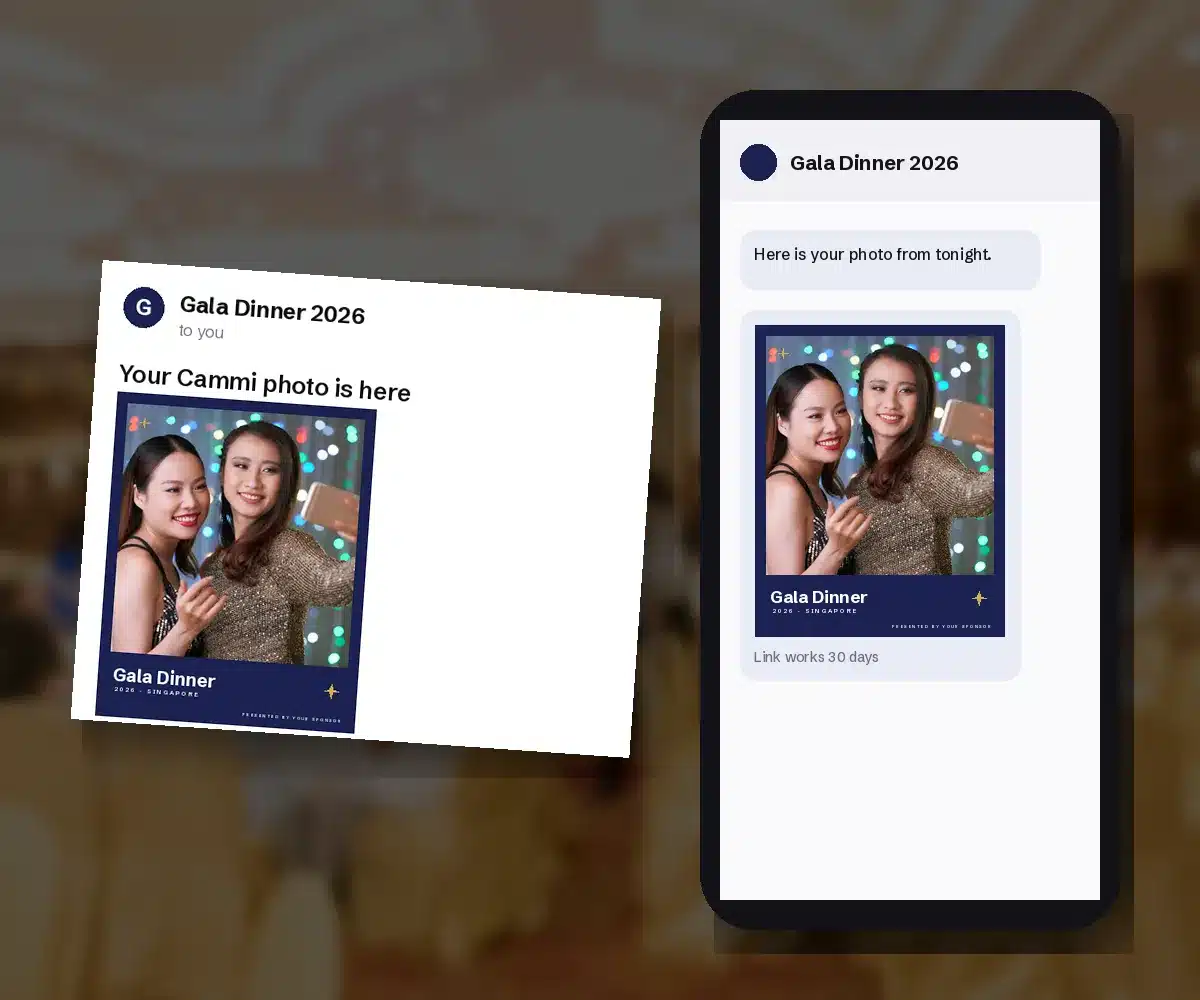
Photos and screens from a demo event.
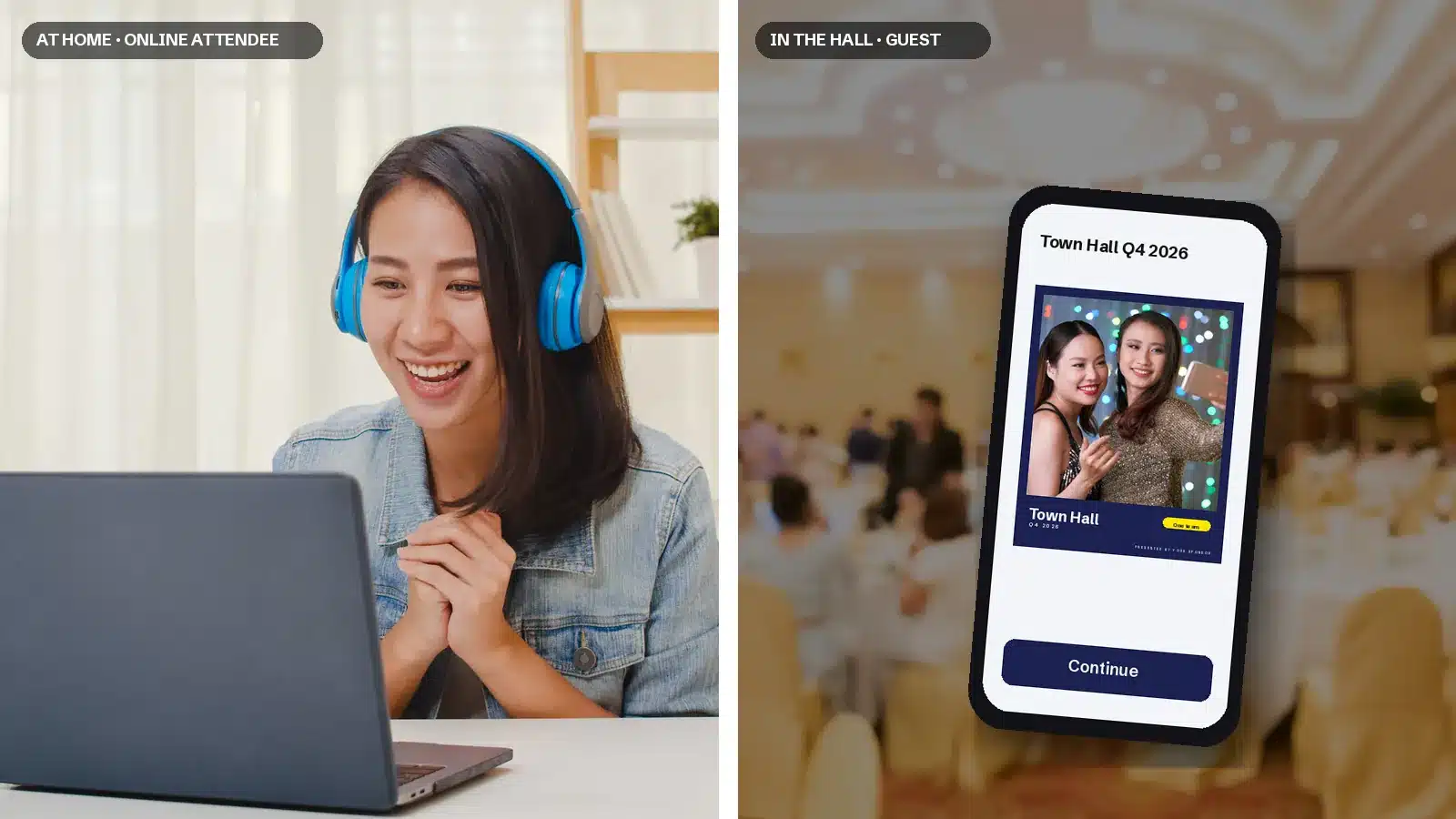
In the ballroom and on the livestream
People at the venue scan the table QR code, while remote viewers open the identical booth from your event website, so both groups get matching frames and stickers.
- A single booth for on-site and remote guests
- Matching frames and stickers for everyone
- Live wall and printing for those at the venue
Phone-based booth or a rented photo booth?
A rented booth means a camera, lighting and usually a staff member in one corner, with guests waiting their turn. With Cammi, each guest's own phone becomes the booth: the whole ballroom can shoot at the same moment, and remote attendees can take part too.
| Rented booth | Cammi on phones | |
|---|---|---|
| Where photos are taken | At the booth, group by group | On every guest's phone simultaneously, on site or remote |
| Venue requirements | Floor space, a power point, the booth and normally a staff member | QR cards on the tables, plus a screen for the live wall and a printer if you want hard copies |
| What guests take home | A print, often with a digital file | Saved files, social posts, email or WhatsApp copies, and prints if added |
| Who takes part | People at the venue | People at the venue and online |
Built for dressed-up evenings
And for guests who want the photo to prove it.
-

Gala dinners
Deep navy, a sparkle of stars and your sponsor tucked into each corner.
Ideas for galas -

Staff parties
All tables shoot at once, so nobody leaves the dance floor to wait in a booth line.
Ideas for staff parties -

Product launches
A neon frame printed with your launch hashtag, made for posting.
Ideas for launches -

Fashion shows
A black-and-gold runway look for the front row and for viewers on the stream.
Ideas for fashion shows -

Awards evenings
Winners pose in the event frame, and the live wall puts their moment up on the big screen.
Ideas for awards -
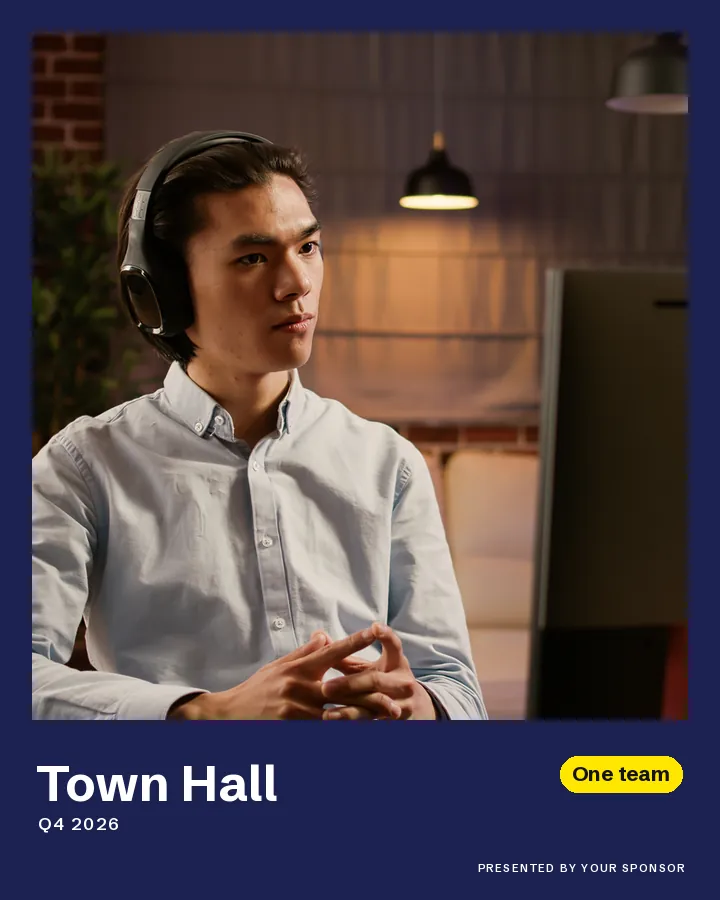
Town halls and conferences
A shared frame for every office and every remote participant, from the welcome address to the closing session.
Ideas for town halls
Photos and screens from a demo event.
Why organisers in Thailand choose Cammi
Lives inside your event site
Embed Cammi in your microsite or event app behind a single QR code, or run it from its own link.
Consent comes first
No camera opens until the guest accepts the photo terms, and each photo link lasts 30 days.
Language switching
Guests can move between English, Chinese, Malay and Tamil with one tap; ask us about Thai.
Certified security
The software comes from Klobbi Pte Ltd in Singapore, certified to ISO/IEC 27001:2022 by TÜV SÜD and holder of the CSA Cyber Trust mark.
A Bangkok team behind your event
Each event gets a named project manager, with on-site crew available if you need them.
Part of Klobbi Play
Staff lucky draws, live quizzes and photo mosaics are available from the same Klobbi Play menu.
See interactive activities
Cammi FAQs for events in Thailand
Quick facts
- Runs on
- Guests' own phones, via the browser; remote attendees join from anywhere
- Guests need
- A phone and your QR code, with no app install
- Formats
- Stills, GIFs and boomerangs
- Look and feel
- Branded frames with sponsors, stickers, AI restyles or backdrops
- Sharing
- Save, post, email, WhatsApp, the shared gallery, the venue screen and prints
- Interface languages
- English, Chinese, Malay and Tamil (ask about Thai)
- Consent
- Photo terms accepted before the camera starts; links last 30 days
What does a virtual photo booth mean for an event in Thailand?
It means the booth runs on guests' own phones rather than in a cabinet in one corner. Each guest scans a QR code, takes a photo in the browser and keeps it in your branded frame. Cammi is Klobbi's virtual photo booth, supported locally by the team in Bangkok.
What does a guest do, step by step?
They scan the QR code, accept the photo terms and shoot with a three-second countdown. Next they pick a frame, add stickers and, if you switch it on, let the AI restyle the picture or change the backdrop. Finally they save it, post it or receive it by email or WhatsApp, and can opt in to the shared gallery and the venue screen.
Can people joining remotely take photos too?
Yes. Because Cammi can be embedded in your event website or app, remote attendees at virtual and hybrid events open the very same booth and use the same frames as the room. Read more about Cammi for hybrid events.
Will our logo and sponsors appear on every photo?
Yes. Klobbi's designers build the frames around your theme and set them up for you, with your event title, date and sponsor placed inside the frame. That way the branding stays on every image guests post. See branded frames and stickers.
What does the AI feature change?
It can redraw a photo in a different style or replace the background behind your guests. The looks shown on these pages are examples only, so ask us which ones are currently available. More on the AI booth.
Can guest photos be shown on a screen at the venue?
Yes. The Cammi live wall displays photos on a screen in the room, and guests who opt in are also added to the shared gallery. See the live photo wall.
How are guests' photos handled?
Guests accept the photo terms before the camera opens, and photo links work for 30 days. Under Thailand's Personal Data Protection Act B.E. 2562 (2019), the organiser remains responsible for attendees' personal data, and Klobbi processes it on the organiser's instructions. The platform is hosted in Singapore, so data may be stored outside Thailand.
How is Cammi priced for events in Thailand?
Pricing depends on the event: how many frames you need, which extras you add and whether you want crew on site. Send us the details and Klobbi will reply with a quote and a demo link styled in your theme.
Planning an event in Thailand?
We'll set up a demo link in your colours so your team can test Cammi before the guests arrive.