Move attendees from registration to check-in, badge collection and live attendance without breaking the data flow.
Klobbi connects the attendee record created before the event to QR check-in, self-service or staffed arrival stations, on-site badge printing and attendance reporting. Instead of checking one list, printing from another file and reconciling attendance later, your onsite event registration platforms works from the same registration data.
Choose from Klobbi Onyx self-service kiosks, Klobbi Station tabletop check-in stations and Klobbi HandScan for mobile scanning requirements. The right setup depends on your arrival pattern, attendee categories, venue layout and badge requirements.
⭐⭐⭐⭐⭐ - Trusted by 5000+ events, including government agencies, universities & corporate conferences.
An event registration kiosk is an onsite check-in station connected to attendee data. It allows a guest to verify their registration by scanning a QR code or using an assisted search, updates the check-in record and can trigger a personalised badge to print at the point of arrival.
That makes the kiosk much more than a screen or stand. The real job is to keep the attendee record accurate while people arrive in a short, busy window.
A useful event check-in kiosk should help organisers deal with the situations that cause queues at the door: missing QR codes, walk-ins, changed names or organisations, different attendee categories, badge reprints and multiple check-in points. It should also reduce the need to move data between separate spreadsheets or badge files after registration closes.
For conferences, exhibitions, corporate events and other organised attendee experiences, that continuity matters because registration is only the first state of the attendee record. On event day, the same record needs to become a verified arrival, a badge and an attendance result.
Klobbi’s onsite workflow is designed around one connected attendee journey:
Registration → Confirmation / QR → Kiosk Scan or Search → Check-In → Badge Print → Attendance Data
Before the event, registration creates the attendee record and the information needed for confirmation. On arrival, the attendee presents the QR credential or is located through the check-in interface. Once the registration is verified, the record changes from registered to checked in. Where badge printing is part of the setup, the badge is produced using the information already held against that attendee.
This is an important difference between an event registration kiosk and a standalone piece of check-in hardware. A connected system should not require a separate badge database simply to print a name, organisation or attendee category.
The same principle applies to exceptions. If an attendee needs an assisted lookup, a walk-in path or an approved change to their record, the updated information should remain connected to the check-in and badge workflow rather than creating a second version of the attendee list.
Different events need different check-in points. A high-volume exhibition with a large pre-registered audience may benefit from self-service kiosks, while an event with more VIPs, walk-ins or record changes may need more staffed stations. Many events need both.
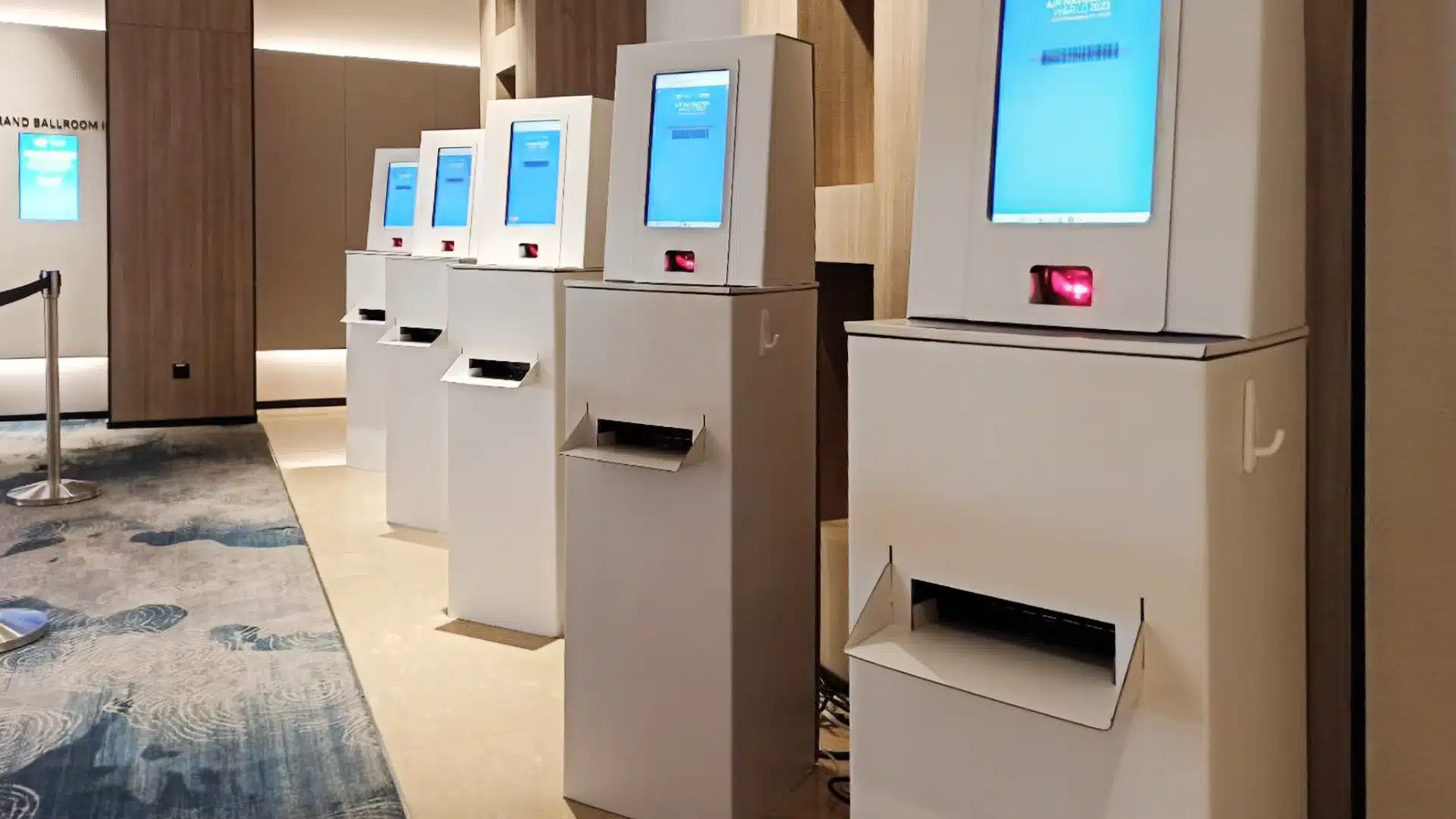
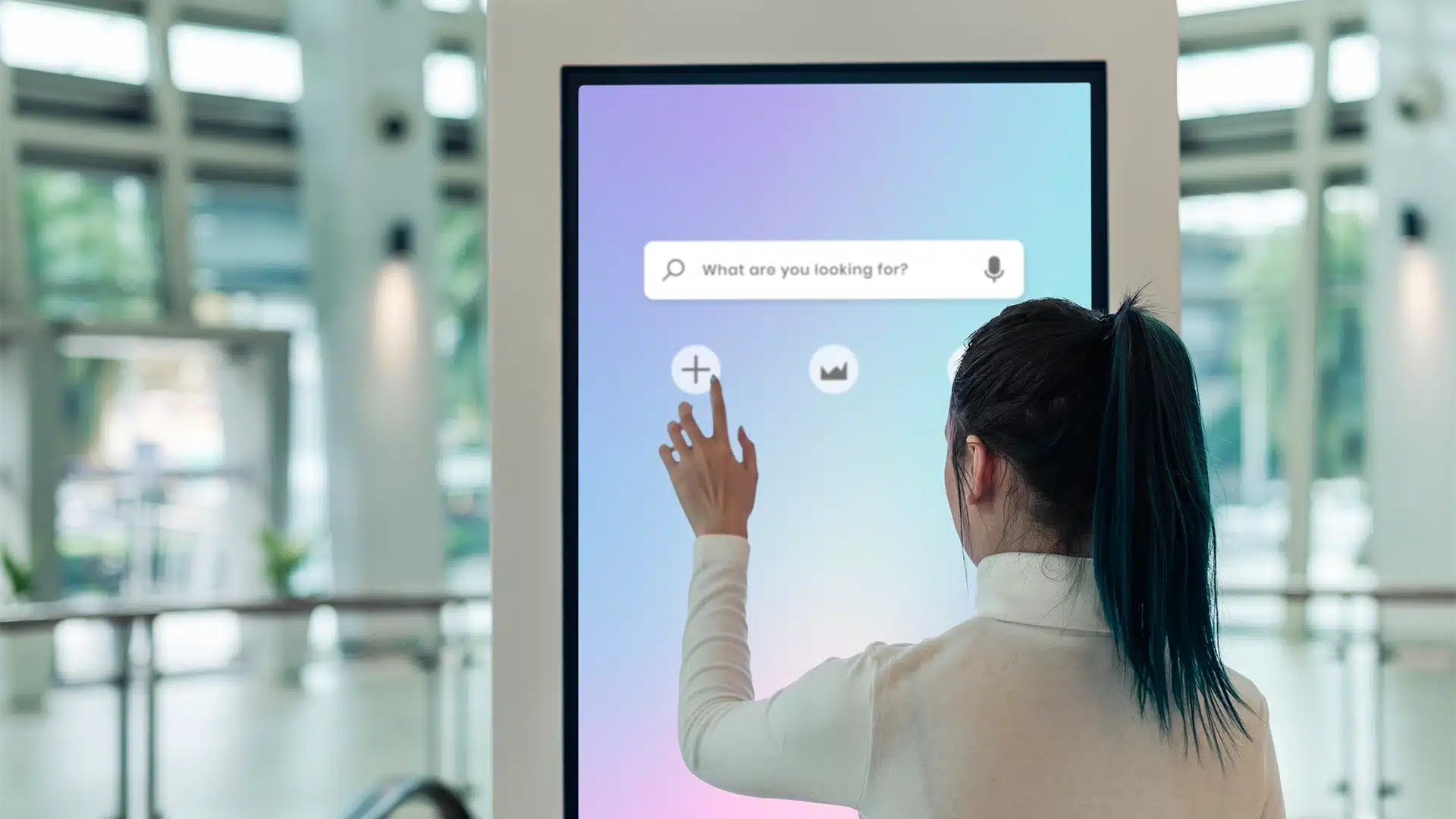
Klobbi Onyx is the freestanding option for a more visible self-service arrival experience. It is designed for attendees who can follow a straightforward QR-led check-in path and collect their badge without needing a staffed counter for every successful arrival.
It can be used as part of a branded entrance for conferences, exhibitions, corporate summits and other events where a large share of attendees are pre-registered.
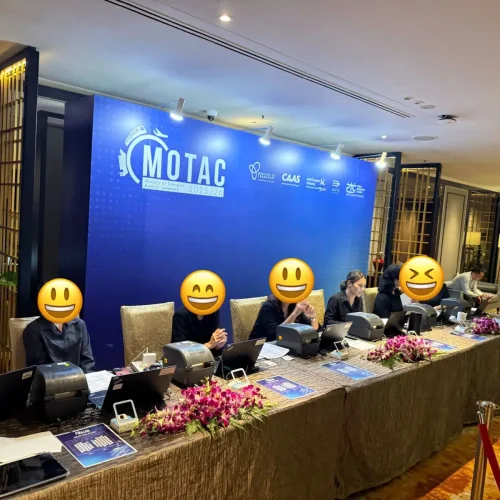
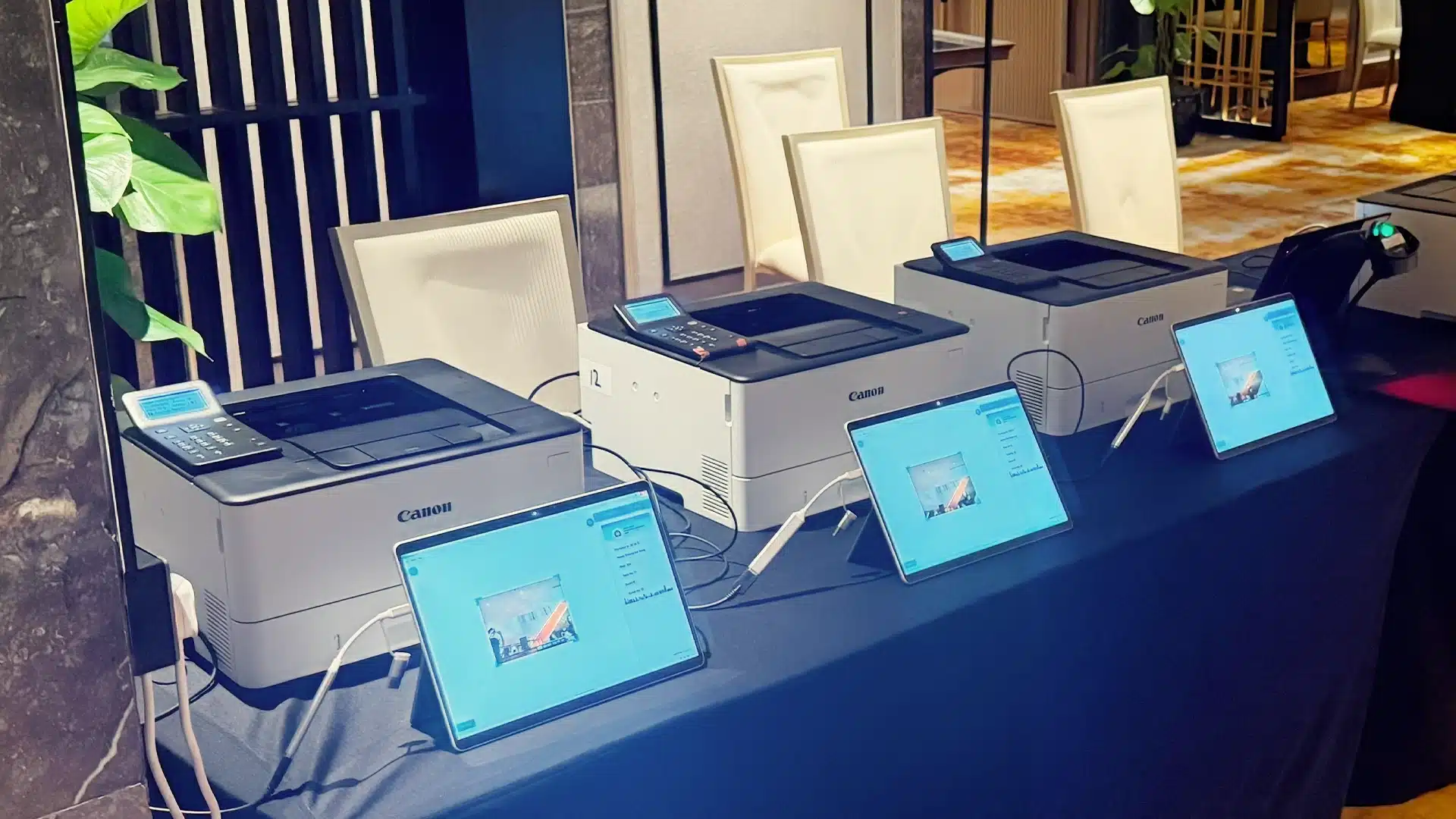
Klobbi Station provides a more compact check-in configuration for registration counters and flexible entrance layouts. A tabletop setup can combine the check-in interface, QR scanning and badge printing while using less floor space than a freestanding kiosk.
Stations can be used for staffed check-in, assisted attendee lookup and parallel registration counters. They are also useful when the venue layout needs several check-in points rather than one large registration zone.
Klobbi HandScan extends the onsite technology beyond a fixed kiosk or table. It can support mobile QR scanning requirements where a handheld device is more practical than a permanent station.
Depending on the event configuration, mobile scanning can be useful for secondary entry points and attendance scenarios beyond the main registration desk. Any session-level or zone-specific use should be scoped against the exact event requirements.
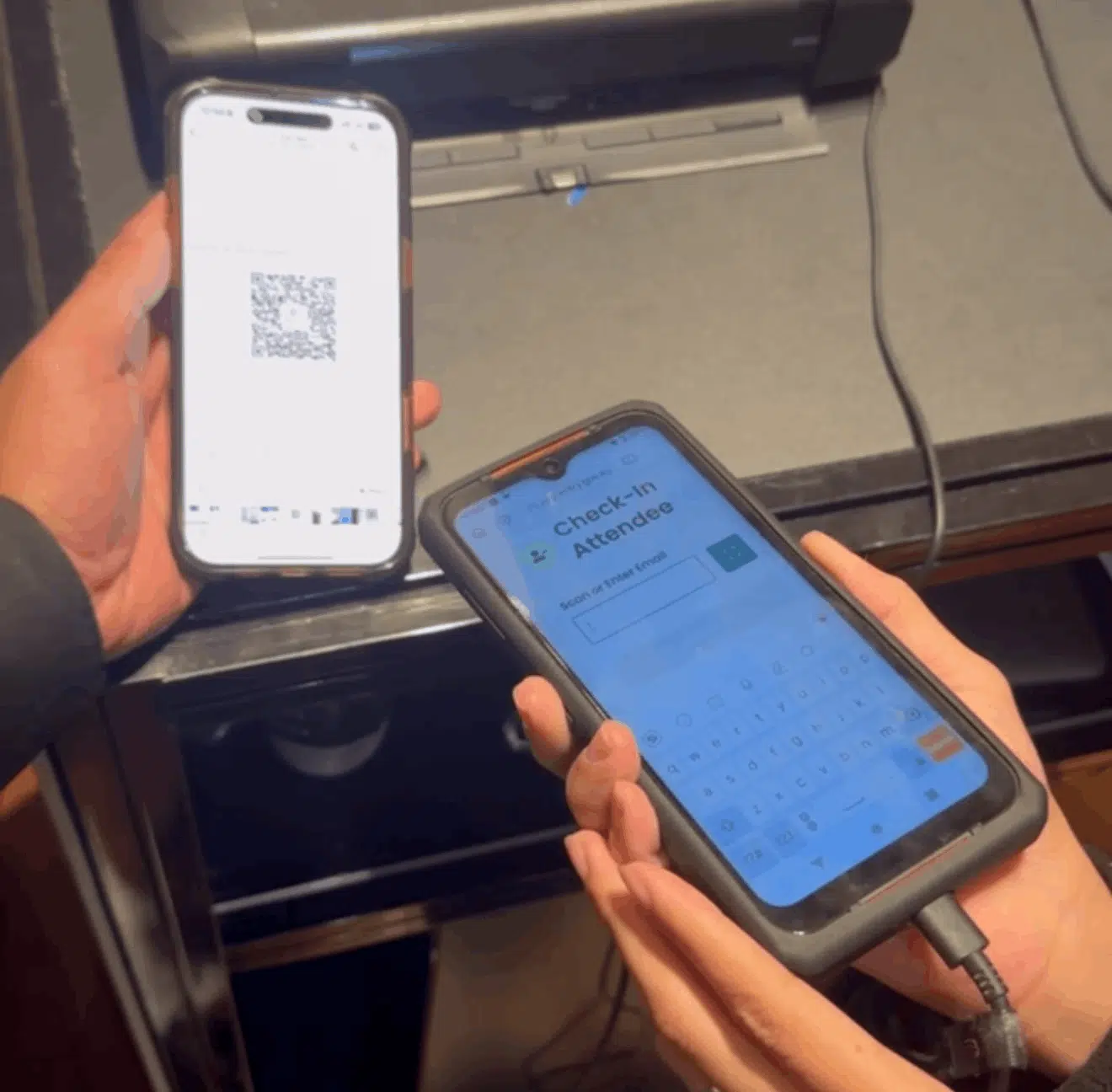
QR check-in gives pre-registered attendees a direct path from their confirmation to the onsite registration system.
The attendee presents the QR credential issued before the event, the check-in station reads it against the registration record, and the attendee’s arrival status is updated. If on-site badge printing is configured, that successful check-in can then lead directly into the badge workflow.
But a good event check-in system also needs a fallback path.
Phones go flat. Emails get buried. Some attendees arrive without the correct confirmation on screen. In those cases, the onsite team should be able to use the attendee record rather than send the guest back to search through their inbox.
That is why QR scanning and attendee lookup should work as complementary paths rather than separate systems: QR for the quickest standard journey, and assisted search for exceptions.
Most event arrivals are simple. The queue usually forms around the smaller number that are not.
An effective onsite registration system therefore needs to separate straightforward self-service traffic from exceptions that require attention.
If your event accepts walk-ins, the onsite workflow should define how a new attendee is created, what information must be captured and whether a badge can be produced immediately. Walk-in rules should be configured before event day rather than improvised at the desk.
A spelling mistake or company change should not force staff to edit one system and then manually change a second badge file. Where onsite editing is enabled, the corrected attendee information should feed into the current check-in and badge output.
Some corporate and conference events need a process for attendee substitutions. If substitutions are permitted for the event, the workflow should define who can approve the change and how the updated attendee record will be reflected at check-in.
Damaged, incorrect or misplaced badges need a controlled reprint path. The reprint should use the attendee’s current record so that the new badge reflects the latest approved details.
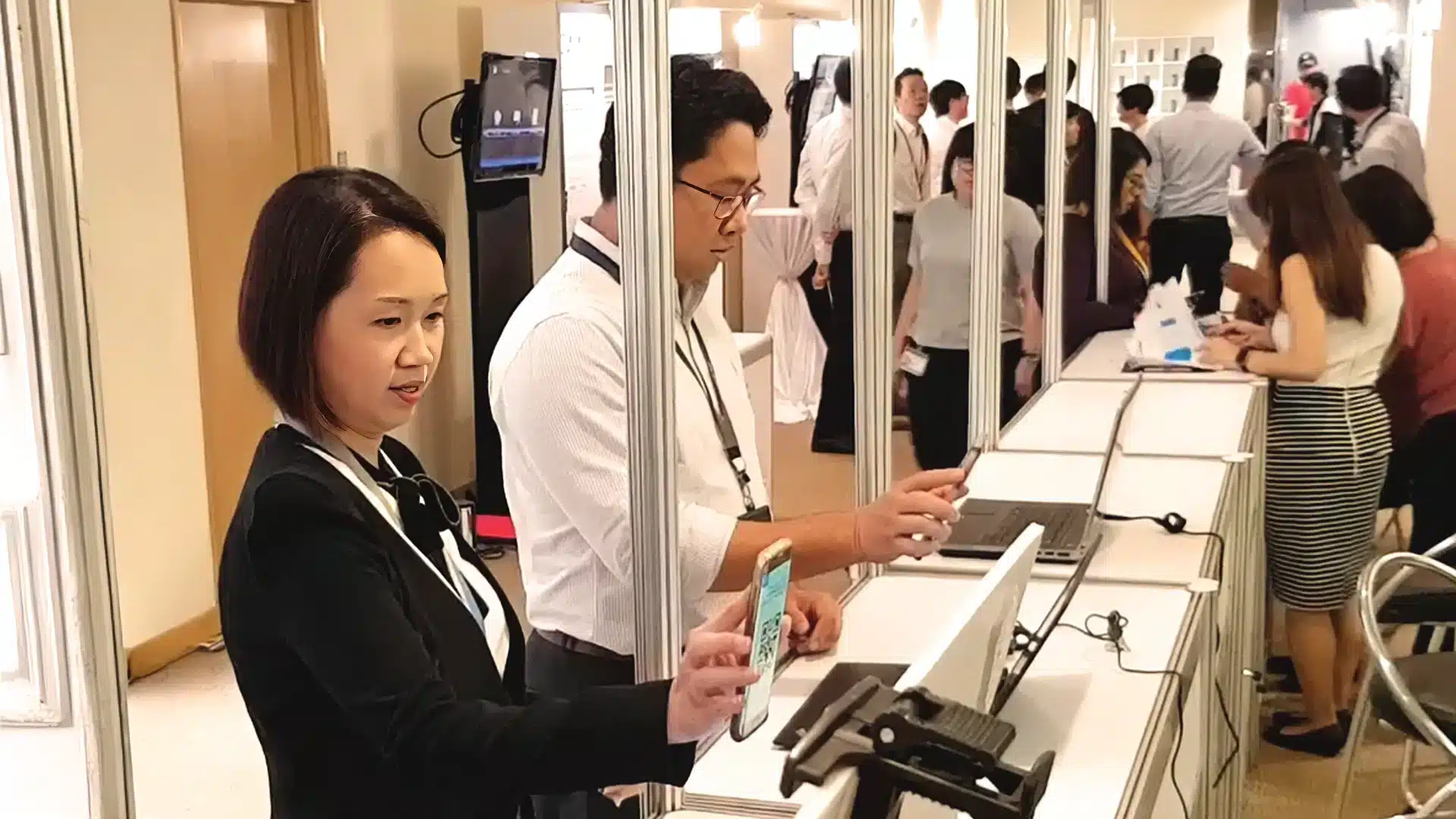
A missing record needs an assisted resolution path that does not stop the entire self-service lane. The goal is to move exceptions to the right workflow while keeping standard check-ins moving.
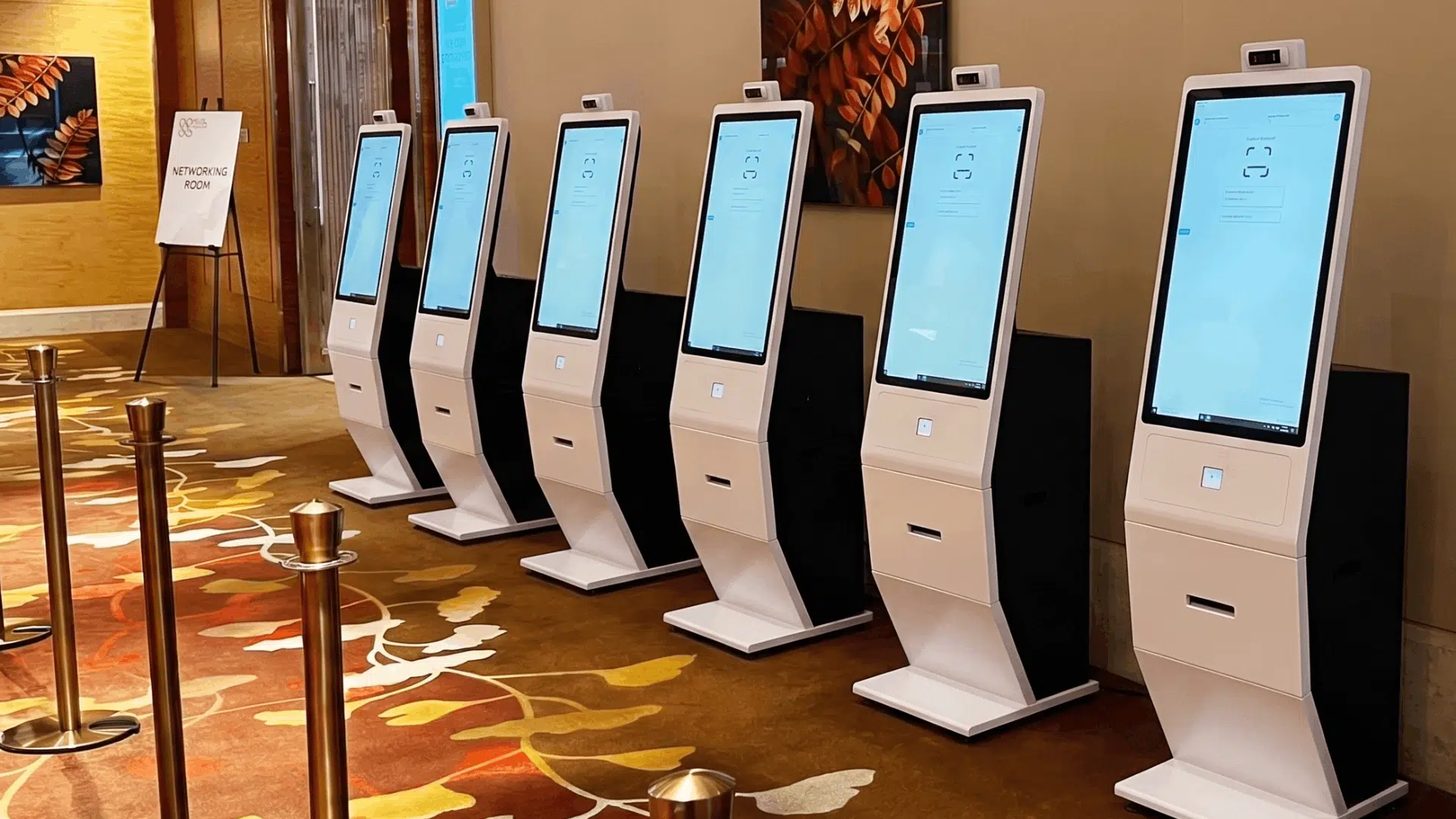
On-site badge printing works best when it is part of the check-in workflow, not a separate process after arrival.
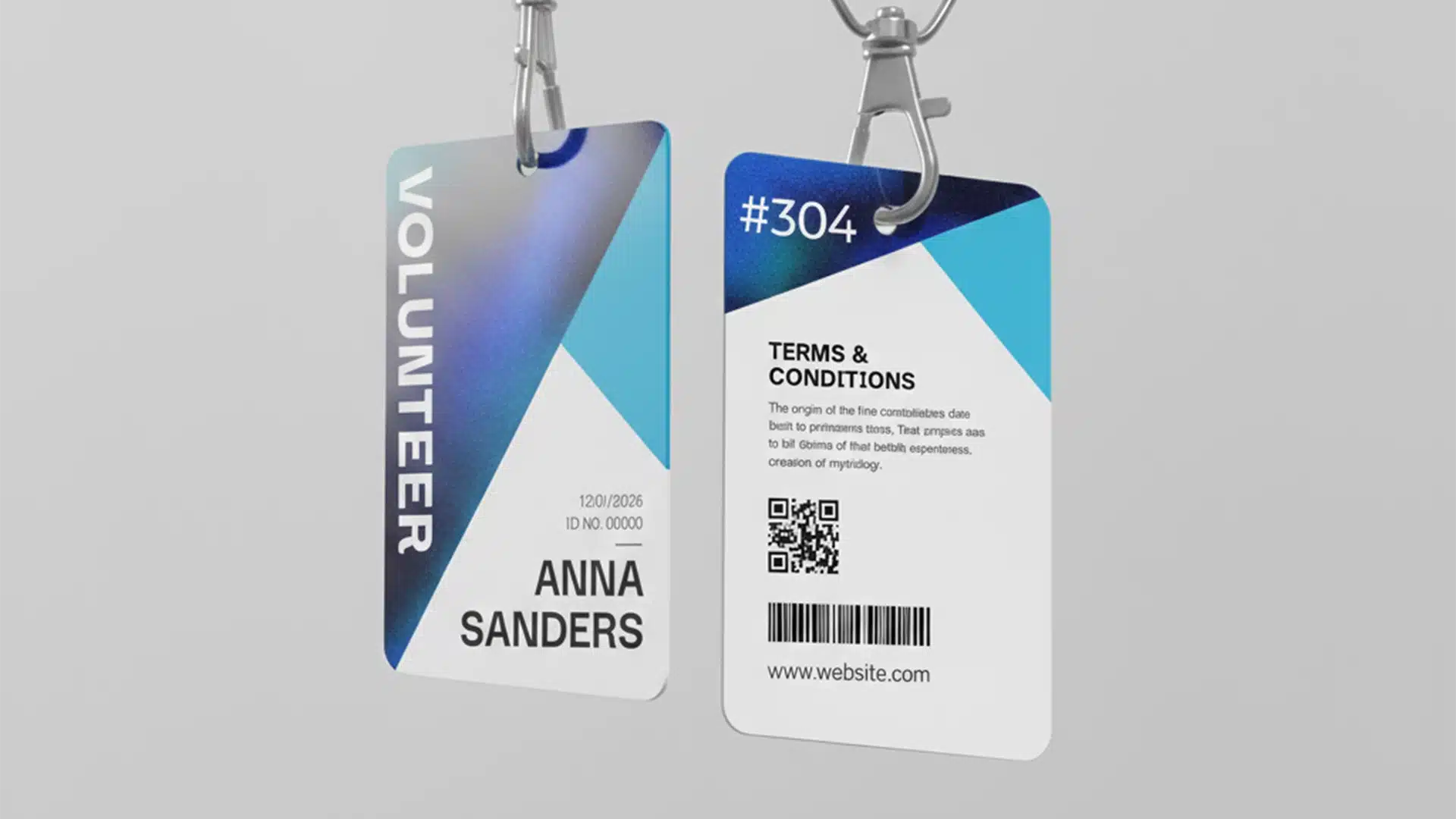
Once the attendee has been identified and checked in, approved data from the registration record can be used to produce the badge. Depending on the event setup, that may include the attendee’s name, organisation, job title, category, QR code or other approved fields.
This approach has several practical advantages.
First, badges are produced for people who actually arrive rather than for every person on the pre-event list. Second, last-minute approved changes can be reflected before the badge is printed. Third, the organiser does not need to sort through large pre-printed badge stacks while a queue grows at the entrance.
Different attendee categories may also require different badge designs or information. A delegate, speaker, VIP, exhibitor or staff member may need a different visual treatment. The exact template logic should be configured around the event’s access and identification requirements.
For deeper information about badge formats, materials and dedicated badge-printing options, use Klobbi’s Event Badge Printing solution.
Klobbi’s current onsite badge-printing options include different materials for different event requirements, including FSC-certified paper, satin and tear-resistant options.
The right choice depends on how long the badge needs to last, how it will be worn and what information must be printed. A one-day seminar may not need the same badge format as a multi-day conference or exhibition.
This page focuses on the check-in-to-print workflow. Badge material selection, badge-specific production options and deeper printing requirements should be handled within the dedicated Event Badge Printing solution so the two pages remain clear for buyers and search engines.
Venue Wi-Fi should never be treated as a perfect dependency.
Arrival periods put pressure on both people and networks. A registration desk may be processing hundreds of QR scans while attendees, exhibitors and venue systems are all using the same connectivity.
Klobbi’s onsite check-in setup is designed with local/offline resilience in mind so supported check-in functions can continue during connectivity interruptions and synchronise when connectivity returns.
The exact offline behaviour should be agreed as part of the event configuration. Organisers should know in advance which functions remain available locally, how multiple stations stay aligned, whether badge printing can continue, and which actions still need internet access.
That distinction matters. “Works offline” should not be treated as a blanket promise. A dependable onsite event registration system is one where the organiser understands the fallback behaviour before doors open.
For events with critical arrival windows, Klobbi can help scope the onsite setup around the venue, network conditions, number of stations and badge-printing requirements.
The right check-in model depends on the arrival pattern and the percentage of attendees likely to need assistance.
Best suited to events where most attendees are pre-registered, already have a QR credential and can follow a straightforward arrival path. Self-service can move standard check-ins away from the staffed desk and reserve staff attention for exceptions.
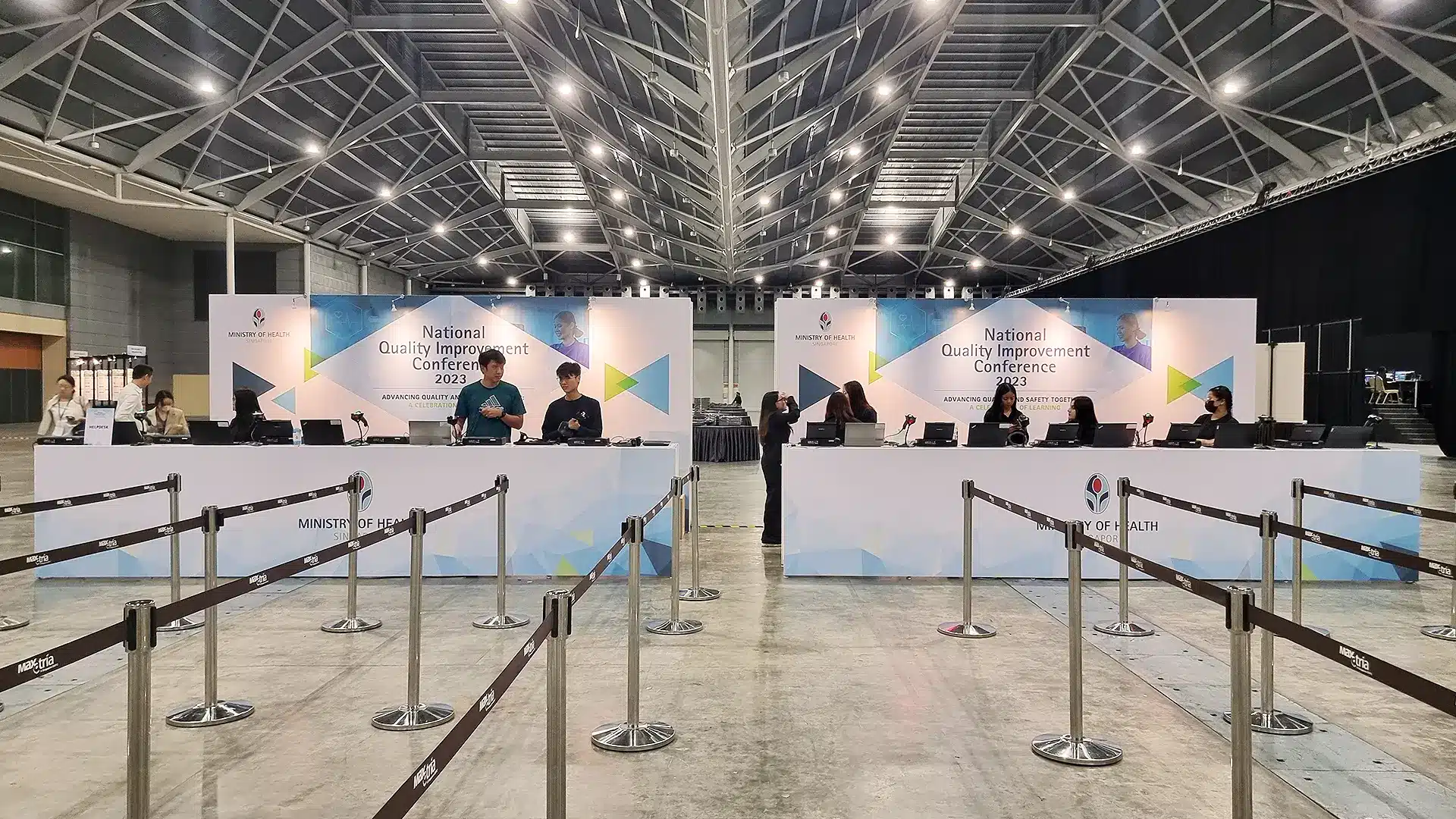
Useful where attendee lookup, VIP handling, walk-ins, approved corrections or other exceptions are more common. Staffed stations provide more flexibility for records that need attention before check-in or badge printing.
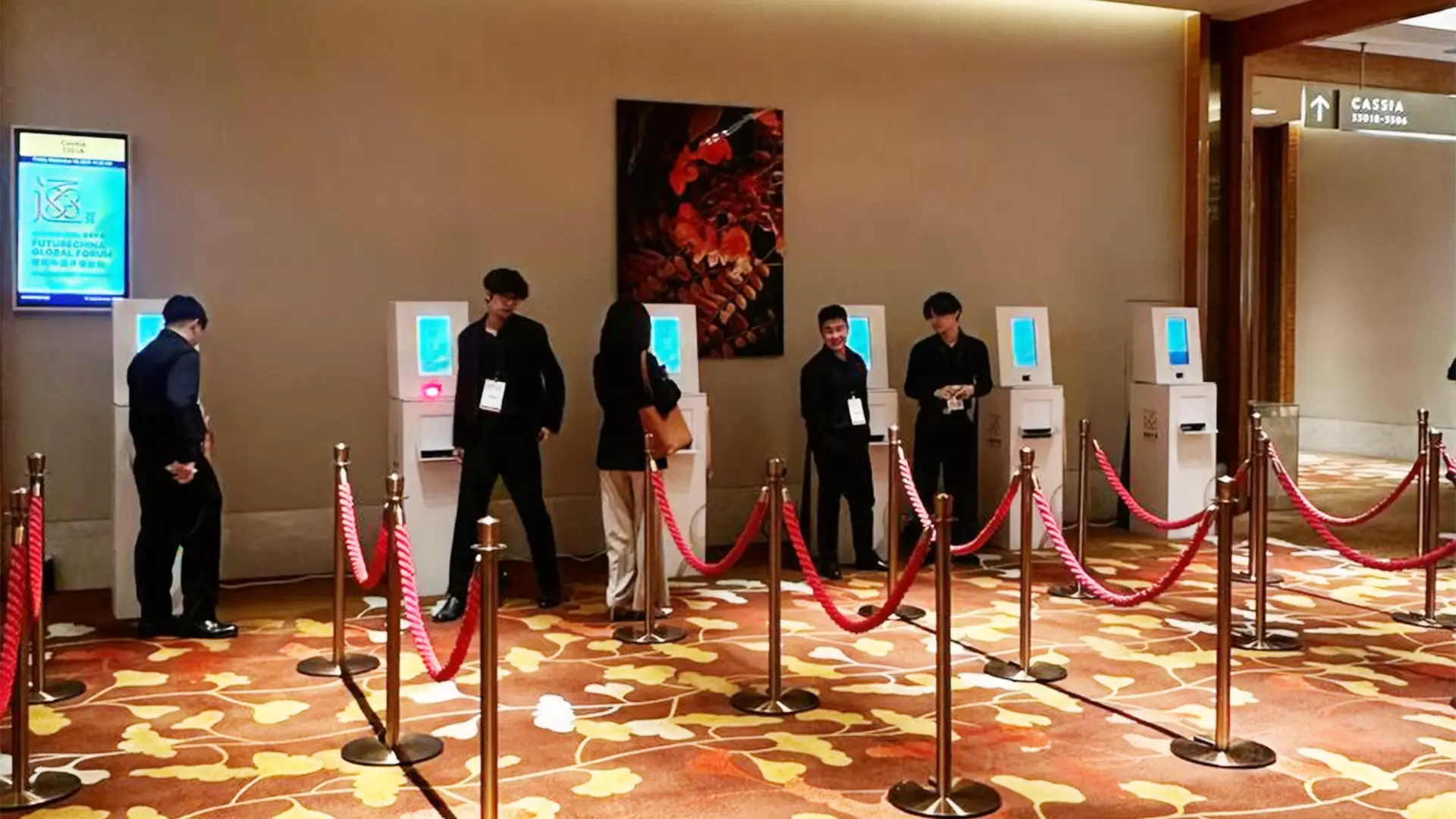
Often the strongest approach for larger conferences and exhibitions. Pre-registered attendees use self-service, while a smaller assisted desk handles missing records, walk-ins, badge corrections and other exceptions.

Conference check-in often combines delegate categories, concentrated morning arrivals, on-site badges and multiple days. A mix of self-service and staffed check-in can help separate standard delegate arrivals from speakers, VIPs and other exceptions.
Exhibitions can have larger arrival peaks, several attendee categories and multiple entry points. Registration kiosks and parallel stations can help spread the check-in load while keeping visitor and exhibitor records connected to badge output.
Smaller events may not need a large kiosk bank. Tabletop stations or a compact hybrid setup can provide QR check-in, attendee lookup and attendance records with a smaller physical footprint.
Controlled attendee lists, VIP handling, enterprise security requirements and branded arrival experiences often matter more than public ticket discovery. The onsite registration setup can be configured around the approved attendee list and the event’s verification requirements.
Klobbi provides event registration technology built around the attendee record rather than isolated pieces of onsite hardware.
Attendee information collected before the event can continue into QR verification, check-in, badge printing and attendance reporting.
Klobbi Onyx, Klobbi Station and Klobbi HandScan support different arrival and scanning requirements instead of forcing every event into one hardware layout.
Use self-service for standard arrivals and staff-assisted paths where attendees need lookup, changes or exception handling.
Connect successful check-in to personalised badge output using the attendee information already held in the system.
Klobbi’s onsite architecture includes local/offline resilience for supported functions so venue connectivity is not treated as the only operating path.
Work with a Singapore-based event technology team that can configure and support the registration, check-in and badge workflow.
Klobbi’s information security management system is certified to ISO/IEC 27001:2022, and Klobbi holds the CSA Cyber Trust Mark at Promoter tier.
An event registration kiosk is an onsite check-in station connected to attendee registration data. It can identify an attendee by QR code or search, update the person’s check-in status and, where configured, trigger a personalised badge to print.
A pre-registered attendee presents a QR credential at the kiosk. The system matches the credential to the attendee record, confirms the check-in and can continue into badge printing. Assisted search provides a fallback for attendees who cannot use the normal QR path.
Yes. Klobbi’s onsite setup can connect check-in to on-demand badge printing so approved attendee information can be printed when the person arrives.
The attendee should move to an assisted lookup path rather than block the self-service queue. The onsite team can use the available attendee search workflow to locate the registration record before check-in.
Walk-in registration can be included when the event allows it and the onsite configuration supports the required data capture. The walk-in process should be agreed before the event so new records and badge output follow the same data rules as pre-registered attendees.
Where onsite editing is enabled, approved corrections can be made before the badge is produced so the print output reflects the current attendee record.
A reprint workflow can be used when a badge is damaged, lost or needs an approved correction. The new badge should be generated from the current attendee record.
Klobbi’s onsite check-in architecture includes local/offline resilience for supported functions and synchronisation when connectivity returns. The exact functions available during an outage should be confirmed for the chosen event configuration.
There is no reliable one-size-fits-all ratio. The number depends on the peak arrival window, expected attendance, check-in method, badge-printing time, percentage of walk-ins or exceptions and number of entrances.
Yes. A hybrid setup can route straightforward pre-registered arrivals through self-service kiosks while staffed stations handle attendee lookup, walk-ins, corrections and other exceptions.