Cammi, the virtual photo booth by Klobbi: Give every table
a photo booth
Guests scan the card on their table and take photos in your event's frame on their own phones, so nobody queues for a booth. Klobbi runs it from Singapore.
Klobbi is ISO/IEC 27001 certified and holds the CSA Cyber Trust mark · Singapore team since 2018

Five steps from selfie to gallery
This is how a guest uses Cammi on the night, from the QR code on their table.
More on the QR code photo booth-
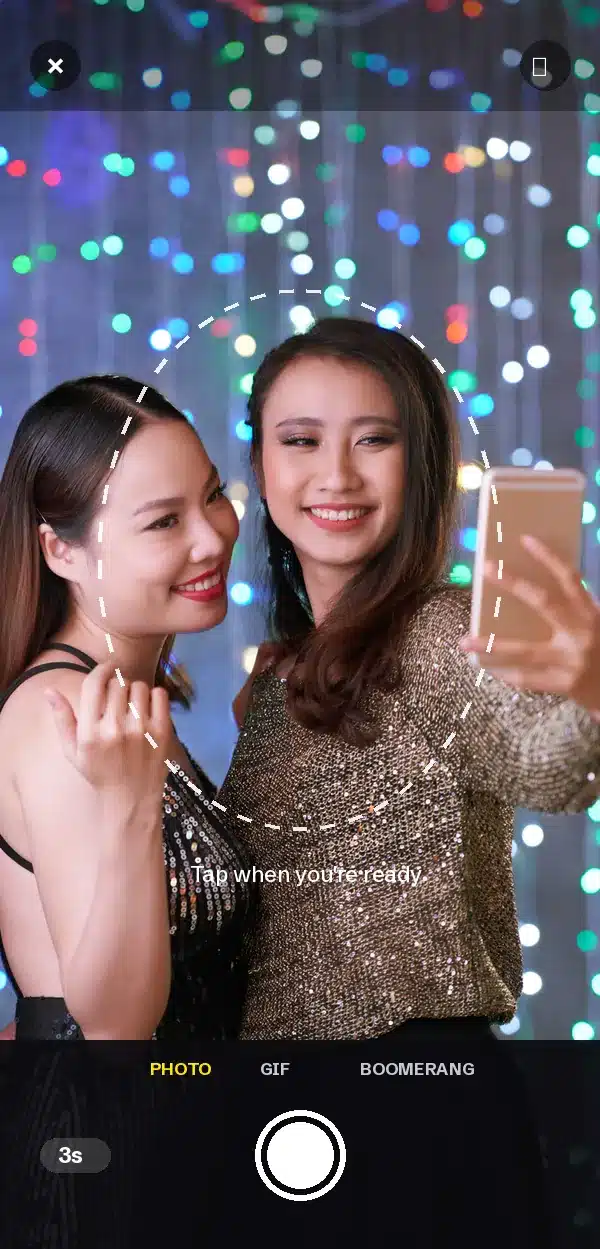
Step 1
Take the photo
The camera opens right in the browser, with a 3-second timer and a framing guide so nobody is mid-blink.
-
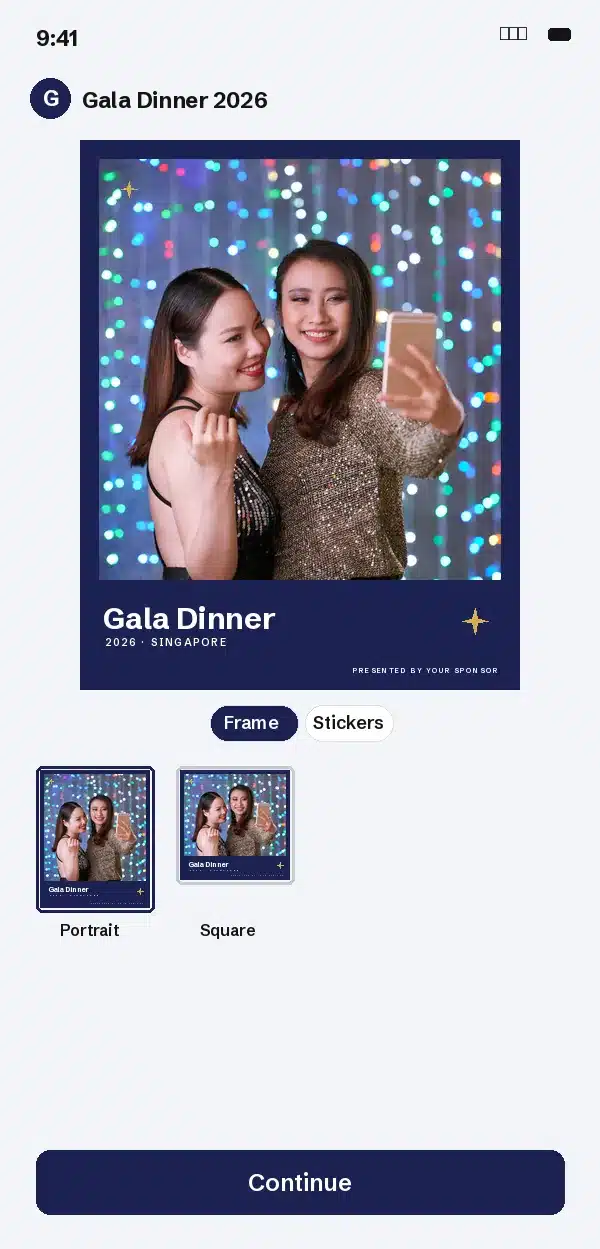
Step 2
Choose a frame
Your event name, date and sponsor sit inside the frame, in portrait 4:5 or square.
-
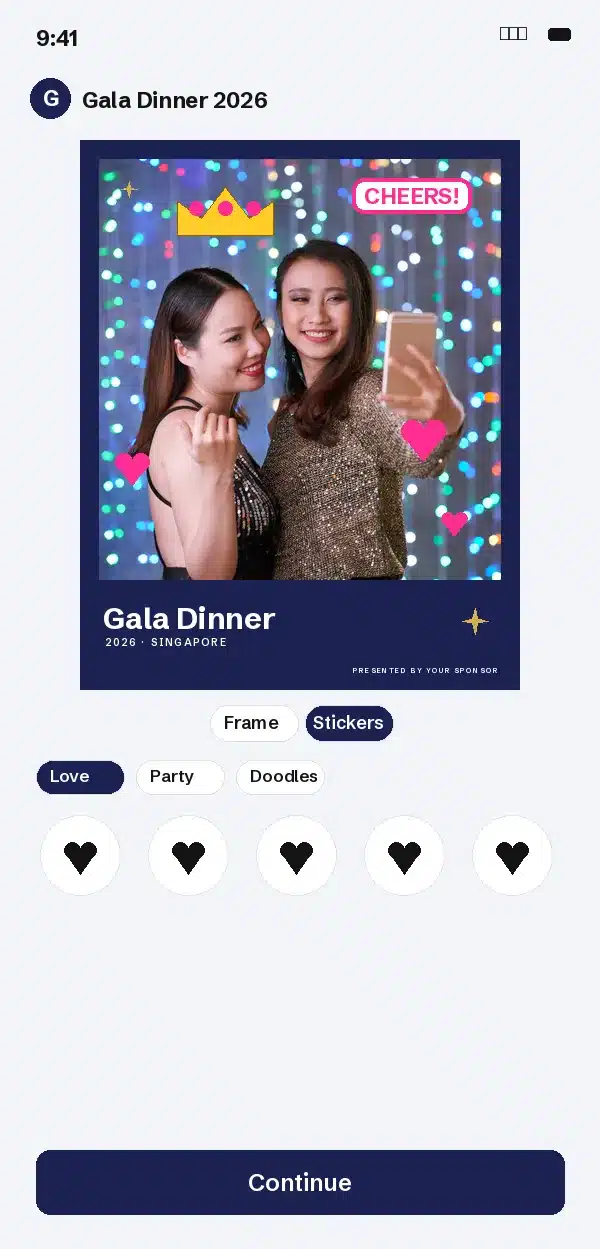
Step 3
Add stickers
Tap to add, drag to place, then rotate. Crowns, heart shades, disco balls and more.
-
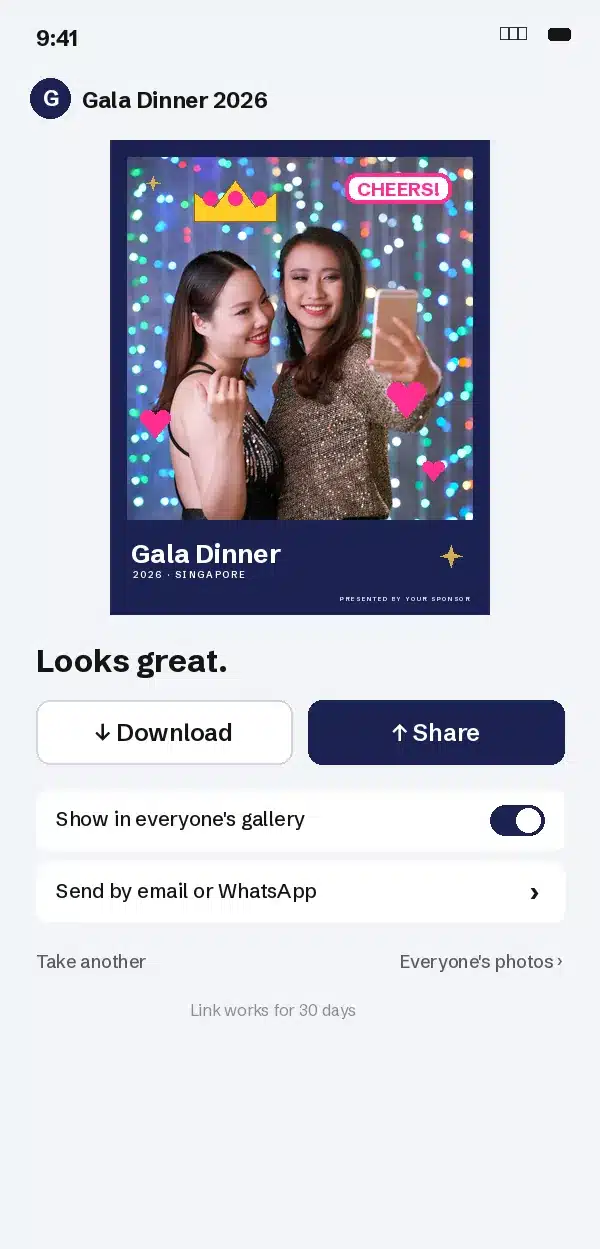
Step 4
Download and share
One tap to download, one tap to share, or have it sent by email or WhatsApp. The link works for 30 days.
-
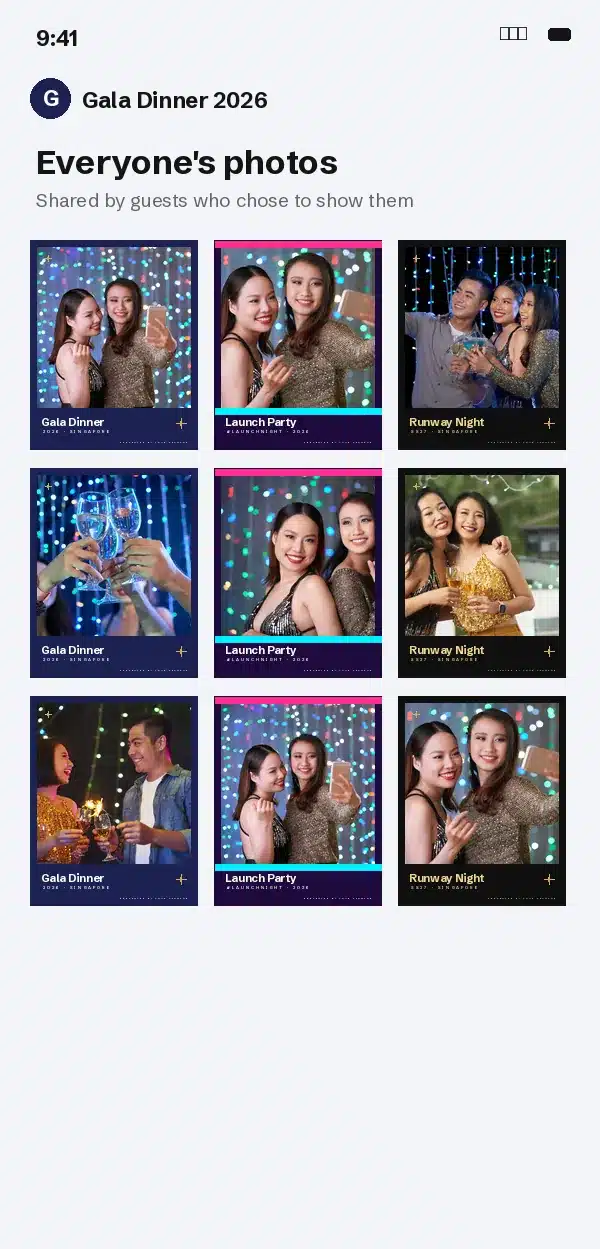
Step 5
Join the gallery
Guests decide, photo by photo, whether to add theirs to everyone's gallery.
Cammi's screens for a sample event.
Four things to add to the night
Mix them to suit your event.
-
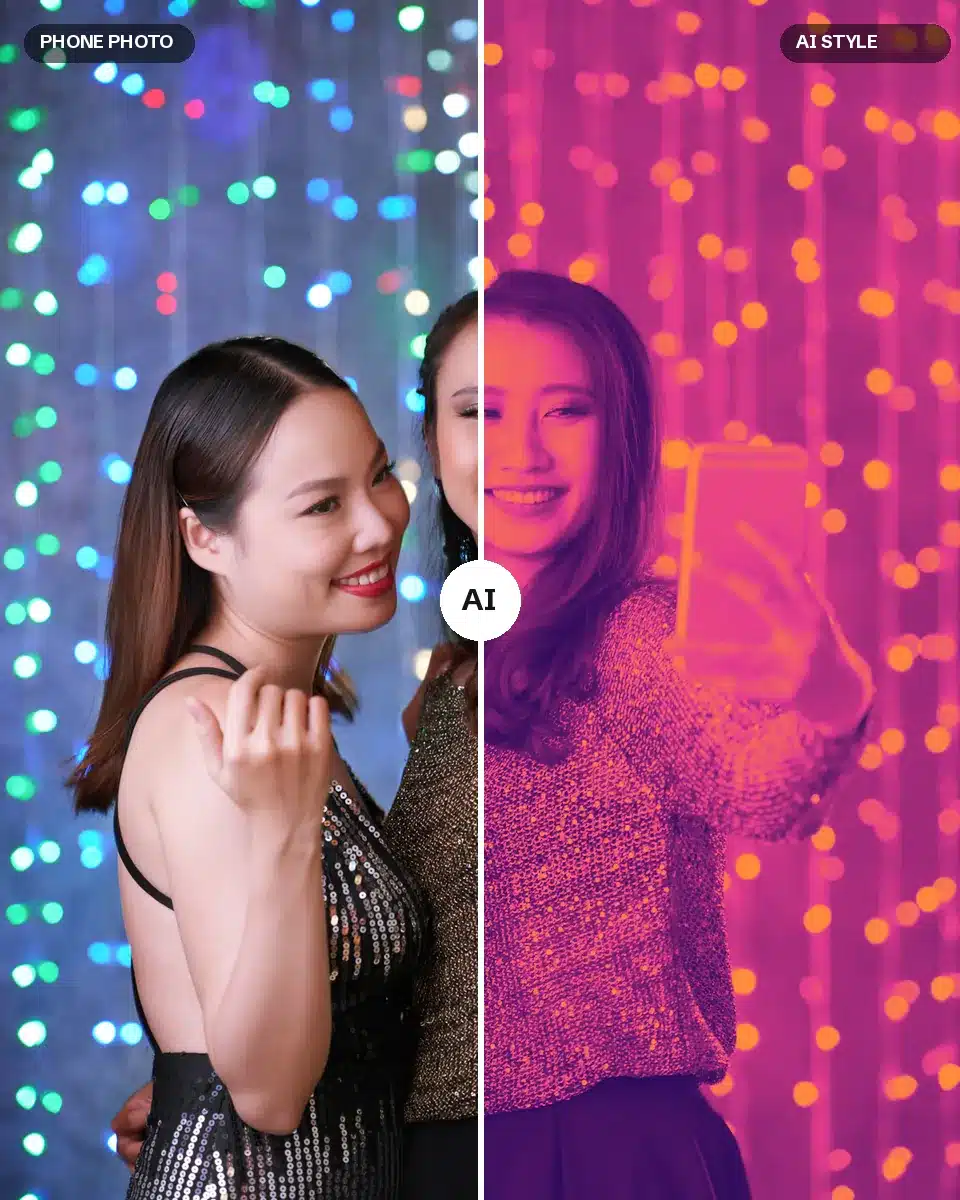
AI photo booth AI photo booth
AI styles and backgrounds
The AI restyles the photo, or swaps the ballroom for a new background.
See the AI photo booth -

GIF booth GIF booth
GIFs and boomerangs
For the moments a still can't hold: a toast, a head tilt, a shower of confetti that loops back and forth.
See the GIF booth -
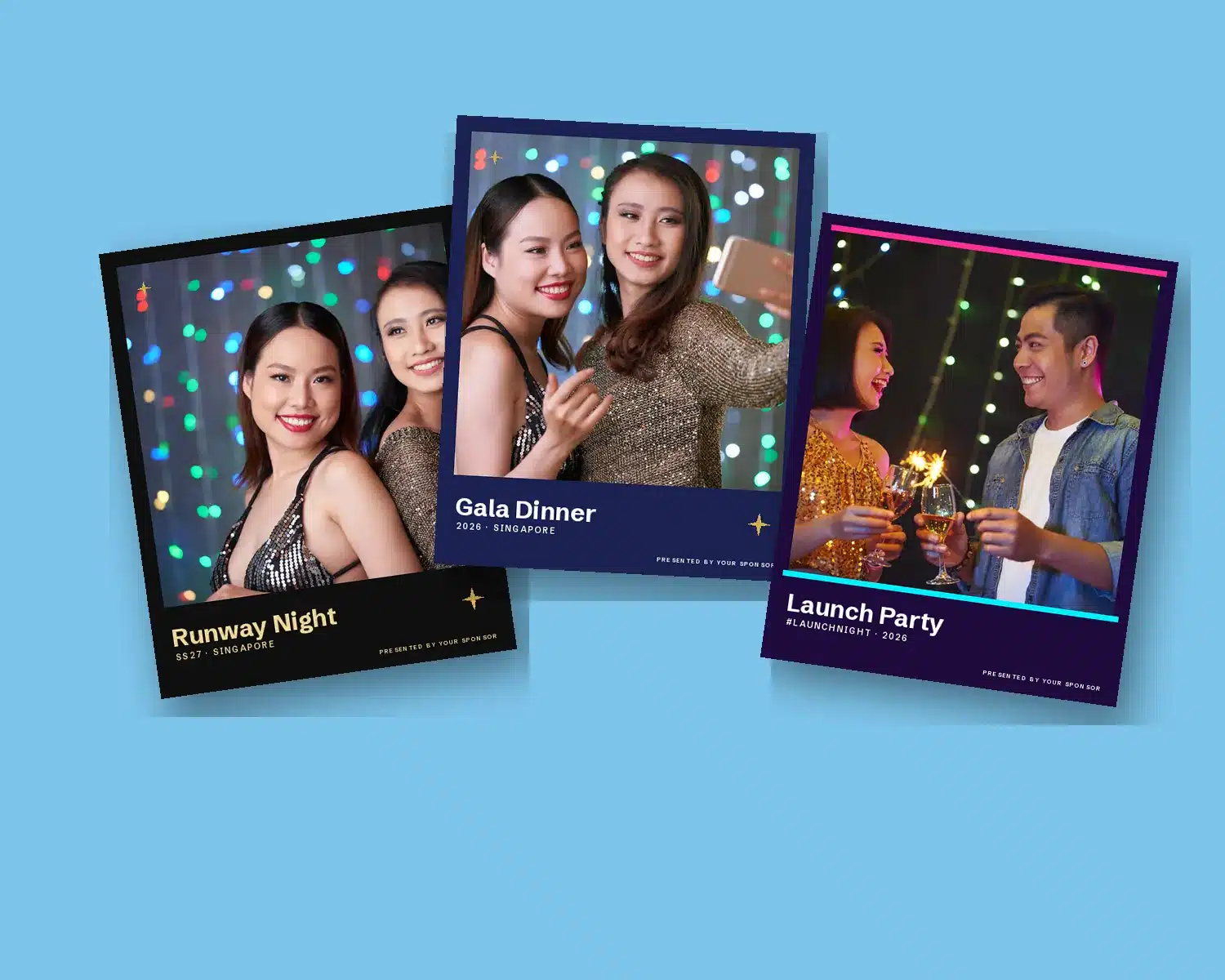
Frames and stickers Frames and stickers
Your night on every photo
Frames designed to your theme, with your event name, date and sponsor, plus sticker packs guests can drag on.
See frames and stickers -
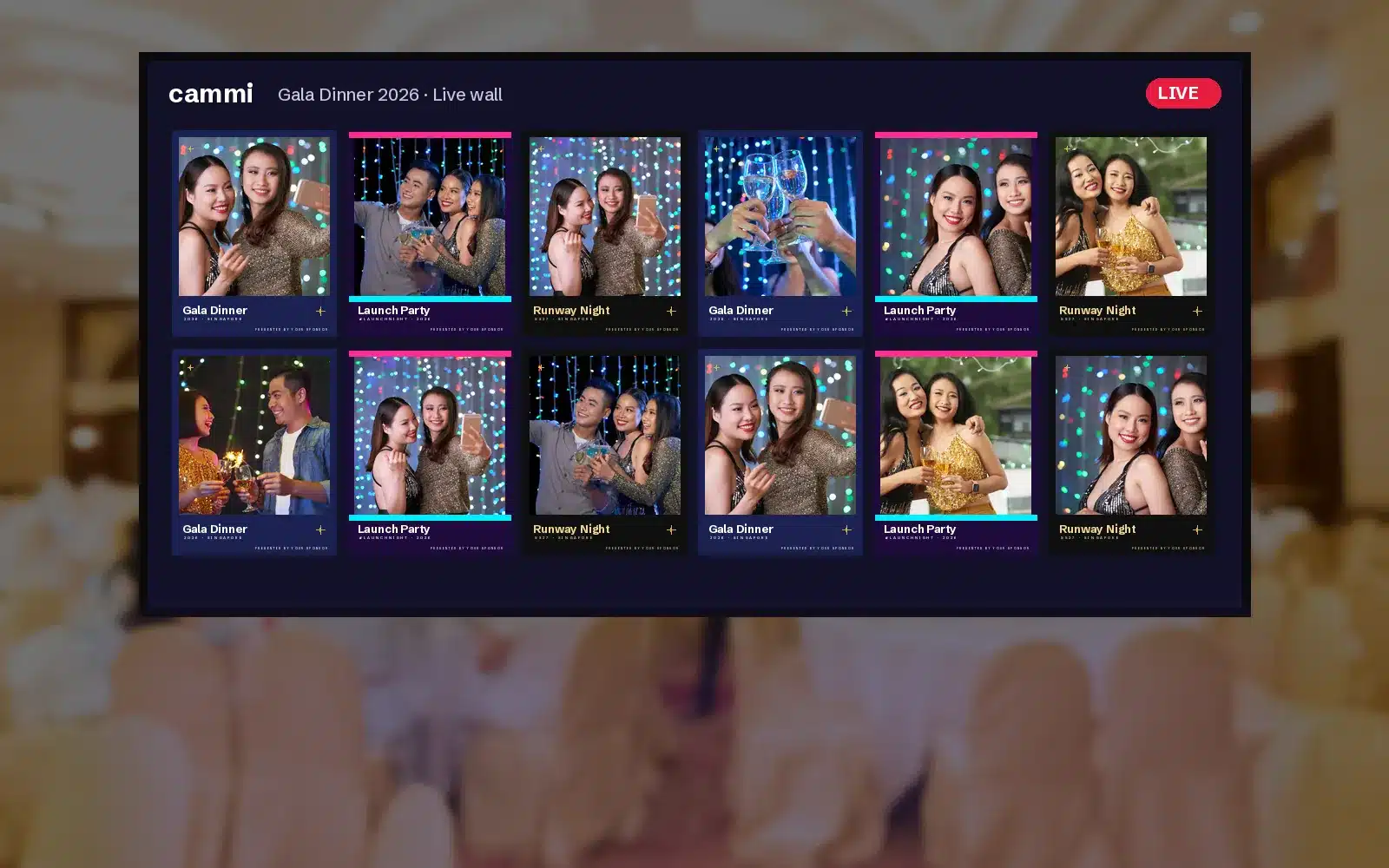
Live photo wall Live photo wall
The big screen and the gallery
Photos can go up on the live wall in the room, and guests who opt in join everyone's gallery.
See the live photo wall
Photos and screens from a sample event.
Where every photo goes
Every photo guests download or share carries your event.
Download and share
One tap saves the photo to the phone, one tap shares it to chats and social media, frame and sponsor included.
Email or WhatsApp
Guests can have their photo sent by email or WhatsApp, and come back to it for 30 days.
The big screen
The live wall puts the night's photos on a screen in the room while the event runs.
Prints at the venue
Photos can be printed at the venue for guests to take home.
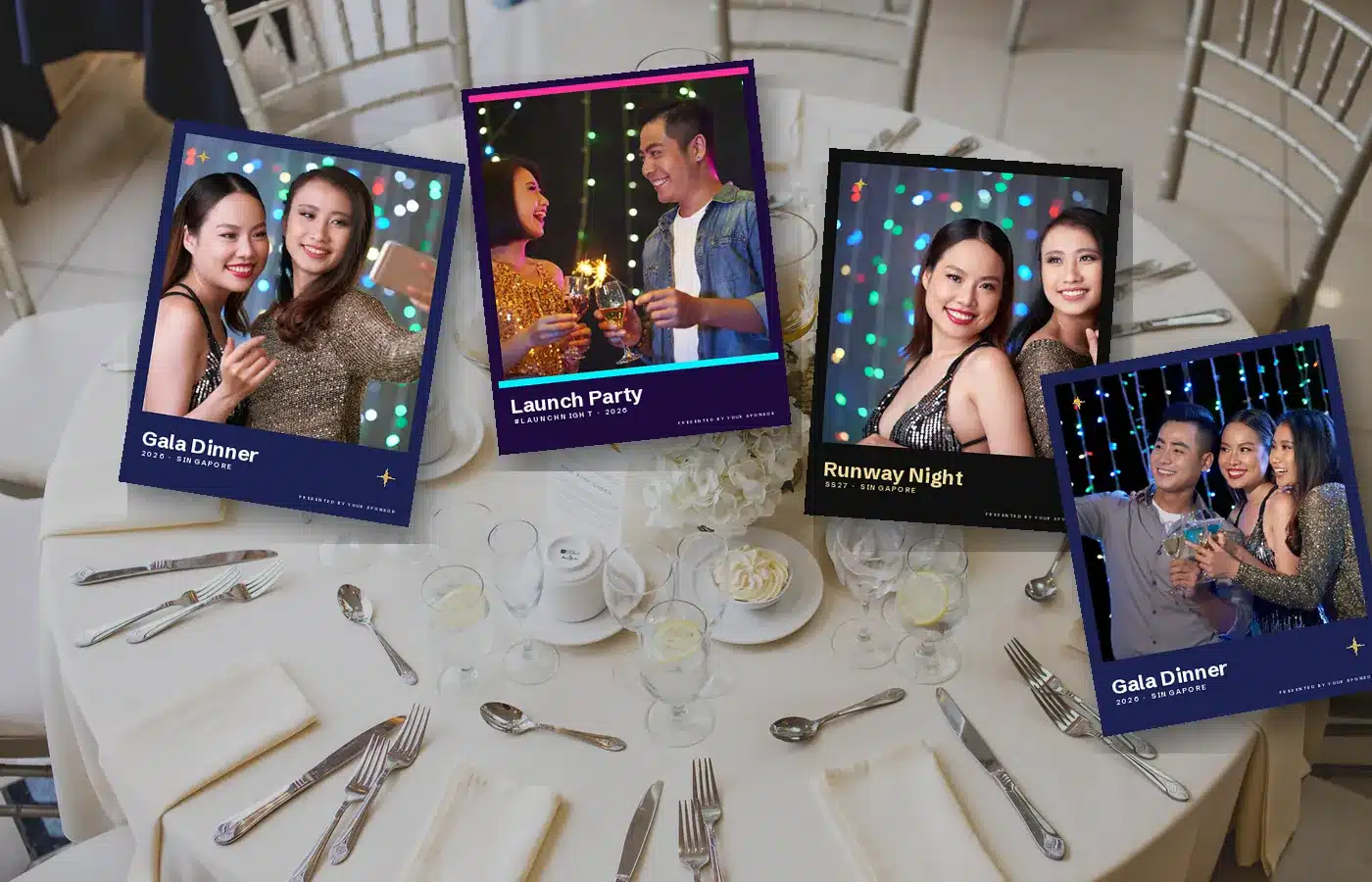
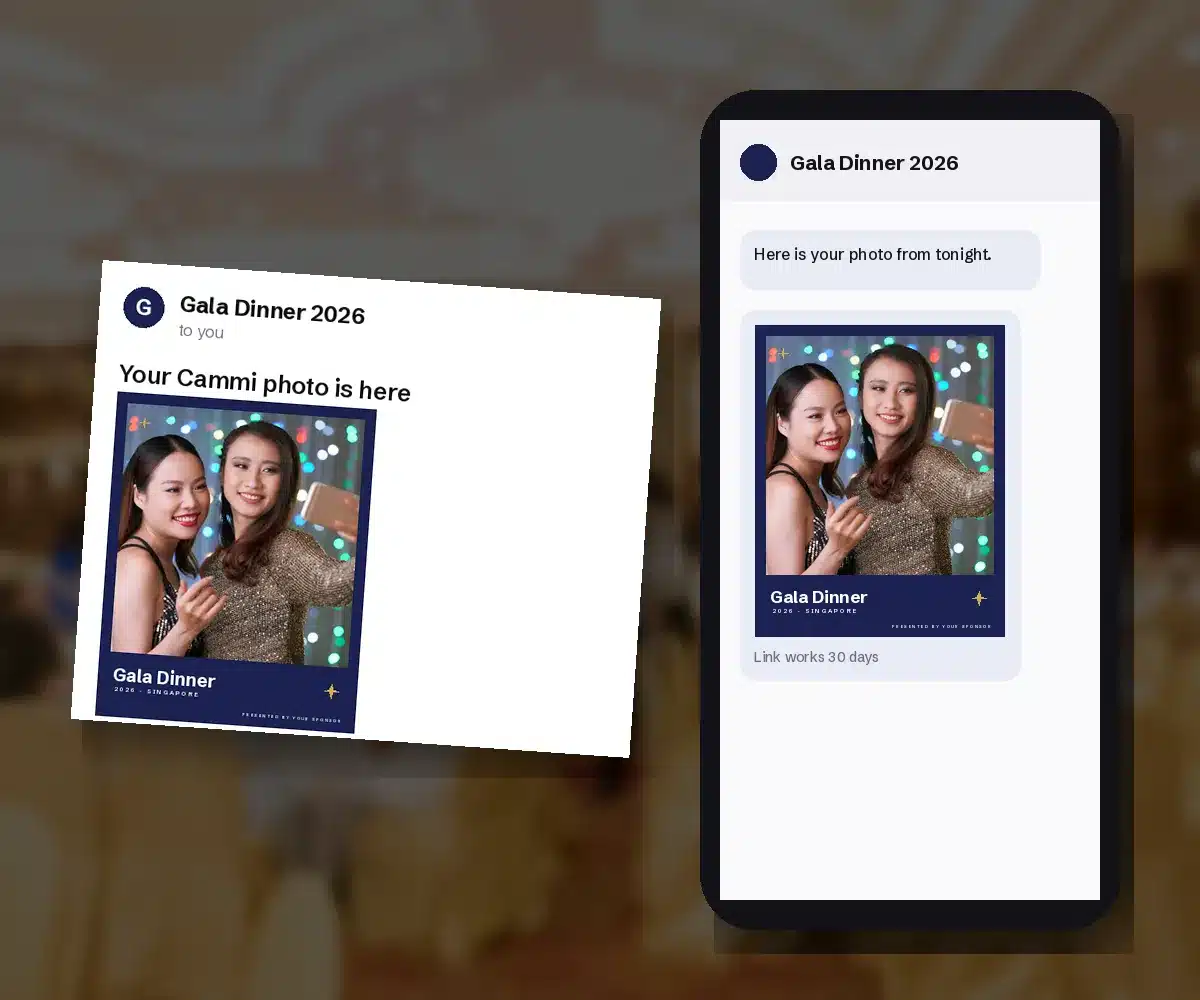
Photos and screens from a sample event.
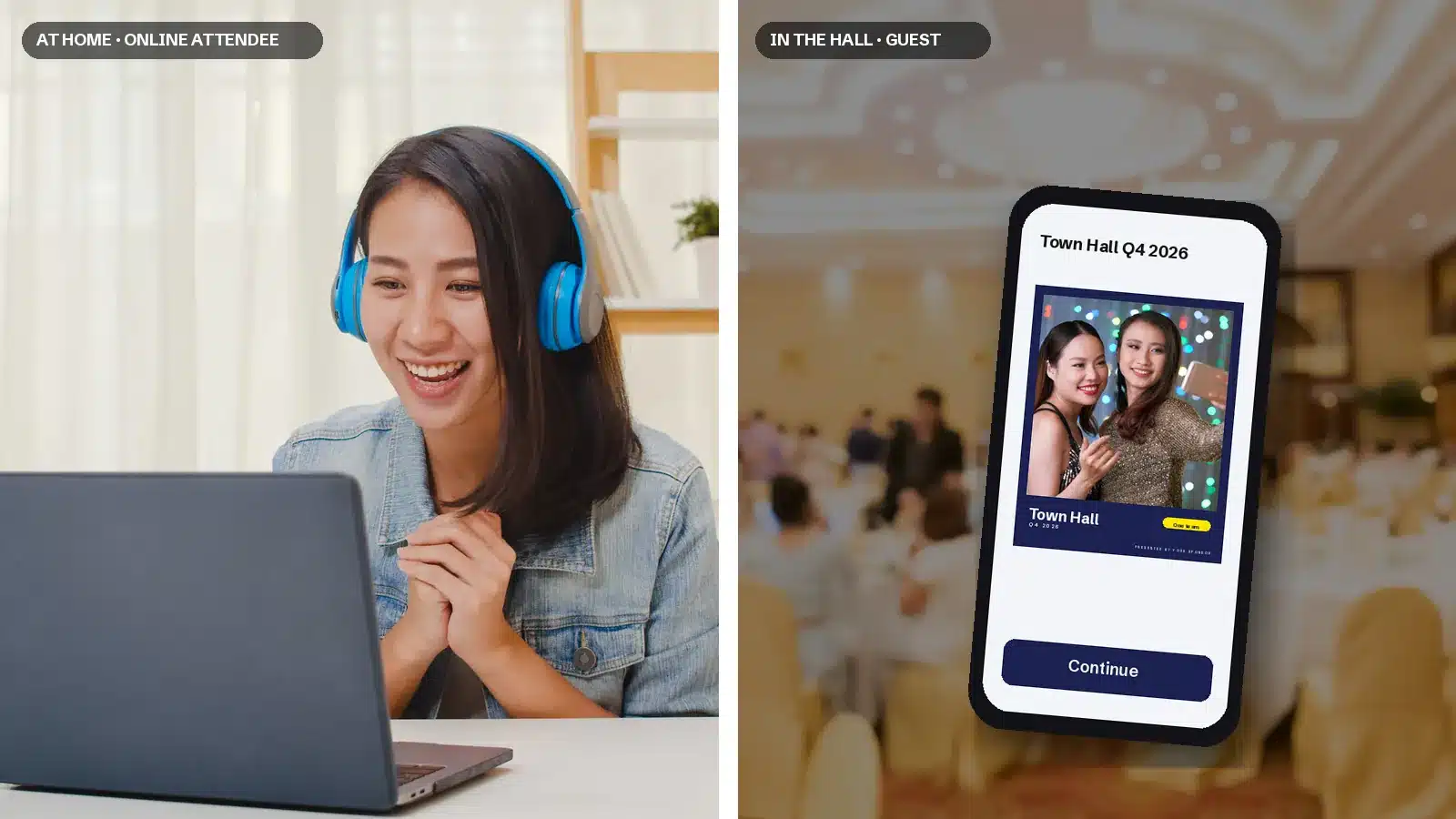
For the room and the stream
Guests in the room scan the QR code on their table. Online attendees open the same booth from your event site, so the people watching from home get the same frames and stickers.
- One booth for guests in the room and online attendees
- The same frames and stickers for both audiences
- The live wall and prints for the people in the room
Virtual photo booth or photo booth rental?
A photo booth rental puts a camera, lights and usually an attendant in one spot, and guests queue for a turn. A virtual photo booth like Cammi turns every guest's phone into the booth, so the whole room can shoot at once, and online attendees can join from wherever they are.
| Photo booth rental | Cammi virtual photo booth | |
|---|---|---|
| Where guests take photos | At the booth, one group at a time | On their own phones, all at once, in the room or online |
| What the venue needs | Floor space, power, the booth and usually an attendant | A QR code on the tables. Add a screen for the live wall, and printing if you want prints |
| What guests leave with | Prints, usually with a digital copy | A download, a share, email or WhatsApp, and prints if you add them |
| Who can join | Guests in the room | Guests in the room and online attendees |
Made for the nights people dress up for
And want proof they did.
-

Gala dinners
Midnight navy, starlight and your sponsor in the corner of every photo.
Gala dinner ideas -

Dinner and dances
Every table takes its own photos at the same time, so no one misses the dance floor queueing for a booth.
D&D ideas -

Launch parties
A neon frame with the launch hashtag, ready to share.
Launch party ideas -

Fashion shows
Black and gold, runway-ready, for the guests on the front row and the ones watching online.
Fashion show ideas -

Awards nights
Winners take their photo with the frame on, and the live wall puts the night's photos on the big screen.
Awards night ideas -
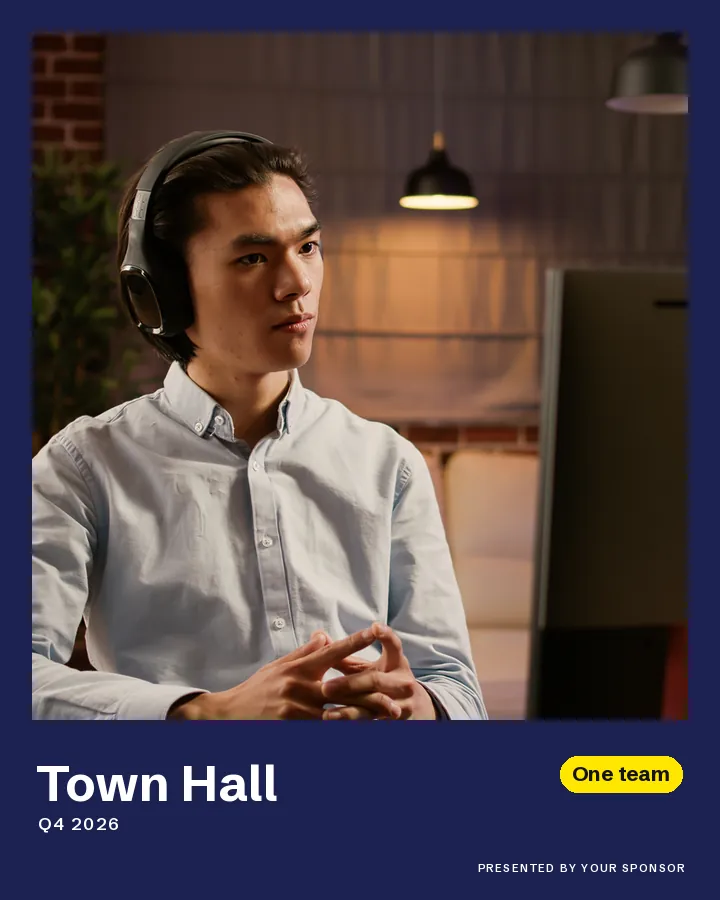
Town halls and conferences
One frame for the offices and the people joining online, from the opening speech to the last session.
Town hall ideas
Photos and screens from a sample event.
Why event teams run Cammi with Klobbi
Runs inside your event site
Cammi sits in your event microsite or app, one QR code away, or at its own link.
Consent before the camera
Guests agree to the photo terms before the camera opens, and photo links work for 30 days.
Four languages
English, Chinese, Malay and Tamil, switched with one tap.
Certified
Klobbi is ISO/IEC 27001 certified and holds the CSA Cyber Trust mark.
A Singapore team on your night
A dedicated project manager for every event, plus on-site crew if you want them.
Part of Klobbi Play
Add a lucky draw, a live quiz or a photo mosaic from the same menu.
See interactive activities
Questions about Cammi
At a glance
- Where it runs
- On guests' phones, in the browser. Online attendees join from wherever they are
- What guests need
- Their phone and your QR code. Nothing to download
- What they make
- Photos, GIFs and boomerangs
- How it looks
- Your frames with sponsor, stickers, and AI styles or backgrounds
- Where photos go
- Download, share, email or WhatsApp, everyone's gallery, the big screen and prints
- Languages
- English, Chinese, Malay and Tamil
- Consent
- Guests agree to the photo terms before the camera opens. Links work for 30 days
What is a virtual photo booth?
A virtual photo booth is a photo booth that runs on the phones guests already carry, instead of a cabinet in the corner of the room. Guests scan a QR code, take their photo in the browser and leave with it framed in your event's branding. Cammi is Klobbi's virtual photo booth.
How does a virtual photo booth work?
Guests scan a QR code, agree to the photo terms and take a photo with a 3-second timer. They choose a frame and add stickers, and the AI can restyle the photo or swap the background. Then they download it, share it or have it sent by email or WhatsApp. Guests who opt in appear in everyone's gallery, and photos can go up on the live wall in the room.
Can online attendees use Cammi?
Yes. Cammi can sit inside your event site or app, so online attendees at virtual and hybrid events open the same booth, with the same frames. See photo booths for hybrid events.
Can we put our logo and sponsors on the photos?
Yes. Klobbi designs the frames to your theme and loads them for you. Your event name, date and sponsor sit inside the frame, so they travel with every share. See frames and stickers.
What can Cammi's AI do?
Cammi's AI can restyle a photo or swap the background behind your guests. The looks on these pages are examples, so ask us for the current ones. See the AI photo booth.
Can the photos go on a big screen?
Yes. Cammi's live wall shows photos on a screen at the venue, and guests who opt in also appear in everyone's gallery. See the live photo wall.
What happens to guests' photos?
Guests agree to the photo terms before the camera opens, and their photo links work for 30 days. In Singapore, the PDPC's advisory guidelines on the PDPA treat an image of an identifiable person as personal data, so guests should be told how their photos will be used before they take them.
How much does Cammi cost?
It depends on the night: how many frames you want, the extras and whether you need on-site crew. Tell us about your event and Klobbi will send a quote, along with a test link dressed in your theme.
Tell us the night
We'll send a test link dressed in your theme, so your team can try Cammi before your guests do.
Ask for a test link
Tell us the date, the venue, roughly how many guests, and whether anyone joins online. Klobbi will reply.