Event Badge Printing & Onsite Badge Printing in Singapore

Turn live attendee data into branded event badges at the venue with Klobbi’s connected event badge printing system. Registration data, QR check-in, attendee lookup and badge output can work as one onsite flow, so organisers do not have to manage a separate badge spreadsheet or rebuild attendee information at the registration desk.

Klobbi supports on-demand onsite badge printing, professionally pre-printed badges and hybrid setups for conferences, corporate events, exhibitions and other live events in Singapore. Badge templates can be customised around your branding and attendee information, while the onsite technology setup can be configured around your arrival model, check-in stations and badge-printing requirements.

The result is a cleaner handoff from registration to arrival: the attendee record is identified, checked in and used to produce the right badge for that person.

⭐⭐⭐⭐⭐ - Trusted by 5000+ events, including government agencies, universities & corporate conferences.

Trusted by Singapore's Government Agencies, Universities and Enterprises

From national festivals to bilateral conferences and university events, Klobbi is the registration engine behind the events Singapore turns up to.

What Klobbi Event Badge Printing Includes

Event badge printing is more than sending names to a printer. For a live event, the software, attendee data, badge template, printer setup and registration desk all have to work together at the same time.

Klobbi combines those pieces into one configured event technology workflow. Depending on the project, the setup can include the event registration data, badge template configuration, QR or attendee lookup, onsite badge printers, kiosk or staffed check-in stations, badge stock and onsite technical support.

That makes the system suitable for organisers who want badge printing to sit inside the event operation rather than function as a separate print-production task. As part of Klobbi’s event registration platform, badge printing can use the same attendee record that supports registration, check-in and reporting.

Depending on the project, the setup can include

  • Event registration data
  • Badge template configuration
  • QR or attendee lookup
  • Onsite badge printers
  • Kiosk or staffed check-in stations
  • Badge stock
  • Onsite technical support

From Attendee Registration to a Printed Badge

The strongest badge workflow starts before the event. The information printed on the badge should already exist in the attendee record created during registration or loaded into the event system.

  1. Attendee data is prepared

    The event team confirms which attendee fields are required for the badge. These may include the attendee’s name, organisation, designation, attendee category or other approved information collected through the registration workflow.

  2. The badge template is configured

    Klobbi can customise badge templates around the event’s branding and the attendee data available in the system. The template determines which information should appear and how it is presented on the printed badge.

  3. The attendee is identified at the venue

    At arrival, the attendee can be identified through the configured check-in workflow, such as a QR-code scan or attendee lookup. This connects the physical arrival to the attendee record already held in the system.

  4. The correct badge is sent to print

    Where on-demand badge printing is configured, the check-in flow can trigger the badge output using the attendee data and template already prepared for the event.

  5. Check-in and badge handling stay connected

    The registration desk is working from one attendee record rather than a separate badge file. That makes it easier to keep badge printing, attendee corrections, walk-ins and attendance status aligned during the event.

Choose On-Demand, Pre-Printed or Hybrid Badging

Different events need different badge-printing models. Klobbi can support on-demand onsite printing, professionally pre-printed badges and combinations of the two depending on the event setup.

  • On-Demand Badge Printing

    On-demand badge printing produces the attendee’s badge when they arrive and are identified in the check-in system. This can be useful when organisers want the printed badge to reflect the latest attendee data, reduce the need to alphabetise every badge in advance or handle late changes and walk-ins more cleanly.

  • Pre-Printed Badges

    Some organisers prefer to prepare selected badges before the event. This can make sense for specific groups such as VIPs, speakers, staff or other categories where the badge needs to be assembled or prepared in advance.

  • Both combined

    Hybrid Badge Printing

    A hybrid model can combine pre-printed badges for selected groups with on-demand printing for general attendees or last-minute registrations. The right choice depends on attendee volume, badge material, arrival pattern, staffing and the event’s operational priorities.

Event Badge Materials for Different Event Formats

The badge material should match the event, not just the visual design. A one-day seminar, a multi-day conference and an outdoor event may have very different durability and presentation requirements.

Klobbi’s current badge-printing options include FSC-certified paper badges, satin or vinyl-style sticker options and tear-resistant or non-tearable badge formats. The final material choice should be confirmed for the specific project because stock, finish and format can vary by event setup.
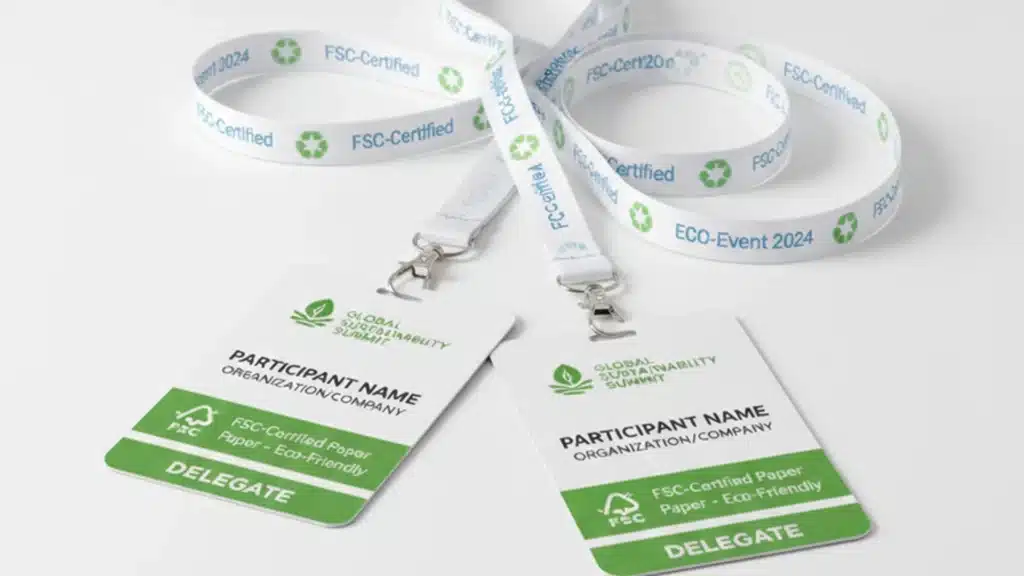
  • FSC-certified paper event badges with lanyards

    FSC-Certified Paper Badges

    Paper-based badges can be a practical option for conferences, meetings and indoor events where organisers want a professional printed credential with a lower-material approach.
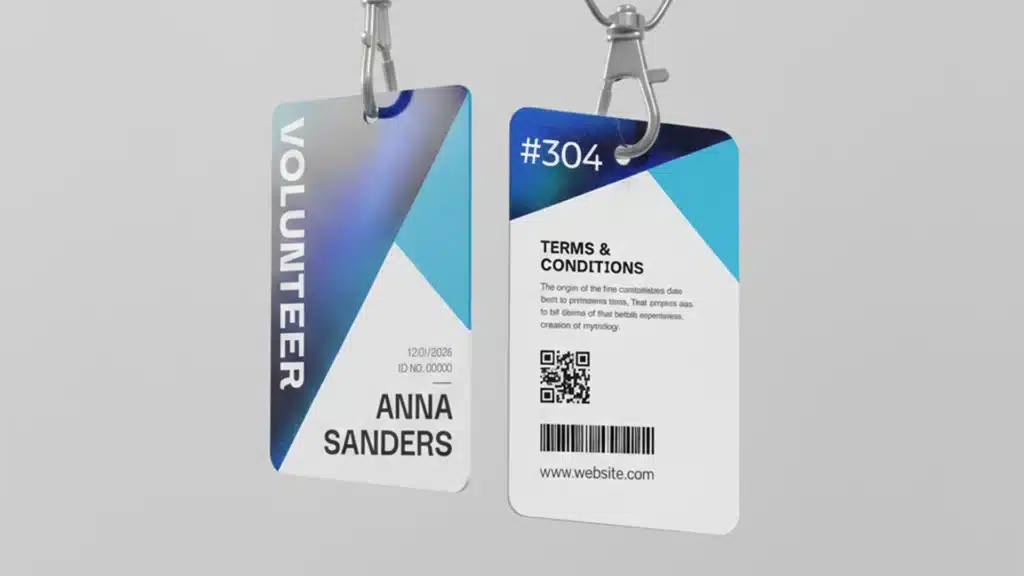
  • Satin or vinyl-style event badges

    Satin or Vinyl-Style Badge Options

    Sticker-style formats can provide a different finish and may suit events where a lighter badge format or a particular visual presentation is preferred.
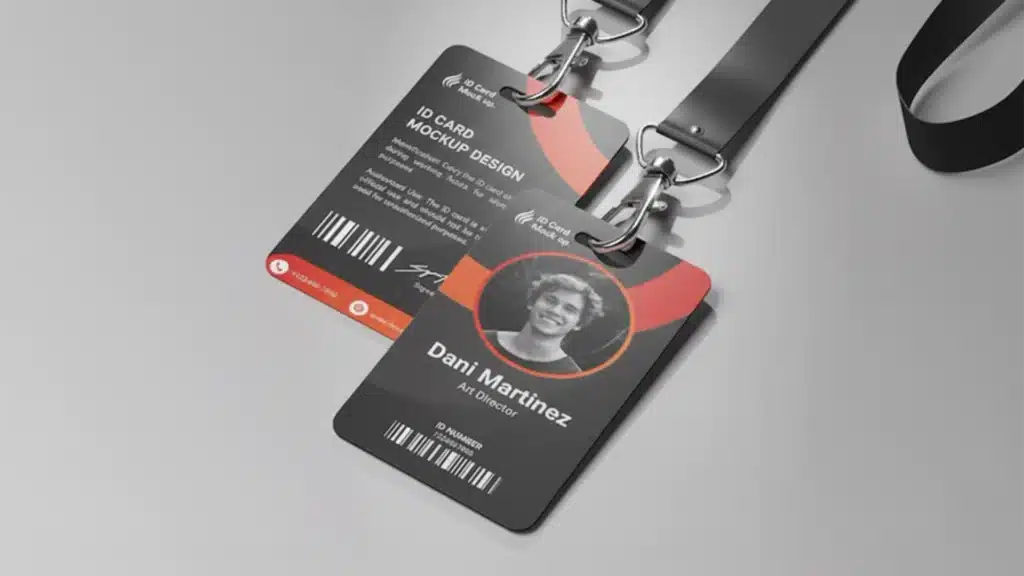
  • Tear-resistant non-tearable event badges

    Tear-Resistant / Non-Tearable Badges

    For longer events or situations where the badge needs to withstand more handling, a more durable tear-resistant format may be appropriate.

Badge selection should consider event duration, venue environment, branding, expected handling and how the badge will be worn or presented.

Custom Badge Templates Using Live Attendee Data

A useful event badge should identify the attendee clearly while supporting the event’s branding and operational needs. Klobbi’s badge templates can be configured around the attendee information already available in the registration system.

Depending on the approved event setup, a badge may use fields such as attendee name, organisation, designation, attendee category or other relevant registration information. The key is that those fields come from the attendee record rather than from a separate manually maintained print list.

Branding can also be carried into the badge template through the event identity, typography and approved visual elements. The objective is to make the badge easy to read at the venue while still feeling consistent with the wider registration and event experience.

Klobbi’s current public material describes these as customisable templates with smart attendee data fields. Exact badge dimensions, data fields and visual layout should be agreed during project setup.

Branded event badge template designed by Klobbi with space for attendee data fields

Connect QR Check-In to Onsite Badge Printing

Badge printing becomes most useful when it is connected to the same onsite workflow that confirms the attendee has arrived.

Klobbi supports QR-code check-in and attendee lookup. When onsite badge printing is part of the project, the identified attendee record can continue into the configured print workflow rather than being searched for again in a separate badge system.

This creates a simple operational sequence: identify the attendee, confirm the record, check them in, print the correct badge and continue the attendance workflow.

  1. Identify the attendee
  2. Confirm the record
  3. Check them in
  4. Print the correct badge
  5. Continue attendance

For events that need self-service or kiosk-based arrival, Klobbi’s event registration kiosk can handle the check-in side of the workflow while the badge printer handles the physical output.
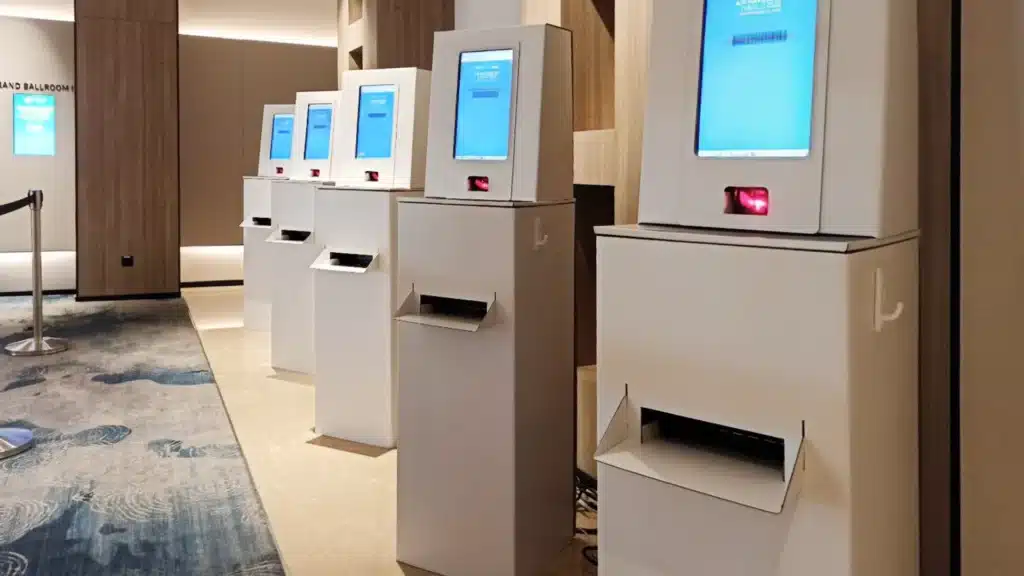
Klobbi QR check-in kiosks with integrated badge output at a Singapore venue

Handle Walk-Ins, Corrections and Badge Reprints Onsite

Live events rarely run exactly as the pre-event list suggests. Someone arrives who was not registered, an attendee’s organisation has changed, a name needs correcting or a badge is lost after it has already been printed.

  • Walk-In Attendees

    Where walk-in registration is included in the event setup, the onsite team can create or complete the attendee record first, then continue through check-in and badge printing. The badge is therefore generated from the same record that the event team will use for attendance and reporting.

  • Name or Organisation Corrections

    If an attendee record needs an approved correction, the information can be updated before a replacement badge is produced. This is cleaner than editing a separate print file while leaving the registration database unchanged.

  • Lost or Damaged Badges

    Where reprints are permitted by the event workflow, the team can use the attendee record to produce a replacement badge without recreating the attendee from scratch.

The exact rules for walk-ins, substitutions, corrections and reprints should be agreed before the event so the registration crew knows which changes can be made onsite and who is authorised to approve them.

Self-Service, Staffed or Hybrid Badge Printing

Badge printing can be configured around how you want attendees to move through the arrival area.
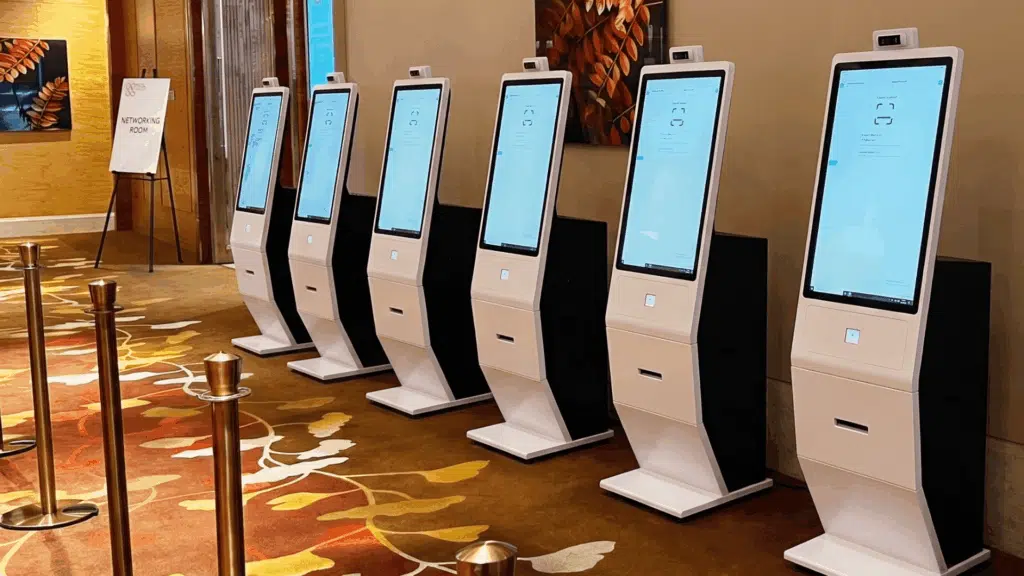
  • Klobbi self-service registration and badge printing kiosks

    Self-Service Badge Printing

    For events using Klobbi’s kiosk or station technology, attendees can move through a configured self-service flow where they identify themselves and continue into badge printing with minimal staff intervention for standard cases.
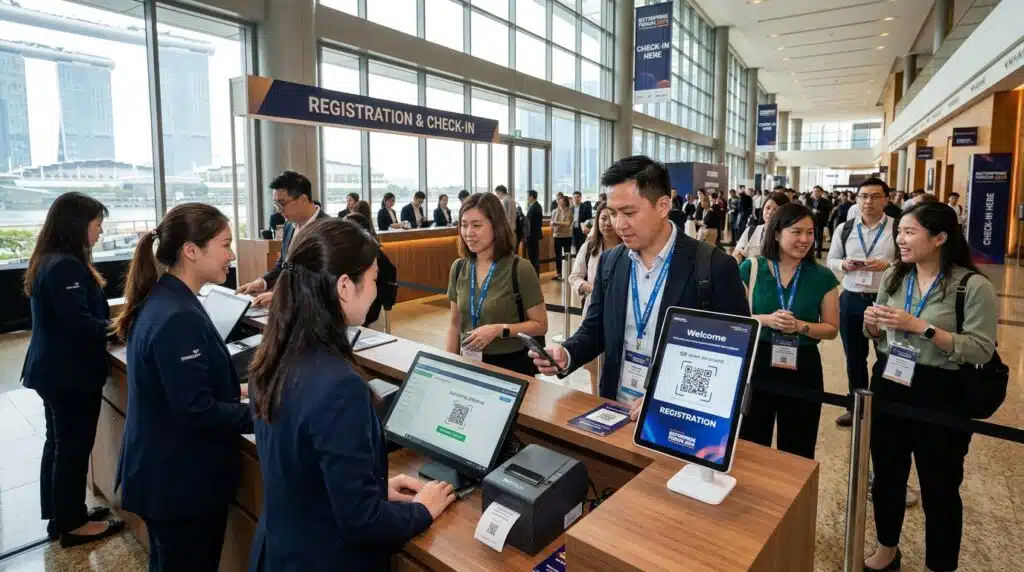
  • Staffed event registration desk with attendee lookup and badge handoff

    Staffed Registration Desks

    A staffed desk gives the event team more direct control over attendee lookup, exceptions, walk-ins and badge handoff. This can be useful where the registration journey requires more verification or where the organiser wants a more assisted arrival experience.
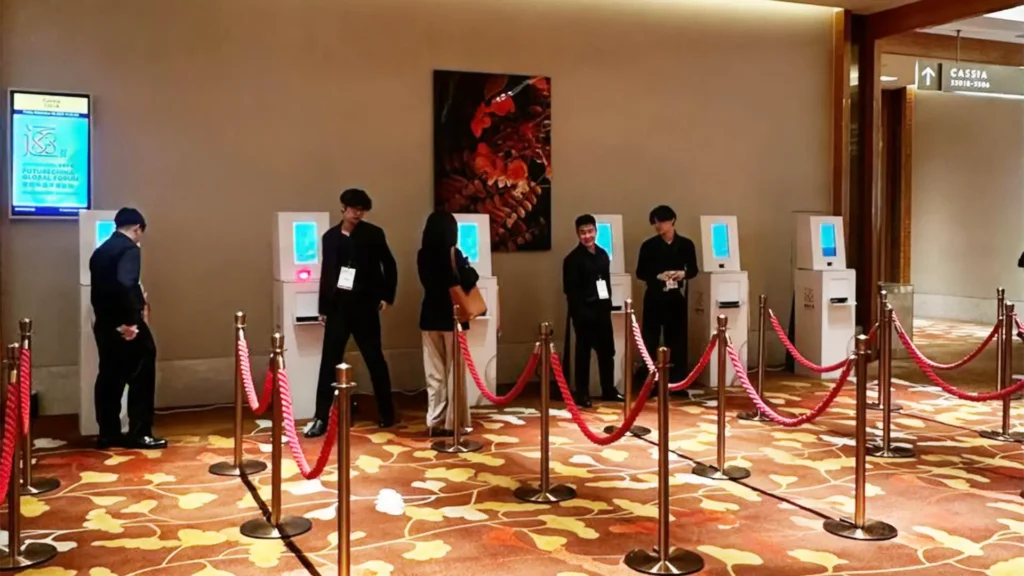
  • Hybrid check-in with self-service kiosks and onsite registration staff

    Hybrid Check-In and Badging

    Many events benefit from a hybrid model: self-service for straightforward pre-registered attendees, with a staffed help or exception desk for walk-ins, corrections, reprints and other non-standard cases.

Klobbi can configure the onsite setup around the expected attendee volume, venue layout and arrival pattern rather than forcing every event into the same check-in model.

Badge Printing Hardware and Event-Day Reliability

A badge-printing system is only useful if the hardware setup works with the event-day operation. The number and placement of printers should reflect attendee volume, arrival peaks, check-in mode and the role of staffed or self-service stations.

Klobbi can integrate badge printers into its onsite registration setup, including kiosk, compact station or staffed-desk configurations. The final hardware layout is planned around the event rather than treated as a standalone printer rental.

Reliability also needs to be planned before doors open. Printer testing, badge-stock preparation, device configuration and redundancy should form part of the event-day setup. Klobbi’s public event-delivery material also references spare printing hardware as part of onsite planning; the exact redundancy package should be confirmed for the project.

  • Printer testing
  • Badge-stock preparation
  • Device configuration
  • Redundancy planning

Venue connectivity should be discussed during scoping as well. Supported local or offline functions may continue during interruptions depending on the configured system, but the exact badge-printing behaviour should be confirmed for the event rather than described as universally offline.
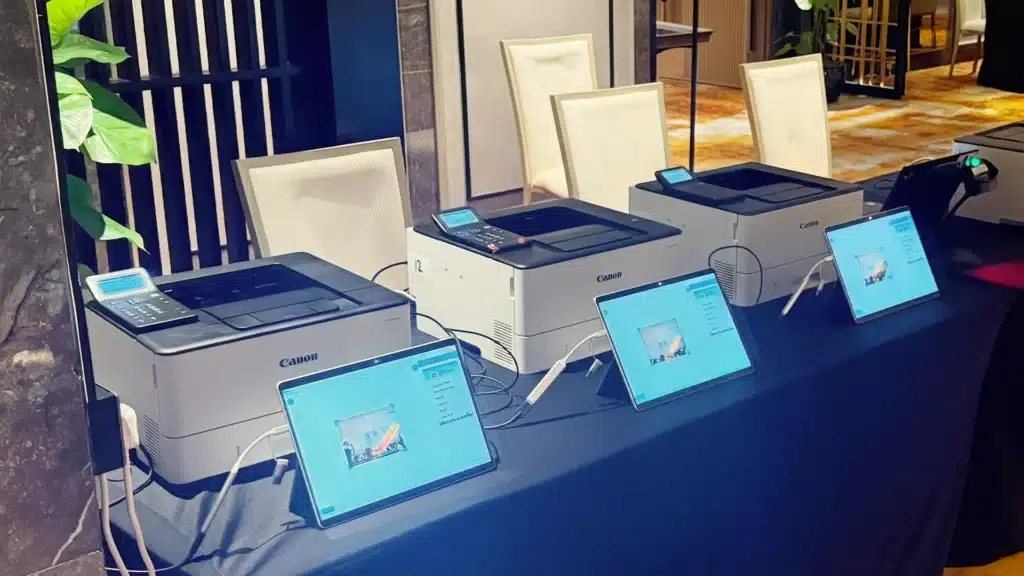

Klobbi badge printers and check-in tablets set up at a registration desk

Event Badge Printing for Conferences, Corporate Events and Exhibitions

  • Conference Badge Printing

    Conferences may need different badges for delegates, speakers, members, students, VIPs or staff. The badge workflow can use the attendee category and other registration data already captured before the event, while onsite printing helps the registration desk handle late changes and arrivals. For conference-specific registration requirements, see Klobbi’s conference registration system.

  • Corporate and Government Events

    Corporate and public-sector events often place greater emphasis on professional presentation, defined attendee categories, technical reliability and procurement requirements. Klobbi can configure the badge-printing workflow as part of the wider event registration and onsite technology setup.

  • Exhibitions and Trade Events

    Exhibitions can create concentrated arrival windows and a higher volume of attendee exceptions. Connected check-in and badge printing helps the registration desk work from live attendee records rather than multiple disconnected lists.

  • Seminars, Workshops and Training Events

    Smaller events may not need a large kiosk deployment. A compact staffed or station-based setup can still provide branded attendee badges while keeping the registration and attendance record connected.

Badge Data, Security and Privacy

The information printed on an event badge is attendee data, so organisers should be deliberate about what appears on the physical credential and who can access the underlying registration information.

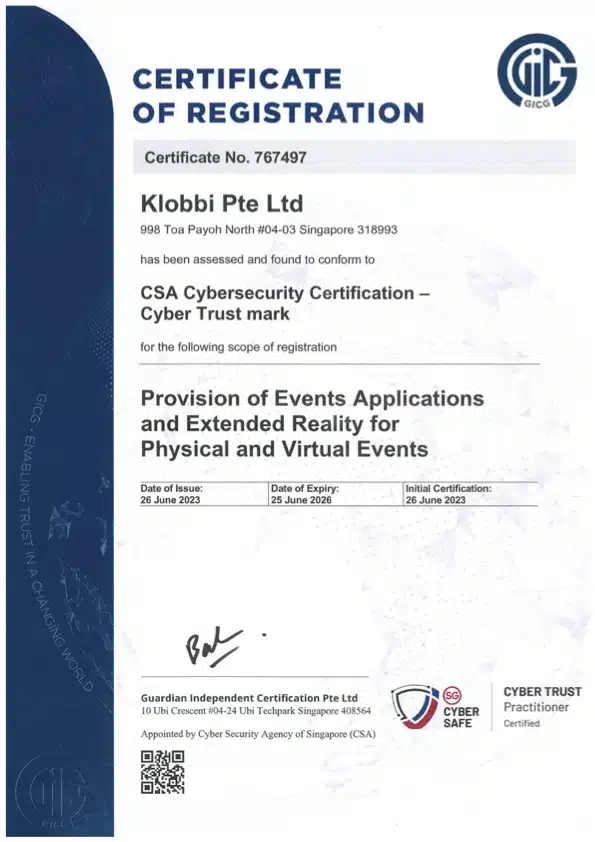
Klobbi Pte Ltd’s information security management system is certified to ISO/IEC 27001:2022, and the company holds Singapore’s CSA Cyber Trust Mark at Promoter tier. Klobbi also structures its Singapore event registration workflows around PDPA requirements.

For badge-printing projects, the practical security discussion should cover which attendee fields are displayed, which fields remain private, who can edit attendee records onsite, how walk-in data is handled and what information the event team needs for check-in and reporting.

Organisers can review Klobbi’s event registration data security approach in more detail through the dedicated Data Security page.

  • ISO/IEC 27001:2022Certified information security management system
  • CSA Cyber Trust Mark – PromoterSingapore Cyber Security Agency certification
  • PDPA-aligned workflowsSingapore event registration structured around PDPA requirements
Klobbi ISO27001

ISO 27001 Certified

Klobbi Cyber Trust Mark Tier 3

Cyber Trust Mark

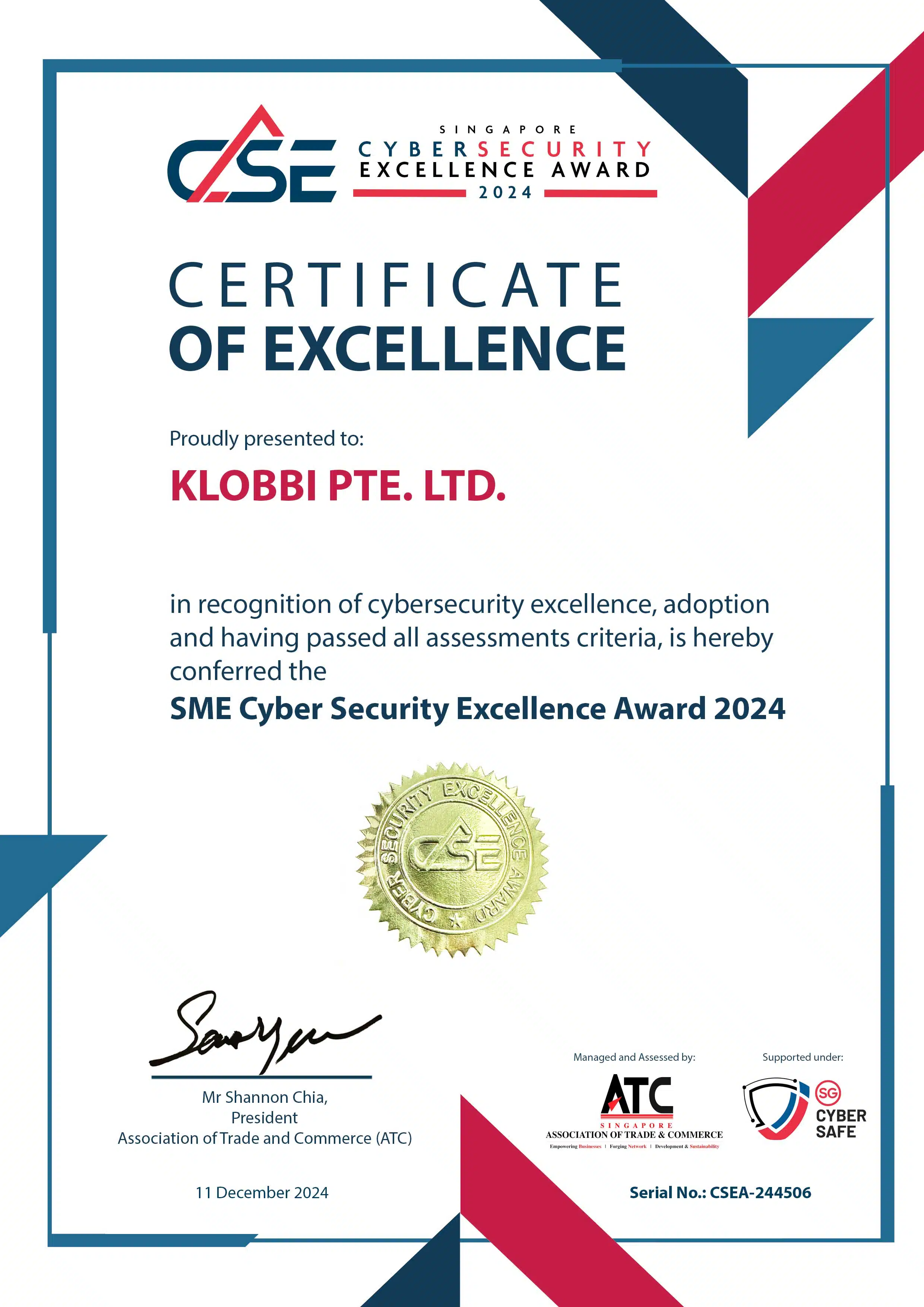
CSA Cyber Security Excellence Awards

Cyber Security Excellence Awards

Data Protection Essentials 101

Data Protection Essentials

Why Klobbi

Why Klobbi for Event Badge Printing in Singapore

Klobbi is an event technology company, so badge printing is delivered as part of a connected registration and onsite workflow rather than as a generic print-shop service.

  • One Attendee Record from Registration to Badge

    The same attendee information used before the event can continue into QR check-in, badge printing and attendance reporting. That continuity reduces the need to rebuild or manually reconcile separate files onsite.

  • On-Demand and Pre-Printed Options

    Organisers can choose a badge model that matches the event: on-demand printing for arrival flexibility, pre-printed badges for selected groups or a hybrid of both.

  • Custom Badge Data and Branding

    Badge templates can be configured around the event identity and the attendee fields available in the registration record.

  • Walk-In and Reprint Handling

    The onsite workflow can accommodate approved walk-ins, attendee corrections and badge reprints without creating a separate disconnected badge database.

  • Self-Service and Staffed Configurations

    Klobbi can deploy badge printing alongside kiosk, station or staffed registration workflows depending on the arrival model and venue requirements.

  • Singapore-Based Technical Support

    Klobbi’s project team can support configuration, testing and the technical handoff into onsite registration and badge printing. The event team is not left to assemble the software, hardware and attendee data workflow alone.

  • Enterprise Security Credentials

    ISO/IEC 27001:2022 certification and the CSA Cyber Trust Mark at Promoter tier provide enterprise, government, education and healthcare buyers with documented security credentials for vendor and procurement review.

FAQs

Frequently Asked Questions

What is event badge printing software?

Event badge printing software connects attendee data to a badge template and printer so organisers can produce personalised event badges before the event or onsite when attendees arrive. In a connected workflow, the same attendee record can also support check-in and attendance reporting.

Can Klobbi print badges onsite when attendees check in?

Yes. Klobbi supports onsite on-demand badge printing as part of its event registration and check-in workflow. The attendee can be identified through the configured check-in process and the corresponding badge output can then be produced onsite.

Does Klobbi support conference badge printing in Singapore?

Yes. Klobbi supports conference badge printing for events that need branded delegate credentials, different attendee categories, onsite check-in and badge printing connected to the registration record.

Can badges be printed from QR-code check-in?

Yes. Klobbi supports QR-code check-in and onsite badge printing as connected parts of the event-day workflow. The exact check-in and print configuration should be agreed for the event.

Can we customise the information and branding on attendee badges?

Yes. Klobbi supports customisable badge templates and smart attendee data fields. The exact information, branding, layout and badge format should be confirmed during project setup.

What badge materials does Klobbi offer?

Klobbi’s current public badge options include FSC-certified paper, satin or vinyl-style sticker formats and tear-resistant or non-tearable badge options. Final material availability should be confirmed for the event.

Can Klobbi handle walk-in attendees and print a badge for them?

Where walk-in registration is included in the onsite setup, the event team can create or complete the attendee record, check the person in and continue into badge printing using the same workflow.

Can a misspelled name be corrected and the badge reprinted onsite?

Yes, where the event workflow allows onsite corrections and reprints. The attendee record can be corrected before a replacement badge is produced so the registration data and physical badge remain aligned.

Can we pre-print VIP badges and print other badges on demand?

Yes. A hybrid setup can combine pre-printed badges for selected groups with onsite on-demand printing for other attendees. The best model depends on the event categories, material, arrival pattern and operational requirements.

Does Klobbi provide badge printers and onsite technical support?

Klobbi can provide the onsite event technology layer required for its badge-printing projects, including connected badge printers and technical setup. The exact hardware and onsite support package should be confirmed for the event.

Can badge printing work with the event registration system?

Yes. Klobbi’s badge-printing workflow is designed to use attendee information already held in the registration system, allowing the same record to continue into check-in, badge output and attendance reporting.

What happens if venue internet connectivity becomes unstable?

The answer depends on the configured onsite setup. Klobbi supports local or offline functions in parts of its event-day workflow, but the exact badge-printing behaviour during a connectivity interruption should be confirmed during technical planning for the event.