
Home › Solutions › Abstract management software › Presenter management
Klobbi Abstract · Steps 4 and 5: register and check in
Presenter management is the work between an abstract's acceptance and its presentation: getting the presenter registered, paid and through the door with the right badge. In Klobbi Abstract it happens on the same record as the abstract, so nothing is retyped and no accepted presenter is lost between the decision list and the registration list.
★★★★★ Trusted by 5000+ events, including government agencies, universities and corporate conferences · ISO/IEC 27001 certified · CSA Cyber Trust mark

Sample badge · Annual Scientific Congress
Dr Rachel Tan
Department of Cardiology
ABS-0142 · Oral

Figure 1. The SAHC 2026 call for abstracts page, run on Klobbi.
In use
SAHC 2026 ran its call for abstracts on Klobbi. Allied health and pharmacy professionals, students and community partners submitted abstracts, and those selected were presented at the conference as orals or posters.
Klobbi has also run calls for abstracts for APCOT 2024, SICC-12 2024, NHG Eye Conference 2024 and CAPE 2023. See them on the main page.
On many congresses the decision list and the registration list live in different places. Accepted authors are sent to a separate form to type their details again, the secretariat matches the two lists by hand, and at the door nobody can tell a presenter from a delegate.
Klobbi Abstract closes that gap: the accepted abstract's record carries through to the presenter's ticket and badge, so nothing is typed twice.
Six steps in three stages, all on the same record as the accepted abstract.
1
Accepted presenters get a confirmation with a link back to their portal.
2
Only accepted authors see the presenter ticket. Everyone else registers as a delegate.
3
Name, affiliation and badge name come from the submission. The presenter checks them rather than typing them again.
4
A discounted presenter ticket, paid in the portal, with no separate registration form. Payment confirms the slot.
5
The e-ticket carries the abstract reference and presentation type.
6
Scan the code, check in, and the presenter badge prints.
The committee sees which accepted presenters have registered and paid, and which haven't, without matching lists by hand.
Every paid presenter lands in the main event registration alongside delegates, speakers and exhibitors, so the check-in team works from one list.
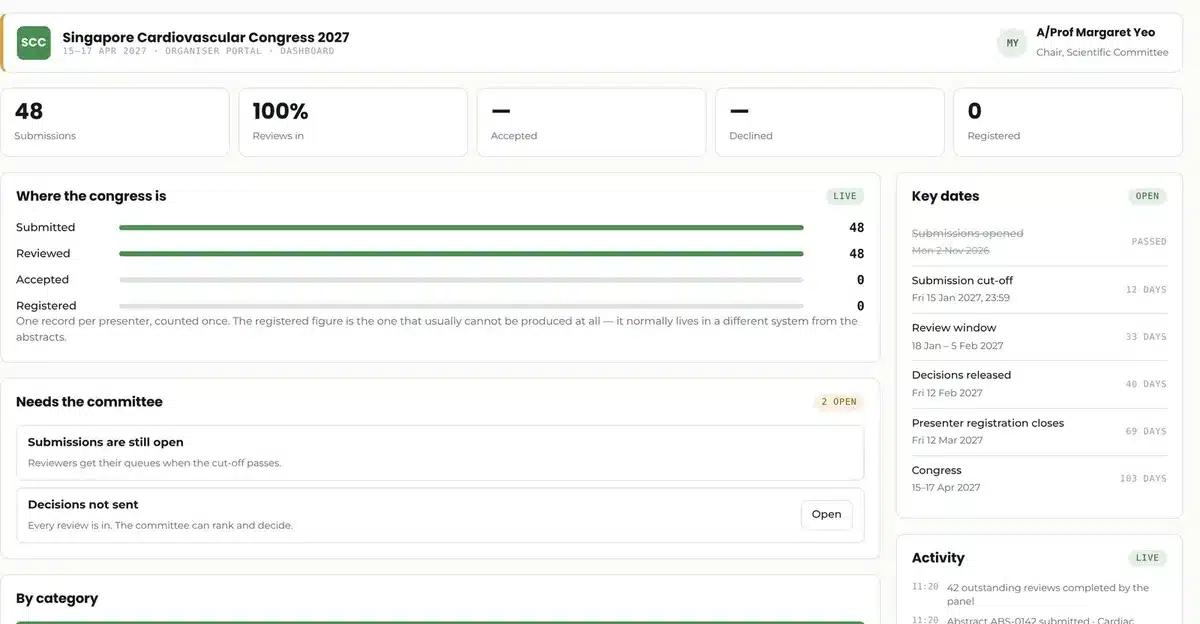
Figure 2. The committee dashboard: submissions, reviews, decisions and presenter registrations on one screen. Demo data.
Presenter registrations sync to Klobbi's check-in, so presenters use the same entrances as everyone else: a QR code on their phone, a scan, and a badge out of the printer. Their badge can mark them as a presenter, so session chairs and the AV team know who is presenting.
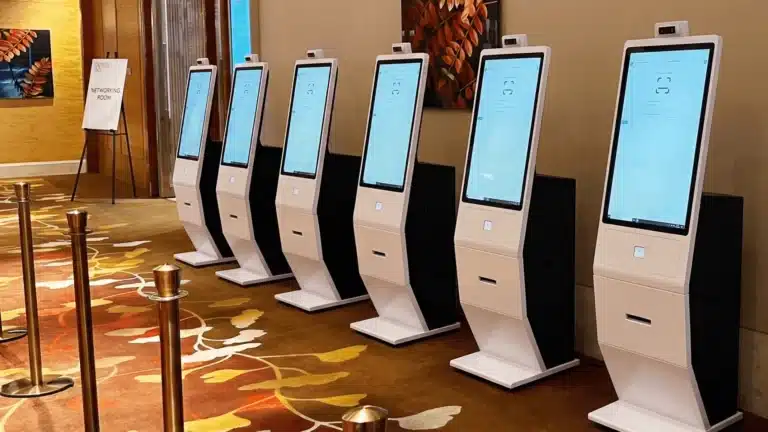
Klobbi Onyx kiosks scan the QR code and print the badge in about three seconds.
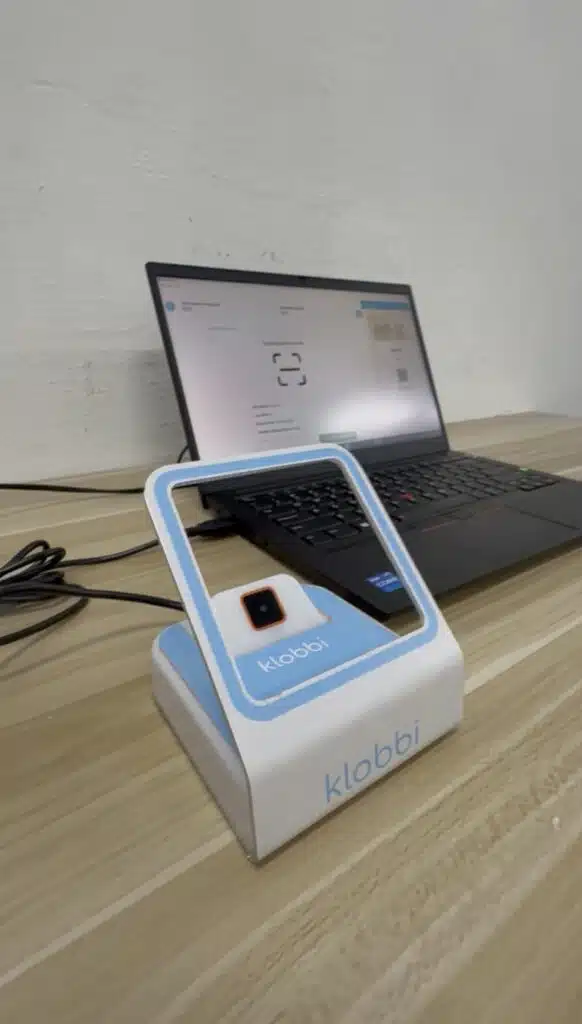
Klobbi Station tabletop scanners, run by Klobbi's own crew, for presenters who prefer a person.
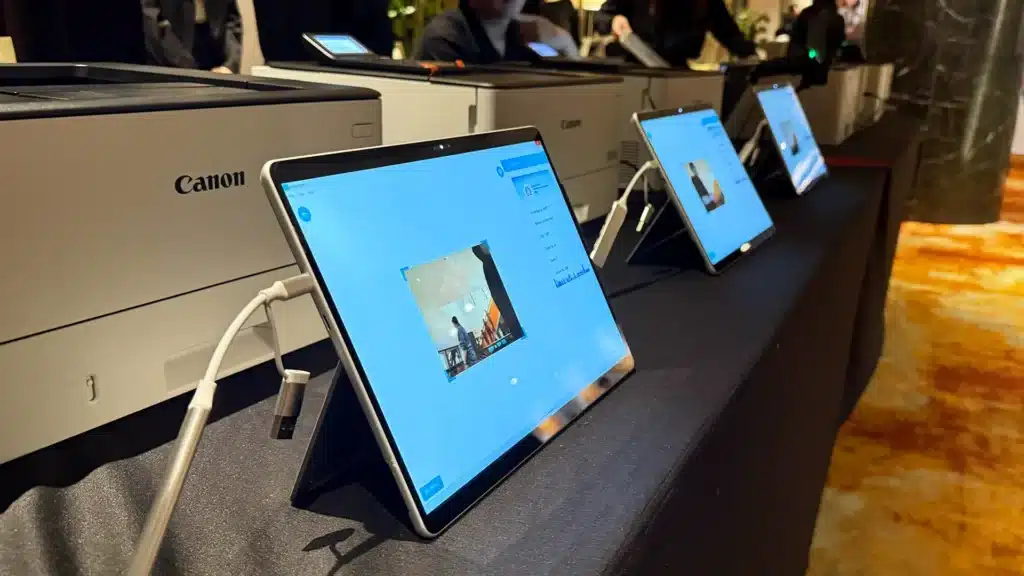
On FSC-certified paper, vinyl sticker or tear-resistant synthetic stock, designed for your congress.
Delegates, speakers and exhibitors use the same check-in. See Klobbi's conference registration system.
Presenters come through the call for abstracts. Invited speakers are chosen by the organisers. Klobbi handles each with its own product, on the same platform.
Presenters
Invited speakers
How they're chosen
They submit an abstract, which the committee reviews and accepts
Invited by the organisers
What you collect
The abstract, co-authors, presentation type and files
Profile photo and bio for the programme
What happens next
Presenter ticket, QR check-in and a presenter badge
Profile approved, then published to the event website, EventApp and Oracle
Klobbi product
Klobbi Abstract
Klobbi Orator
Do accepted presenters have to register separately?
No. They return to the same portal and buy the presenter ticket there, with their details already filled from the submission.
What's the difference between presenter management and speaker management?
Presenters submit abstracts and are selected by a scientific committee; Klobbi Abstract manages them. Invited speakers are chosen by the organisers; Klobbi Orator collects their profiles and publishes them to the event website, EventApp and Oracle.
The whole workflow on one page, from call for abstracts to presenter badge.
Read more →The submission form, the presenter portal and the cut-off.
Read more →Reviewers by category, blind scoring and committee decisions.
Read more →Search, e-posters, votes and viewing reports.
Read more →Send us your congress dates and how many presenters you expect. We'll show you the acceptance email, the presenter ticket and check-in on a call, and reply with a quote within one working day.
WhatsApp +65 8836 2597 Email sales@klobbi.com