
In this guide
- What is check-in software?
- Check-in is a state change
- How check-in software works
- QR vs name search vs assisted
- Self-service, staffed or hybrid
- Fast lane and exception lane
- Walk-ins and last-minute changes
- Offline check-in and connectivity
- Multiple stations and sync
- Connect check-in to badges
- Live attendance reporting
- Hardware, staffing, redundancy
- How many stations?
- Security and privacy
- Buyer checklist
- Common mistakes
- When a simple app is enough
- How Klobbi fits
- FAQs
What Is Event Check-In Software?
Event check-in software is a digital system used to identify attendees as they arrive and update the event’s attendance record. It replaces or supplements paper lists, spreadsheets and manual sign-in processes with a live workflow connected to the attendee data created before the event.
Depending on the setup, the attendee may scan a QR code, search for their name at a self-service station or be checked in by event staff. Once the correct record is identified, the system marks the attendee as arrived or checked in and can pass the same data into badge printing and live reporting.
The most useful way to think about the process is:
- ATTENDEE RECORD
- IDENTIFY
- VERIFY
- CHECK IN
- BADGE IF REQUIRED
- LIVE ATTENDANCE / REPORTING
The broader event registration lifecycle begins well before the door opens. Klobbi’s event registration software guide explains how registration, payments, confirmations and attendee data feed into this onsite stage.
Check-In Is a State Change, Not Just a QR Scan
A QR scan is only an identification method. The real system action is the change in the attendee record.
Before arrival, a person may already be registered, approved, paid, complimentary or assigned a particular attendee category. When that person reaches the venue, the check-in system should locate the same record and change the attendance state without creating a second version of the attendee.
A simple state model looks like this:
- REGISTERED
- READY / ELIGIBLE
- ARRIVED
- CHECKED IN
- BADGED IF REQUIRED
- REPORTED
This is why onsite performance depends heavily on the quality of the pre-event attendee data. Where an event has multiple audience groups, Klobbi’s attendee registration system can structure those categories before the records reach the check-in workflow.
Keeping one source record also makes later reporting more reliable. The organiser can distinguish who registered from who actually arrived instead of trying to reconcile a pre-event spreadsheet with a separate door list after the event.
How Event Check-In Software Works
Although products differ, a well-structured check-in workflow normally follows the same sequence.
Load or connect the attendee data
The onsite system needs a current list of the people expected at the event. That may come from the same registration platform or from an approved import or integration. The important point is that the onsite team knows which dataset is the source of truth.
Identify the attendee
The attendee presents a QR credential, searches their name or gives the necessary details to a member of staff. The software should resolve that action to one attendee record.
Verify the relevant state
The workflow may need to confirm that the record is valid for the event and display any information the registration team needs to handle the arrival correctly. The exact checks depend on the event.
Update attendance once
The system records the attendee as checked in. If the same record is presented again, the onsite team should have a clear way to recognise that a previous check-in already occurred rather than creating another attendee.
Trigger the next onsite action
For some events, check-in is the end of the arrival process. For others, the checked-in record should trigger badge printing or move the attendee into another onsite workflow.
Feed the reporting layer
Attendance data should be available to the organiser so the team can distinguish registered attendees, arrivals and no-shows using the same underlying dataset.
QR Check-In vs Name Search vs Assisted Check-In
A good arrival setup should not depend on one identification method. Different methods solve different parts of the door problem.
-
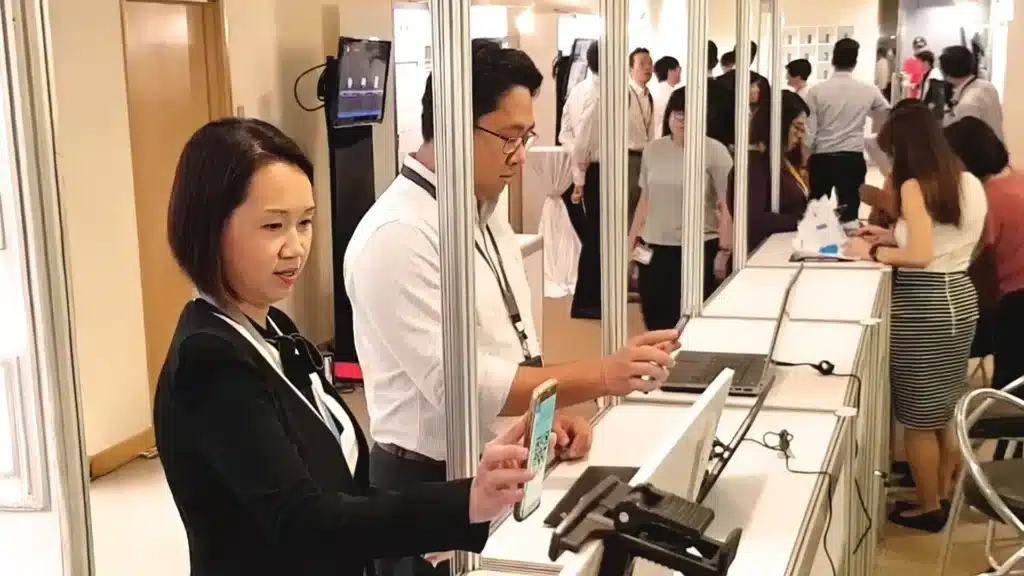
QR code check-in
QR check-in is useful when attendees already have a confirmation credential on their phone or printed ticket. Scanning reduces the need to type or search manually and can move normal arrivals through a simple path.
The QR code should resolve to the correct attendee record. Buyers should also ask what the system displays on repeat scans, invalid records or codes that cannot be resolved.
-
Name or attendee lookup
Name search is an important recovery path. Attendees forget emails, arrive with a flat phone battery or cannot find the QR credential. A registration desk that can only scan codes turns a minor attendee problem into a queue problem.
Search should therefore be treated as part of the normal operating design rather than as an emergency feature.
-
Staff-assisted or mobile scanning
Some events need staff to move with the arrival flow rather than keep everyone at fixed counters. Mobile scanning can support an assisted setup where the team checks people in away from the main desk or uses a handheld device in a distributed arrival environment.
Klobbi HandScan is the mobile-scanning option in Klobbi’s onsite product family. The exact deployment should be matched to the event rather than treated as a substitute for every kiosk or staffed station.
Self-Service vs Staffed vs Hybrid Check-In
The right operating model depends on how predictable the arrival process is and how many exceptions the event expects.
-
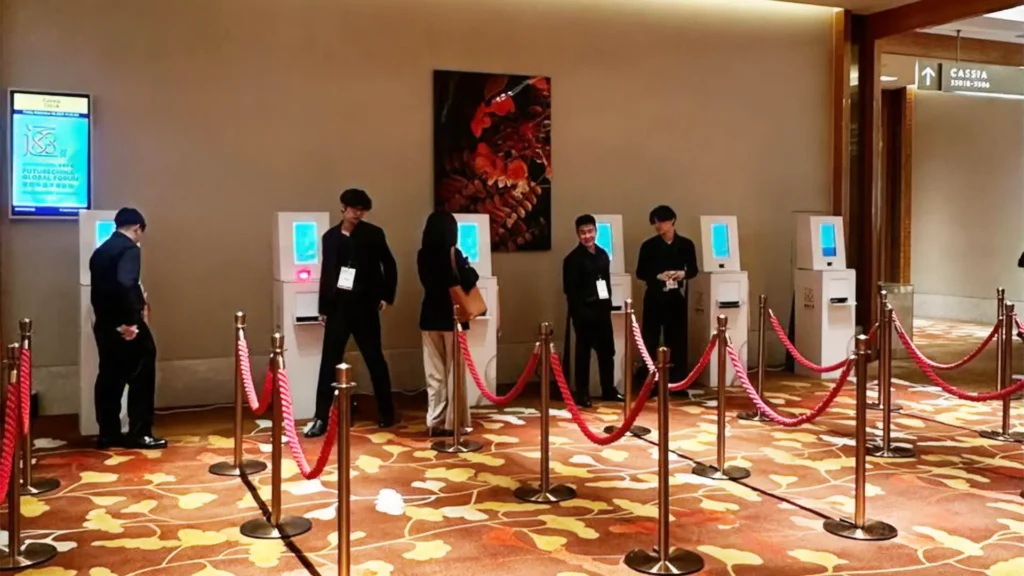
Self-service check-in
Self-service works best when most attendees are pre-registered, have a usable credential and do not need individual assistance. The attendee scans or searches, the system finds the record and the arrival can continue without a staff member completing every step.
For organisers who need a dedicated self-service onsite deployment, Klobbi’s event registration kiosk connects the check-in software layer with Onyx and Station hardware options, attendee lookup and badge output where required.
-
Staffed check-in
Staffed desks are useful when attendees are expected to need assistance, the event has a concierge-style arrival or exceptions require judgement. Staff can search records, confirm details and direct unresolved cases without asking the attendee to troubleshoot the process alone.
-
Hybrid check-in
Many events benefit from using both. Normal pre-registered arrivals use the fast self-service or scan path, while an assisted counter handles people who need help.
This protects the main queue. If every exception is resolved at the same station used by prepared attendees, one missing record can delay everyone behind it.
Design a Fast Lane and an Exception Lane
One of the most useful check-in principles is to separate routine arrivals from exception handling.
The fast lane is for people whose record is ready: they scan, are identified, check in and continue. The exception path is for the situations that take longer and need a staff decision.
Common exceptions include a missing QR code, attendee not found, duplicate record, changed name or company, substitution, walk-in or a badge that needs to be corrected.
The goal is not to eliminate exceptions. It is to keep an exception from becoming the workflow for everyone.
Walk-In Event Registration and Last-Minute Changes
Even tightly managed events receive people who were not on the final pre-event list. A useful check-in plan should decide what staff are allowed to do before the first walk-in arrives.
The organiser should define whether walk-ins are permitted, which information must be collected, whether approval or payment is required and whether the new record should receive the same badge or confirmation process as a pre-registered attendee.
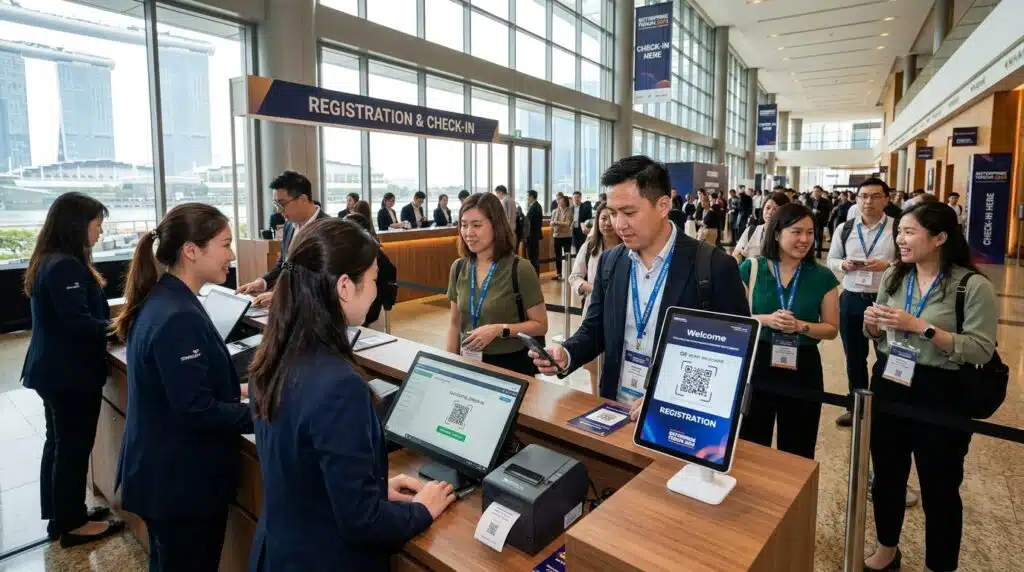
If the system allows onsite record creation, that record should become part of the same attendance dataset rather than being written on a paper note to enter later.
The same principle applies to corrections. If an attendee’s designation changes before a badge is printed, the ideal workflow is to update the attendee record once and use the corrected data downstream.
Klobbi’s onsite workflows can support walk-in and correction handling, but the exact process should be agreed during configuration because event rules differ.
Offline Event Check-In and Weak Venue Connectivity
Venue connectivity should be treated as an implementation risk, not an assumption. A system that performs well in an office demo can behave very differently when a venue network is congested during the arrival peak.
The phrase ‘works offline’ is also too vague to be useful on its own. Organisers should ask exactly which functions continue when the internet connection is unavailable.
Useful questions include:
- Can the existing attendee list be accessed locally?
- Can QR scans still resolve?
- Can staff search names?
- Can check-in status be stored locally?
- Can walk-ins be created?
- Can badges still print?
- What happens when the connection returns?
- How are updates from several stations reconciled?
Klobbi can configure local/offline synchronisation as an add-on for supported onsite deployments. Klobbi’s current kiosk material states that Onyx and Station can continue supported scanning and badge-printing activity through local-network operation during an internet outage, with data synchronising when connectivity returns. The exact offline scope should be confirmed for the event rather than assumed.
The most useful test is practical: before doors open, simulate a network interruption and verify the functions the event genuinely depends on.
Multiple Check-In Stations, Sync and Duplicate Prevention
Large arrival windows often need more than one active station. As soon as several devices are processing the same attendee list, consistency becomes a core requirement.
Each station should be working from the same event logic and the organiser should understand how attendance updates are shared across devices. If one attendee is checked in at Station A and then presents the same credential at Station B, the system should provide a clear indication of the existing attendance state.
Offline operation makes this question even more important because devices may temporarily be working with locally available data before synchronising.
When comparing software, ask how it handles repeated scans, simultaneous activity, delayed sync and edits made at different stations. The answer matters more than a generic statement that the platform ‘supports multiple devices’.
Connect Check-In to Event Badge Printing
For events that use physical credentials, badge printing should sit directly after the attendee is identified and checked in rather than operate from a separate spreadsheet.
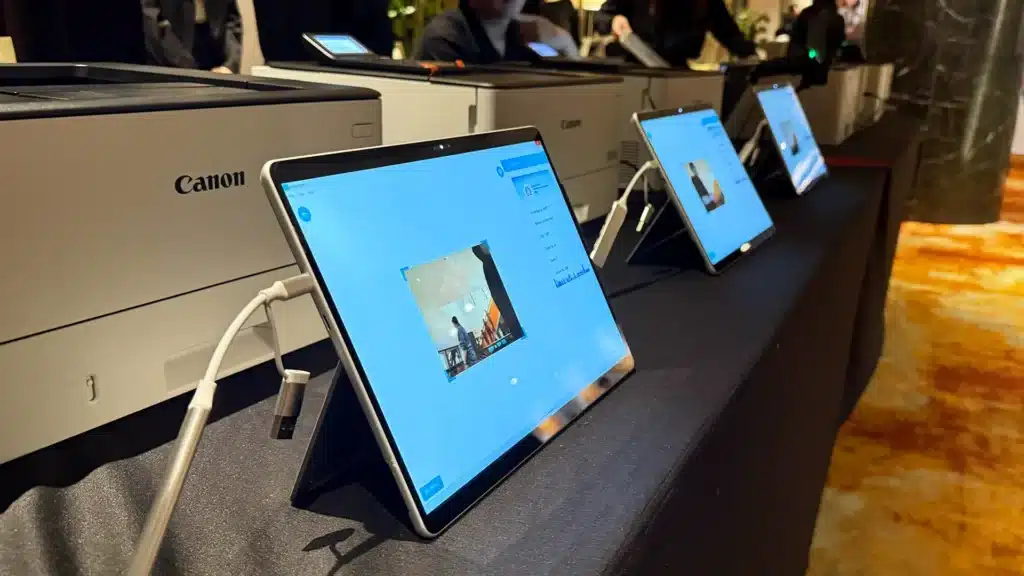
The same attendee record can supply approved badge fields such as name, organisation or attendee category. If a correction is made before printing, the badge output should use the updated data rather than an old pre-exported file.
When badges are part of the arrival workflow, Klobbi’s event badge printing setup can use the same attendee data that powers check-in, including on-demand printing and reprints where required.
The detailed choice between pre-printed, on-demand and hybrid badging belongs on the Badge Printing page. From a check-in perspective, the important point is that the two workflows share the same attendee record.
Live Attendance and Check-In Reporting
Registration tells you who planned to attend. Check-in tells you who actually arrived.
A useful onsite system should preserve that distinction. Registered count, checked-in count and no-shows are different measures and should not be collapsed into one status.
Live attendance information can help the event team understand arrival progress while the event is running. Post-event reporting can then use the same check-in records to compare registration with actual attendance.
Klobbi supports live registration and attendance reporting as part of its onsite workflow. Keep reporting requirements clear during setup so the organiser knows which fields and attendance states need to appear in the final output.
Hardware, Staffing and Redundancy
Check-in software cannot be evaluated separately from the equipment and people operating it on event day.
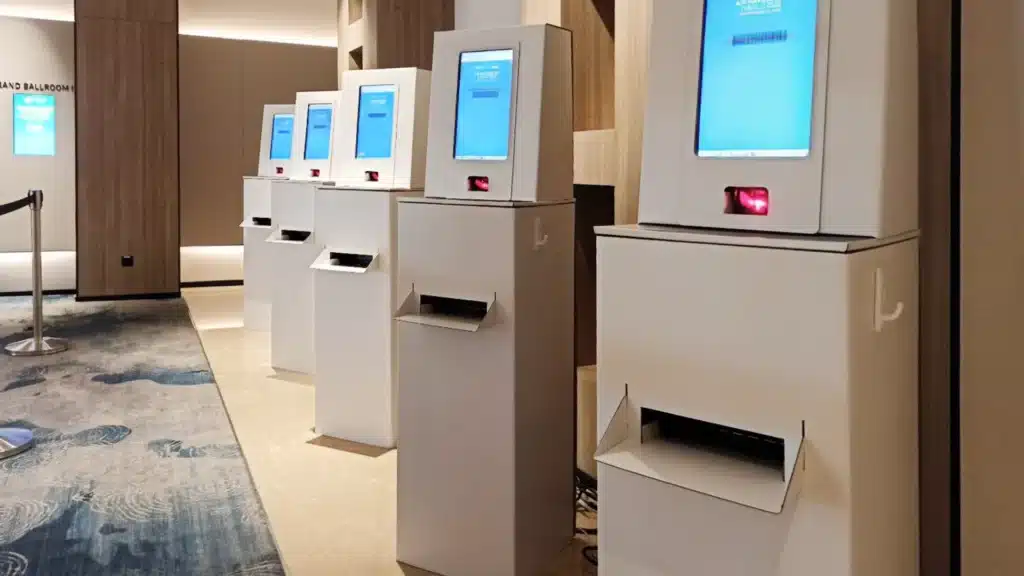
A self-service kiosk needs a working screen, scanner or camera, power and the appropriate network setup. A badge workflow adds printers, badge stock and print configuration. A staffed setup needs people who understand the exception process, not just people who know where the Scan button is.
The buyer should therefore ask who is responsible for supplying, configuring and testing the onsite equipment; what spare hardware is available; where badge stock and consumables will be kept; who handles a failed printer or device; and whether technical support is onsite or remote.
Klobbi’s model combines software with managed implementation, and current public material states that project managers and onsite crew can support event-day delivery. The exact staffing and redundancy package should be confirmed for the project.
How Many Check-In Stations Do You Need?
Total attendee count is not enough to answer this question. Two events with 1,000 attendees can need very different arrival setups.
The useful inputs are the peak arrival window, how many people are expected during that window, whether attendees already have QR credentials, whether badges print at the same station, how many exceptions are expected and how much spare capacity the organiser wants.
A conference where attendees arrive gradually over an hour is different from an awards event where everyone reaches the lobby inside a short pre-dinner window.
This guide deliberately avoids publishing a universal kiosk-to-attendee ratio because the operating assumptions matter. Klobbi’s planned Event Check-In Capacity Calculator will handle that question with explicit inputs rather than a rule of thumb.
Security, Privacy and Onsite Attendee Data
The registration desk may have access to personal attendee information, so the onsite workflow should expose only the data staff need to perform their role.
Organisers should know who can search or edit attendee records, what changes staff are allowed to make, how devices are secured, what happens to local data after the event and how attendance data is exported or retained.
Klobbi Pte Ltd’s information security management system is certified to ISO/IEC 27001:2022, and the company holds Singapore’s CSA Cyber Trust Mark at Promoter tier. Klobbi also structures registration workflows around Singapore’s PDPA requirements.
For procurement teams that need deeper evidence around controls and data handling, Klobbi’s event registration data security information provides the relevant commercial security context without turning the check-in guide into a compliance article.
Event Check-In Software Buyer Checklist
Use the checklist below to evaluate the workflow rather than buying on the basis of a demo scan.
- Where does the attendee data come from, and which system is the source of truth?
- Can attendees be identified by QR code and by name search?
- What happens when a QR is missing, invalid or already checked in?
- Can the organiser create or handle walk-ins onsite if the event allows them?
- Can the same system support self-service and staff-assisted check-in?
- Exactly which functions continue if internet connectivity is lost?
- How are locally stored updates synchronised when connectivity returns?
- How does the system behave when several stations check attendees in at the same time?
- How are repeated scans or duplicate attendee records handled?
- Can checked-in attendee data trigger badge printing without a separate badge list?
- What live attendance information can organisers see during the event?
- What reports or exports are available afterwards?
- Who provides the kiosks, scanners, printers, power/network setup and spare equipment?
- Who tests the workflow before the event and who supports it onsite?
- What security documentation is available for procurement or data-protection review?
- What is included in the commercial scope: software, equipment, setup, onsite crew, badge stock or other services?
Common Event Check-In Mistakes
Relying on one device with no backup
A single laptop, scanner or printer becomes a single point of failure. Redundancy should be part of the deployment discussion.
Assuming venue Wi-Fi will be sufficient
Test the event-day network under realistic conditions and understand what the software can do without internet.
No exception path
If missing records, walk-ins and corrections are resolved in the fast lane, the queue inherits the slowest problem.
Using a separate badge spreadsheet
A second data file creates another place for names and categories to become outdated.
Testing only the perfect QR flow
Test a missing QR, repeated scan, wrong record, correction and walk-in before the registration desk opens.
Using a stale attendee list
Decide how late registrations and last-minute changes reach the onsite system before doors open.
No clear staff permissions
The team should know who can edit attendee details, create walk-ins or approve exceptions.
Sizing for average arrival instead of peak arrival
The desk needs to handle the busiest arrival window, not the average number of attendees per hour across the whole event.
When a Simple Check-In App Is Enough — and When It Is Not
A small event with one entrance, no badge printing and a predictable guest list may only need a simple mobile check-in app and an attendee list.
A more complex onsite system becomes useful when the event has concentrated arrival peaks, multiple check-in stations, self-service kiosks, walk-ins, on-demand badges, weak-connectivity risk, enterprise security requirements or a need for onsite technical support.
The decision should be based on event-day consequences rather than feature count. If a failed device or slow exception process can delay hundreds of people, implementation and redundancy matter as much as the software interface.
How Klobbi Fits the Onsite Check-In Workflow
Klobbi treats check-in as the continuation of the attendee record created before the event. The onsite setup can combine QR identification, attendee lookup, self-service or staffed stations, badge printing and live attendance reporting within one managed workflow.
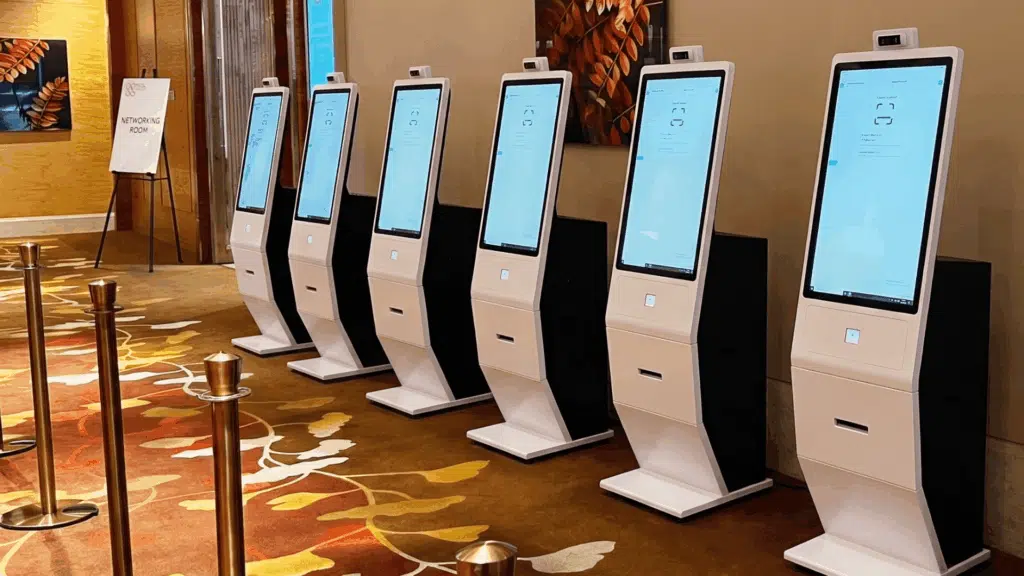
Klobbi Onyx is the standalone self-service format, Klobbi Station is the tabletop check-in setup and Klobbi HandScan provides a mobile scanning option where the event needs a more flexible device.
For supported deployments, local/offline synchronisation can also be configured as an add-on so agreed onsite functions can continue through an internet interruption and synchronise when connectivity returns.
Organisers who are ready to plan the commercial onsite setup can use Klobbi’s event registration kiosk page to compare the available check-in formats and event-day delivery model.
Frequently Asked Questions
What is event check-in software?
Event check-in software identifies attendees when they arrive, updates their attendance state and can connect the same record to badge printing and live attendance reporting.
How does QR code event check-in work?
The attendee presents a QR credential that resolves to their registration record. The system identifies the attendee and records the check-in, while the onsite team can use search or an assisted path if the code is unavailable.
Can event check-in work without internet?
Some systems support local or offline operation, but the exact functions vary. Ask whether scanning, attendee search, new walk-ins, badge printing and local updates remain available and how they synchronise after connectivity returns.
What happens if an attendee loses their QR code?
A well-planned workflow should provide another way to find the attendee, such as name or record lookup, rather than making the QR code the only route into the event.
Can walk-ins be registered onsite?
Many onsite systems can support walk-in handling, but the organiser should define the event rules first. Decide what information is required, whether approval or payment is needed and how the new record enters the attendance and badge workflow.
What is the difference between self-service and staffed check-in?
Self-service lets prepared attendees identify themselves at a kiosk or station, while staffed check-in uses event personnel to search, verify or assist. A hybrid model uses self-service for routine arrivals and staff for exceptions.
How does check-in connect to badge printing?
The checked-in attendee record can supply the approved badge data, allowing the badge to print from the same record instead of a separate pre-exported list.
How do multiple check-in stations stay consistent?
The software needs a defined way to share or synchronise attendance updates across stations and handle repeated scans or delayed updates. Buyers should test this behaviour rather than assume ‘multi-device support’ solves it automatically.
What should be tested before event day?
Test QR scanning, name search, repeat scans, missing records, corrections, walk-ins, badge output, multiple stations, poor connectivity, device or printer failure and the final reporting/export path.
How many event check-in kiosks do I need?
It depends on the peak arrival window, attendee readiness, badge-printing step, exception rate and desired spare capacity. Total registrations alone are not enough to size the setup accurately.