
Klobbi EventApp
Home › Solutions › Event apps › Mobile event app
Klobbi EventApp Mobile · for iPhone and Android
Klobbi EventApp Mobile is a mobile event app in Thailand that attendees install on iPhone or Android and sign into before seeing any content. Organizers can send alerts to every attendee's lock screen. It suits associations, professional communities and members who meet again and again. Klobbi's Bangkok team runs each project with you in Thai and English.
Klobbi Pte Ltd (Singapore): ISO/IEC 27001 certified · Singapore's CSA Cyber Trust mark · Team in Bangkok
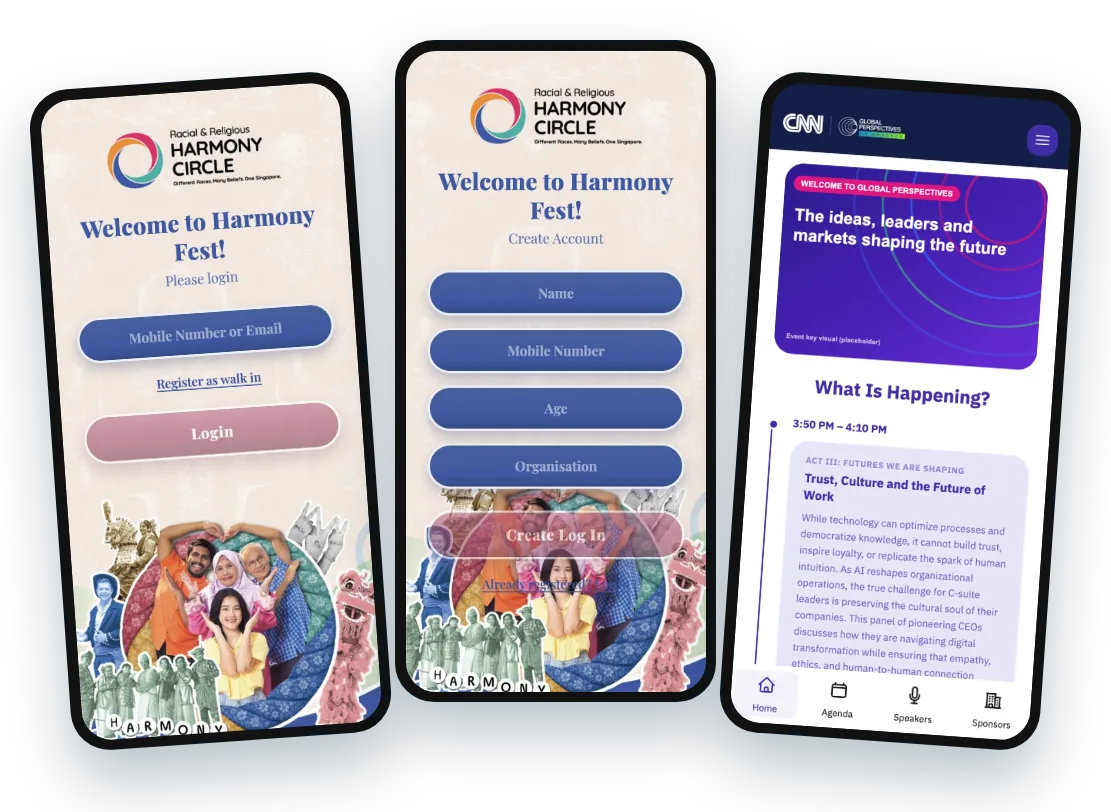
Sample screens; the attendee shown is fictional.
A downloaded app pays off with people who know each other and keep coming back. Once members have it on their phones, your next event is already there on the day registration opens.
Professional and trade associations with an annual congress, academic meetings and several member gatherings each year.
Alumni groups and business networks that want members to find and contact one another inside the group only.
Corporate dealer and partner conferences open to invited guests, where the content should stay in the room.
Multi-day meetings across several rooms, where the schedule shifts often and everyone needs to hear about it in time.
If yours is a one-time event open to the public, or you have less than six weeks to prepare, the event web app will get more people in.
A download adds one step for each attendee. What the organizer gets back is control. A person who installed the app and signed in is someone who really means to attend, and you decide what they see and when they see it.
Sign-in comes first. The schedule, the attendee list and the booths open only for registered guests.
Alerts on the lock screen. A room move, a reminder before a session or an urgent notice reaches every phone, even when the app is closed.
On the home screen for the whole event. One tap on the icon brings members back in, from the opening session to the closing ceremony.
iPhone and Android. A single app works on both.
We are upfront about the trade-off. Some attendees will skip the download, and some company phones block new installs. If getting the most people in matters more than control, pick the event web app.
The list of people allowed into the app comes straight from Klobbi's registration system, so nobody uploads names twice. The sign-in screen can carry your key visual, the dates and a note from the organizer. For closed meetings, you can add a one-time passcode (OTP) as a second layer.
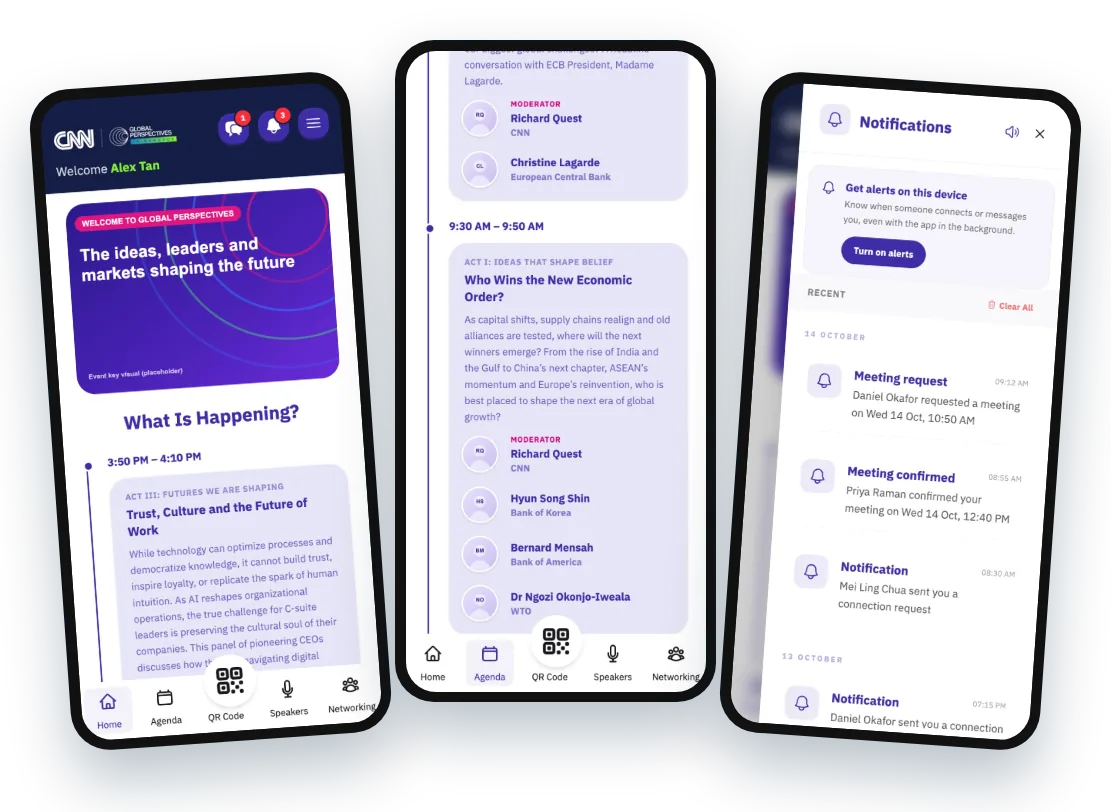
When a session moves rooms or times, the schedule in the app updates at once, and the organizer can push an alert to everyone's phone. No waiting for someone to announce it over the microphone.
Sessions are grouped by day and room, with moderators, speakers and speaker bios. Members save the ones they want in My Agenda and sign up for smaller activities held inside the event.
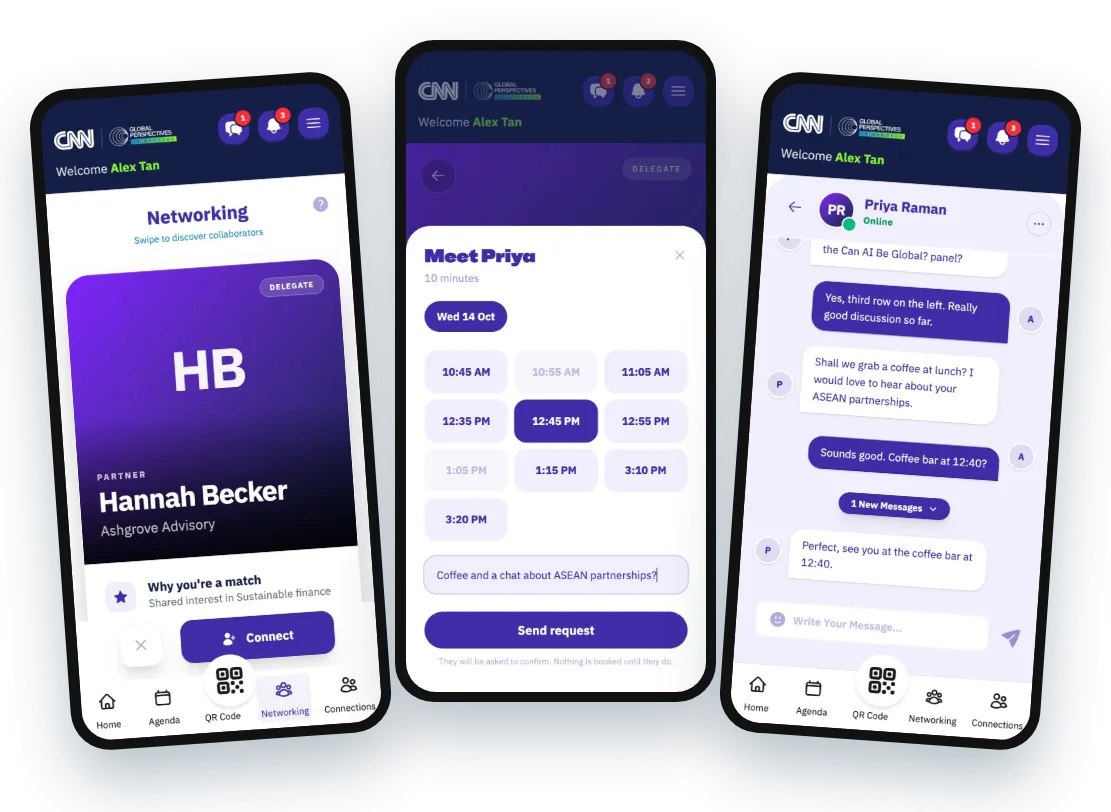
Members who opt in to networking receive suggestions of people with shared interests. They send connection requests, chat in the app and book a ten-minute talk during the breaks the organizer sets; the other person accepts or declines.
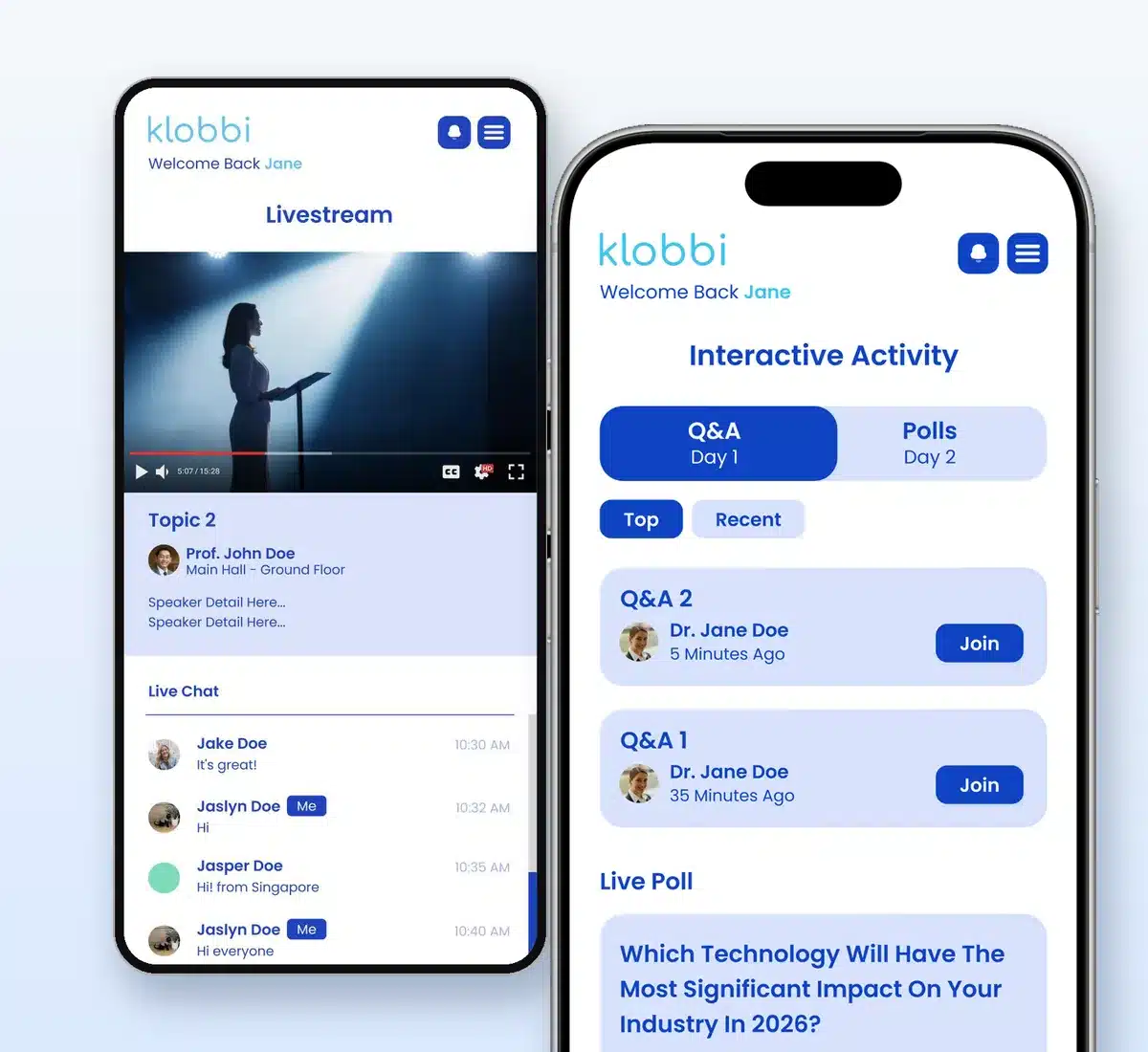
The audience sends questions and answers polls from the session screen, without opening a separate tool. Details are on the conference audience engagement page.
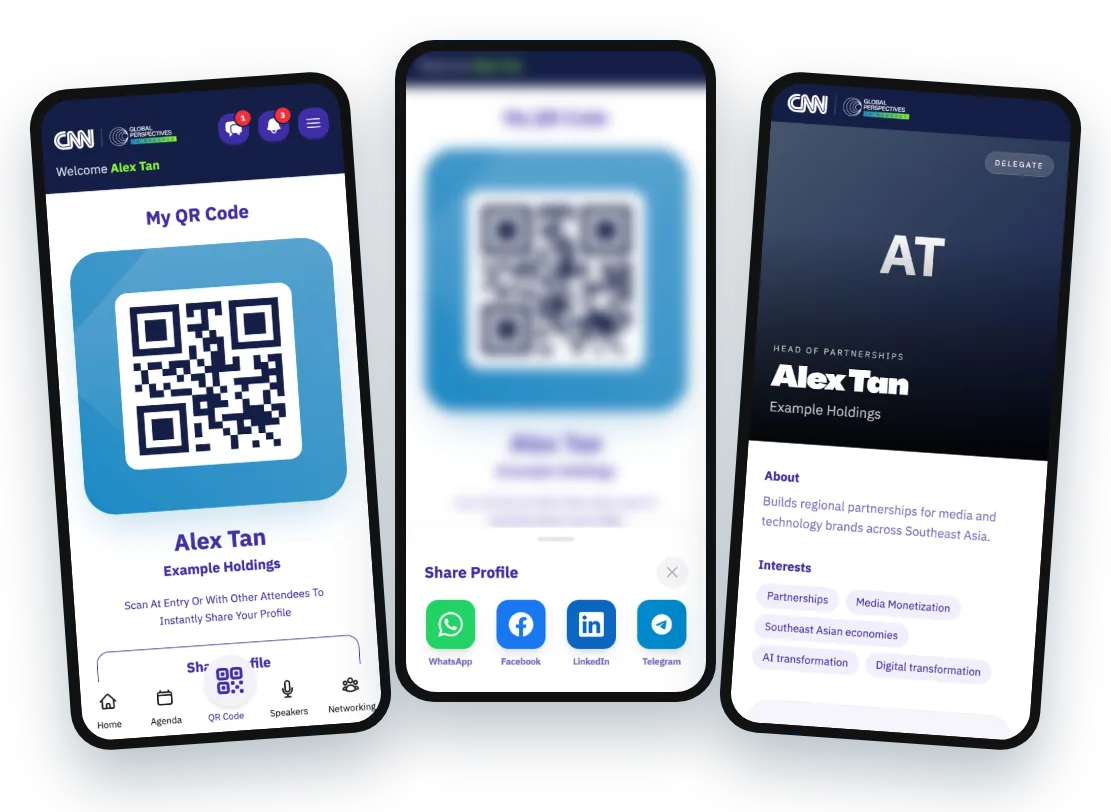
Each sponsor has a page of its own with documents and links, and with the Klobbi Meet add-on, members can book a time to meet from there. The personal QR code in the app gets them through check-in and lets them swap digital business cards with other members.
Each feature opens only after an attendee has signed in. Turn on just the parts your event needs.
• Sign-in before the schedule, attendee list or booths appear
• Allowed-guest list pulled from Klobbi's registration system, with no second upload
• Personal link in the invitation email, so nobody remembers a password
• A one-time passcode (OTP) on top for closed meetings
• A sign-in screen that carries your event's key visual
• Phone alerts for a room move, a time change or a session about to begin
• A home screen that says what is on now and what comes next
• Sessions by day and room, with moderators and speakers
• My Agenda for saved sessions, plus sign-up for smaller activities inside the event
• Speaker bios and session abstracts
• Event map and directions to halls, meeting rooms and booths
• Feedback forms for each session and for the whole event
• Streaming from the meeting room or a studio to members outside it
• Chat and emoji reactions beside the stream
• Questions with upvotes, approved by the moderator before they go on screen
• Polls with results on the screen in the room
• Captions, translation and an AI summary when you add Klobbi Oracle
• Members choose whether to be open to networking, and can switch it off at any time
• Match cards for people with shared interests, with the reason for each match
• Search attendees by name, job title or company and send a connection request
• Private chat inside the app
• Ten-minute meetings during breaks the organizer sets
• One QR code for entry, check-in, card exchange, activities and prize pickup
• The pass lives in the app, ready at the door
• Members scan each other's codes to trade contact details
• Profiles can be passed on through WhatsApp, LinkedIn, Facebook or Telegram
• The digital card keeps working after the event
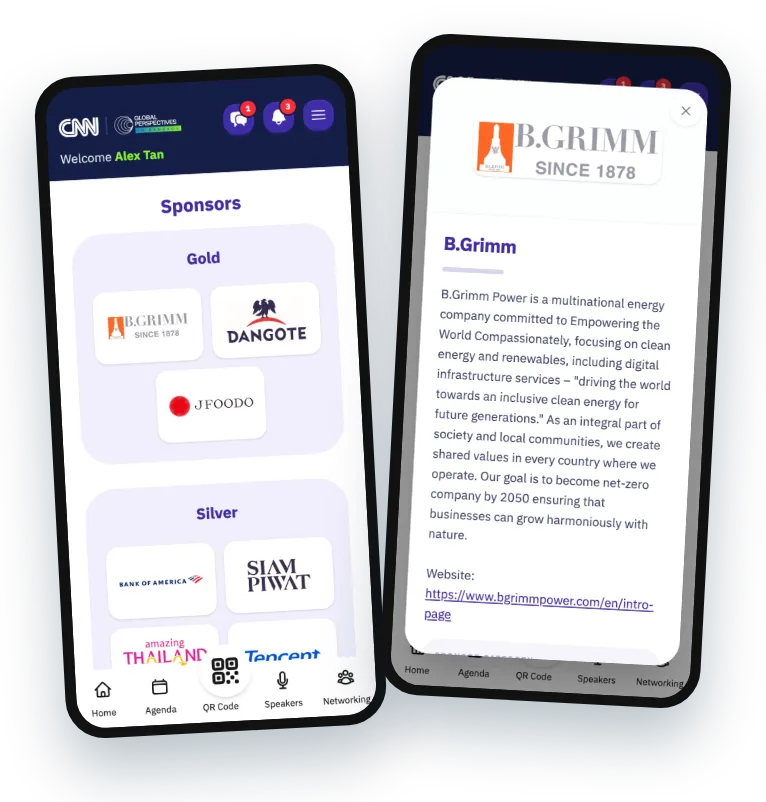
• Sponsors grouped by tier, each with a page
• Digital booths with brochures, videos and links
• Exhibitor directory by category and booth number
• Sponsors learn who opened their page or scanned the booth QR code
• Meetings with exhibitors through the Klobbi Meet add-on
• Lead Retrieval and Klobbi Match add-ons for trade shows
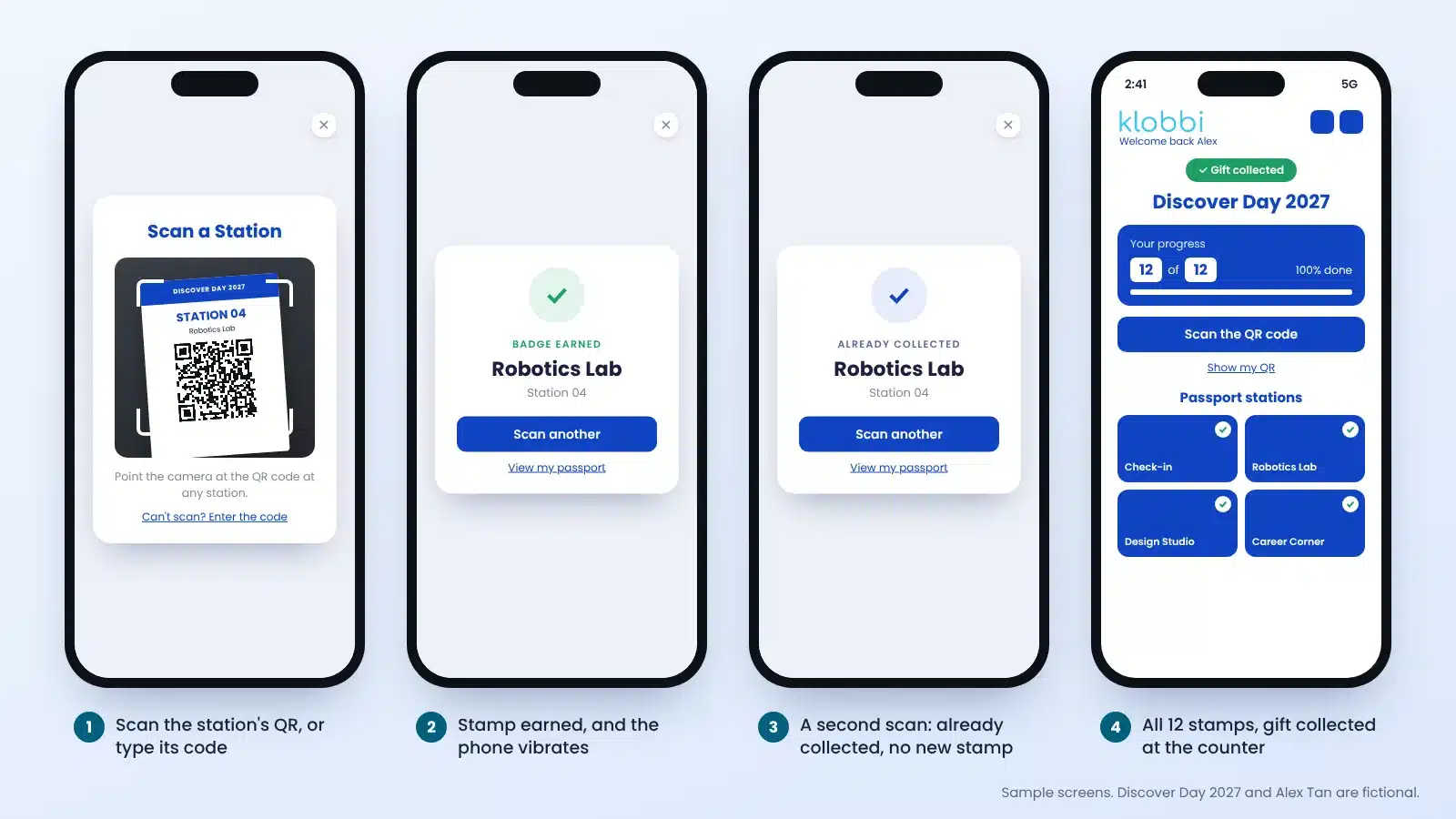
• A stamp at each station, with a progress bar
• Two ways to scan: the guest scans the station sign, or staff scan the guest
• Prize rules for every station, a set number, or tiers
• Pickup at a counter or an automatic prize machine; no prize can be claimed twice
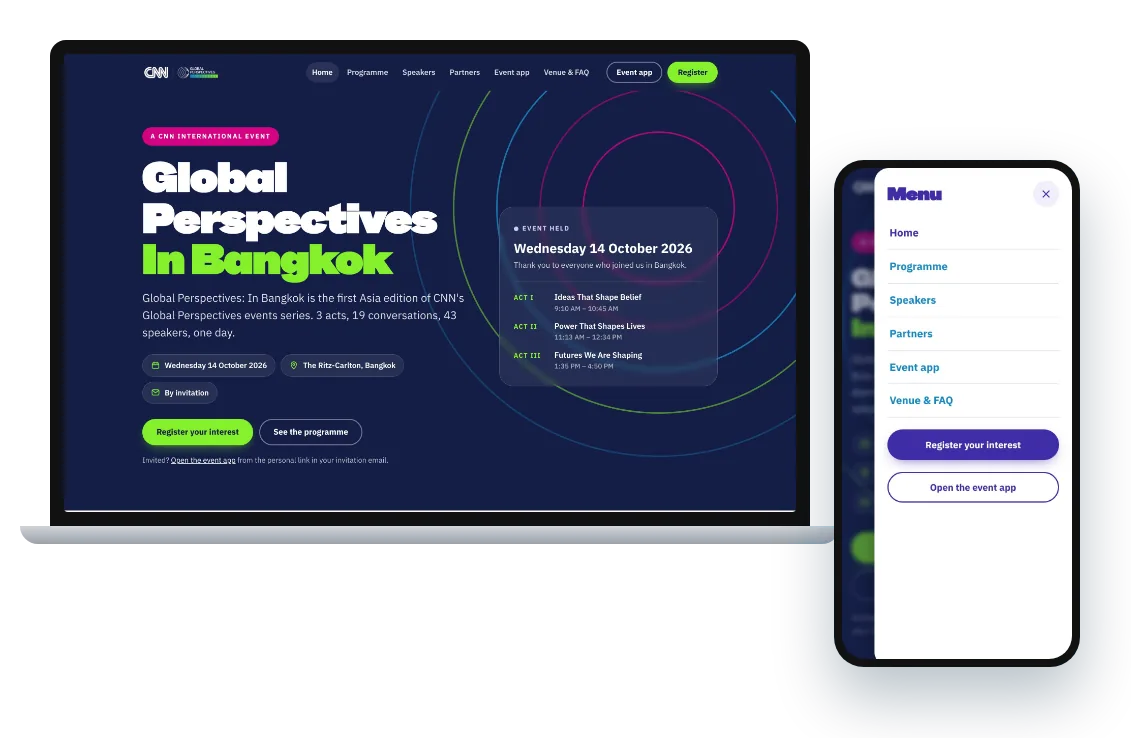
• Your logo, colors and banner on every screen
• A public event website fed by the same schedule, speakers and sponsors as the app
• A back office for stamp stations, prizes and notices, with no coding
• An in-app activity report after the event
• Works with Klobbi Registration, Orator, Oracle and Showmaster
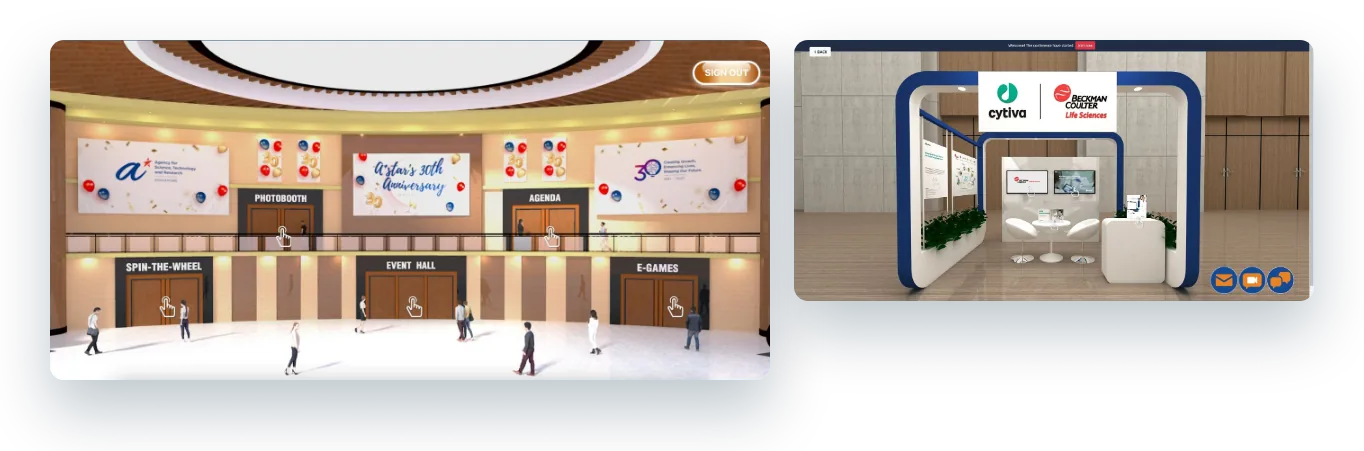
The same app can become a virtual venue with a 3D lobby, booths and streaming. See the overview of our event app in Thailand.
Many association events in Thailand bring Thai members and international guests into the same room. EventApp Mobile supports a Thai-language interface and Thai forms. Organizers can enter session titles, speaker bios and notices in Thai, in English or in both.
Klobbi's Bangkok team works with organizers in Thai and in English, from collecting content through to event day. If a session needs Thai captions or Thai-English translation during the session, add Klobbi Oracle.
Table 1. What the mobile app gives you, next to the web app.
Decision for the organizer
Mobile app (EventApp Mobile)
Web app (EventApp Web)
Who can see content
Only people who have signed in
People with a personal link; others can browse the schedule as guests
Urgent news
Alerts on the phone screen
Browser alerts and email
First time in
Install the app, then sign in
Tap a link or scan a QR code
Lead time
Six weeks or more
From one week
Best for
Associations, communities, members-only events
One-time events, open houses, trade shows
Both run on the same attendee record as Klobbi's registration and check-in. For a side-by-side overview, see mobile and web event apps compared.
Plan on six weeks or more, counted from the day you send your event details to the day of the event.
1
Tell us who is coming, how many days it runs and which features you want turned on.
2
Your schedule, speaker list, sponsors and event artwork, in Thai, English or both.
3
Klobbi's team loads the content and tests the app with you on iPhone and Android.
4
Attendees put the app on their iPhone or Android phone and sign in ahead of the event.
5
The project manager assigned to your event is on site, and the QR code in the app checks guests in at the door.
EventApp Mobile needs an internet connection on each attendee's phone and does not work offline. Hotel ballrooms and basement meeting rooms in Bangkok often get poor mobile signal. Before the event, check that the venue Wi-Fi can handle the number of people in each room, and get the network name and password printed on a sign at the door.
One upside of a mobile app: members install it and sign in before they arrive, so nobody is downloading an app over the venue Wi-Fi on the morning of the event.
Klobbi (Thailand) Co., Ltd. has a team in Bangkok that runs events in Thai and in English. Every event gets one project manager who knows it from the first call to event day. Klobbi ran the app for CNN Global Perspectives: In Bangkok, which used the web version.
Klobbi (Thailand) Co., Ltd.
Reach the team by WhatsApp, email or the form below.
WhatsApp: +65 8836 2597 · Email: sales@klobbi.com
EventApp attendee data is stored on servers in Singapore and deleted within 30 days after the event ends.
Klobbi Pte Ltd in Singapore, which develops and runs the system, is ISO/IEC 27001 certified by TÜV SÜD and holds the CSA Cyber Trust mark, a certification scheme run in Singapore. Klobbi works to Thailand's Personal Data Protection Act B.E. 2562 (2019). More on the data security page.
Share your event dates, a rough headcount and how often your members meet. Our Bangkok team replies within one business day.
WhatsApp +65 8836 2597 Email sales@klobbi.comOur association runs an annual congress and member meetings all year. How do we set up the mobile app?
One app can carry several events, each set up separately. Members install it once and see the next event in the same app when you open it. Each event still needs six weeks or more of preparation.
Can alerts go out in both Thai and English at the same event?
Yes. Organizers type each alert in Thai, in English or in both languages within one message. It shows on every attendee's lock screen, even when the app is closed.
How do we keep outsiders from seeing the attendee list at a closed board or dealer meeting?
Everyone signs in before seeing the schedule, the attendee list or the booths, and the list of allowed guests comes from Klobbi's registration system. For confidential meetings, add a one-time passcode (OTP) as a second layer.
Our congress has workshops and side activities. Can members sign up for them in the app?
Yes. Members sign up for smaller activities inside the event from the app and save the sessions they want in My Agenda. If an activity changes room or time, the organizer can alert members on their phones.
How do members network only with people in their own group?
Because everyone signs in first, the people members can search in the app are attendees of that event only. Each member decides whether to be open to networking, then sends connection requests, chats and books ten-minute talks during breaks.
What information does the association get from the app after the event?
Organizers receive an in-app activity report, which logs the screens attendees visited, plus the feedback forms for each session and for the event as a whole. Both feed the post-event report for your board.