
Klobbi EventApp
Home › Solutions › Event apps › Audience engagement
Q&A · Polls · One app
Conference audience engagement in Thailand means every person in the hall can ask, vote and see results from their own phone. Klobbi EventApp does it two ways: a Q&A board where guests submit and upvote questions, and polls with results on the main screen. It runs in the event app or from a QR code, backed by Klobbi's Bangkok team.
ISO/IEC 27001 held by Klobbi Pte Ltd (Singapore), certified by TÜV SÜD · CSA Cyber Trust mark (a Singapore scheme) · Team in Bangkok
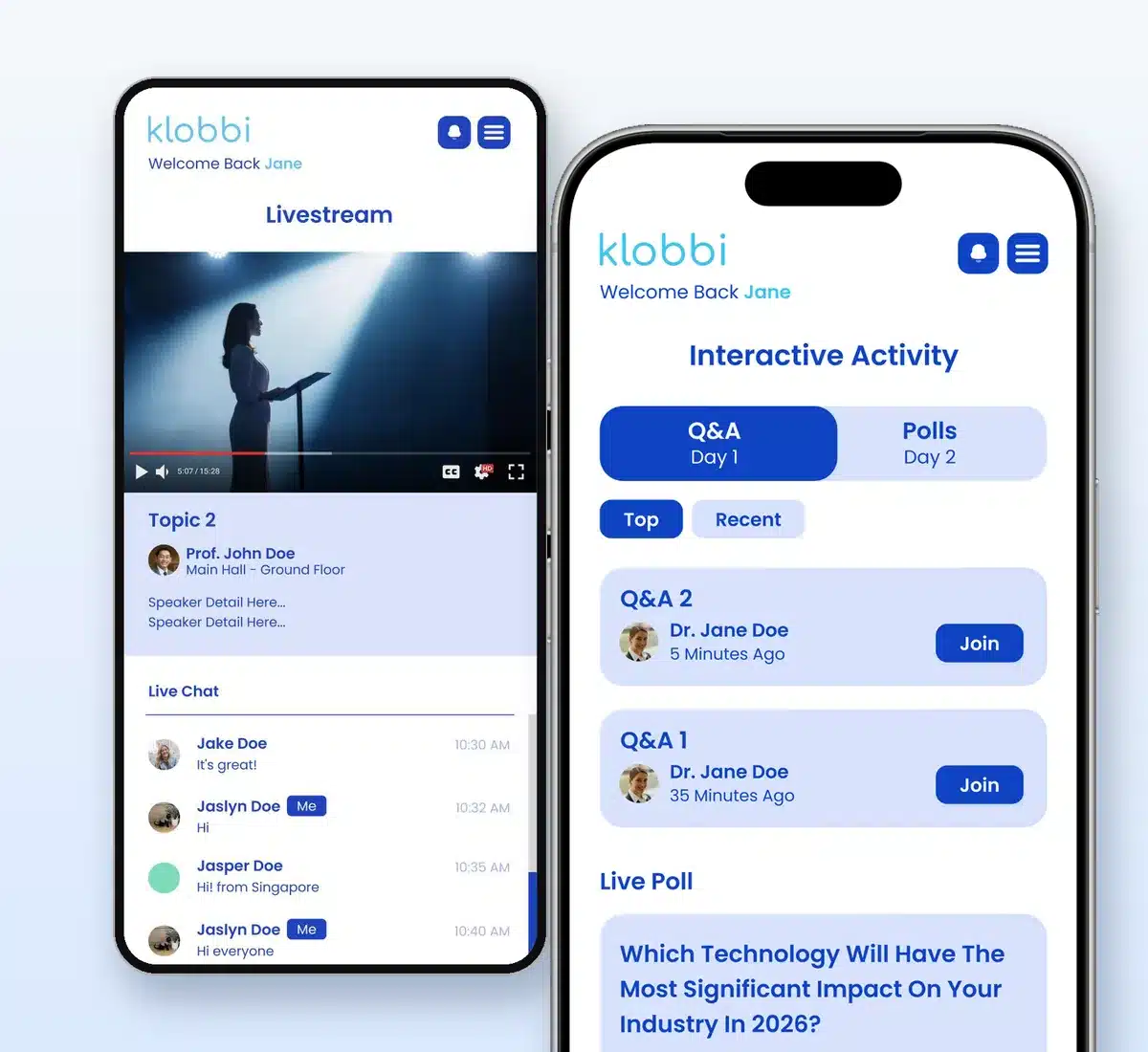
Sample session page in the app, with streaming, questions and a poll.
In a large hall, one microphone reaches only a few people before time runs out. Many guests would rather not stand up and speak in front of everyone, especially when the speaker is presenting in English. Good questions often go unasked.
When everyone can ask and vote from a phone, the quietest guest has the same chance as the boldest one. The moderator sees what the room actually wants to know and can pick questions that match.
1. Open the session page. Guests go to that session in EventApp Mobile or EventApp Web, or scan the QR code on the screen.
2. Type a question. With a name or without one.
3. Upvote. The questions the most people want answered move to the top.
4. Moderator review. A question shows on screen only after approval, and the moderator decides which ones go to the speaker.
5. Speaker answers. In the order the room chose, not in the order hands went up.
The organizer sets up polls before the session starts. When the speaker reaches that point, guests vote on their phones, and the result on the hall screen grows as votes come in.
Ways to use them: warm up the room at the start, gauge opinion before a panel discussion, or let the audience decide what the final segment covers.
Single answer
Pick one option from a list.
Multiple answers
Pick every option that fits.
Rating
For example, one to five stars.
Word cloud
Short answers that grow larger as more people give the same one.
No. Q&A and polls are ready-to-use parts of Klobbi EventApp, and they can also run on their own.
Table 3. Three ways to let guests ask and vote
Your event has
How guests take part
On the session page of the installed app
On the session page of the web app, opened from a link that may arrive by LINE or email
No event app yet
Scan the QR code on the screen and join in the phone's browser
All three need an internet connection, through venue Wi-Fi or mobile data. Test the signal in the room before the event, especially for the moment when the whole hall votes at once.
Many conferences in Bangkok put overseas speakers and Thai guests in the same room. The app's screens and forms can be set in Thai, so Thai guests find their way around easily. The moderator picks the top-voted questions and puts them to the speaker.
To help the whole room follow along, add Klobbi Oracle for Thai captions and Thai-English translation during the talk.
• Guests write a message or pledge on their phone, and it appears on the LED wall right away
• Choose auto-publish, review first, or closed, and switch during the event
• A short personality quiz with a result guests can share
• Both can count as stamp points in the event passport
• Stream inside the app to people outside the hall, with chat and emojis next to the video
• Poster voting at academic congresses: browse, search and pick the best poster
The moderator takes the highest-voted questions to the speaker.
Staff ask, without giving their names, what they would never ask at a microphone.
Attendees vote on a case study answer before it is revealed.
A poll splits the room into groups by topic.
Klobbi's Bangkok team, Klobbi (Thailand) Co., Ltd., helps set up polls and session pages, tests them on the hall screens, and works with your moderators in Thai or English.
This same app has already run in Bangkok: CNN Global Perspectives: In Bangkok, held October 14, 2026, at The Ritz-Carlton, Bangkok, used EventApp Web for its agenda, 43 speakers, 10 sponsors and attendee networking.
Download every question and every poll result as an Excel file once the session ends. Use it for your post-event report, and pass unanswered questions to the speaker for follow-up.
The app's Q&A and polls help guests take part. Klobbi Oracle helps them understand and remember. Add Oracle when a session needs Thai captions, Thai-English translation, or an AI summary after the talk. Oracle has its own pages for Q&A and polls that run alongside captions.
Questions and votes are stored on servers in Singapore and deleted within 30 days after the event. Guests can choose to ask without their name. Klobbi Pte Ltd (Singapore) holds ISO/IEC 27001 certification from TÜV SÜD and the CSA Cyber Trust mark, a Singapore scheme. Klobbi works to Thailand's Personal Data Protection Act B.E. 2562 (2019).
Let us know your event date, how many sessions or rooms you plan, and whether you already have an event app. We reply within one business day.
WhatsApp (+65 8836 2597) Email sales@klobbi.comAt government and corporate seminars in Thailand, people rarely ask questions openly. How does in-app Q&A help?
Guests send questions from their phones and can leave their name off, so nobody has to stand up in front of senior management or the whole room. Upvotes show the moderator which questions most of the audience wants answered.
Can the moderator screen questions before they reach the screen?
Yes. Every question waits for approval before it appears. The moderator decides which questions go to the speaker.
If several rooms run at once, does each room keep its own questions?
Yes. Q&A sits on each session's page, so questions stay with that session, and that session's moderator approves them.
We want Thai captions in a session that also uses Q&A. What do we add?
Add Klobbi Oracle, a separate Klobbi product. Oracle shows Thai captions and Thai-English translation during the talk, while the app's Q&A and polls keep running as before.
Can Klobbi's Bangkok team support our moderators with the polls on the day?
Yes. Before the event, the Bangkok team sets up the polls and session pages with you and checks them on the hall screens. On the day, they support your moderators in Thai or English.
Can we get a file of the questions and poll results afterward?
Yes. Organizers can download questions and poll results as an Excel file after each session. Data is deleted from the system within 30 days after the event, so download the file before then.