
Klobbi EventApp
Klobbi EventApp for Thailand
Klobbi EventApp puts the agenda, speaker details, sponsors, networking and a single QR pass on each guest's phone. For an event app in Thailand, organizers pick one of two formats: a mobile app installed on iPhone and Android, or a web app that opens from a link with no download. Klobbi's Bangkok team supports events in Thai and English.
ISO/IEC 27001 held by Klobbi Pte Ltd (Singapore), certified by TÜV SÜD · CSA Cyber Trust mark (a Singapore scheme) · Team in Bangkok
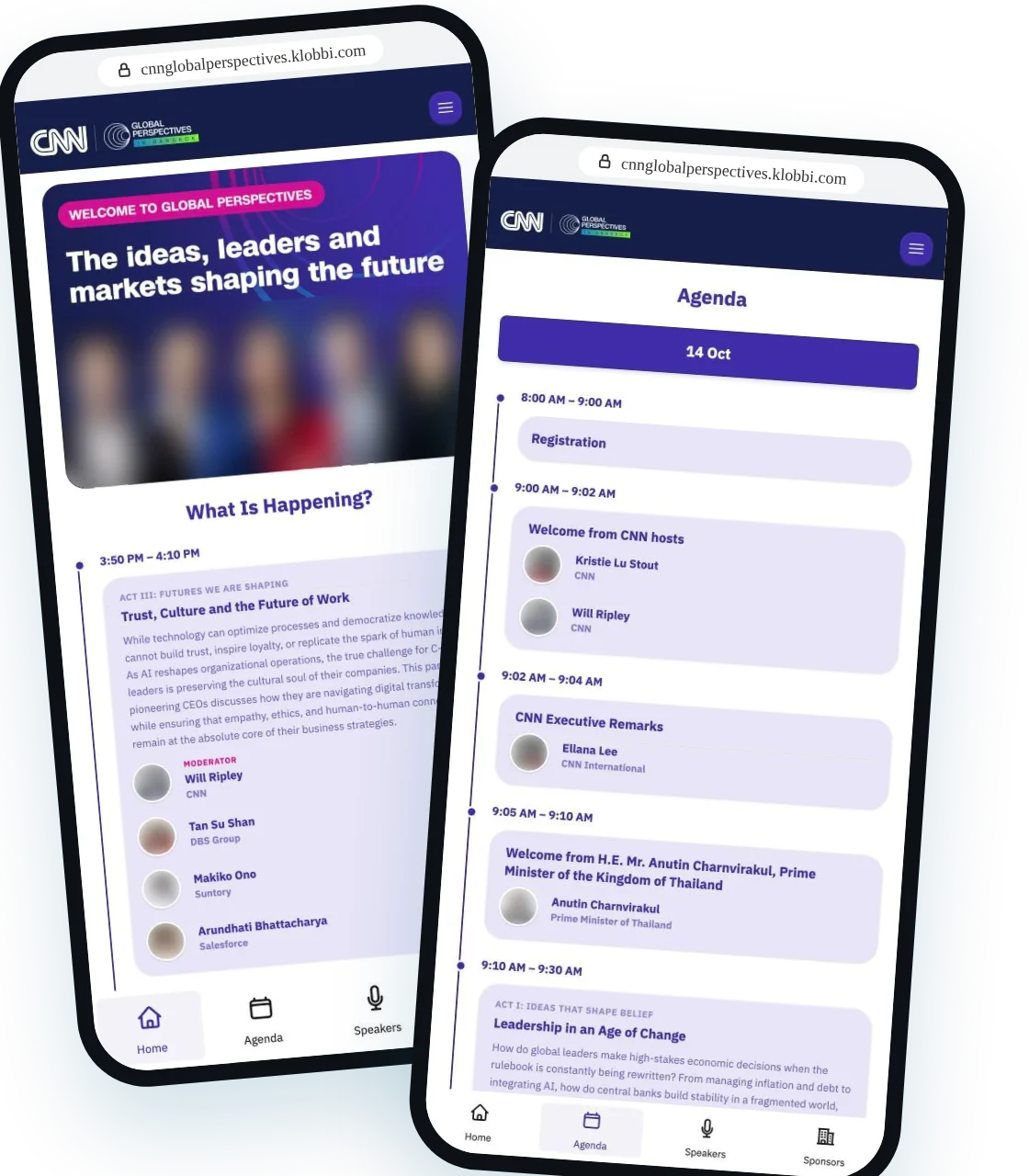
CNN Global Perspectives: In Bangkok took place on October 14, 2026, at The Ritz-Carlton, Bangkok, and used EventApp Web as its official app. Guests checked the agenda, read speaker bios, browsed sponsor pages and set up meetings with each other on their phones. Nobody had to install anything.
Sample screens from the CNN event in Bangkok. Speaker photos are blurred.
29
agenda items
43
speaker bios
10
sponsors
0
downloads required
It depends on what you value more: control, or reach. Asking guests to download an app adds one step, and in return you control more. Sending a link removes that step, so more guests end up using it.
Download
A phone app guests install on iPhone or Android and keep. Everyone signs in before any content appears, and you can send alerts straight to their phones. A good match for medical and academic congresses, association meetings and member communities that gather often.
Explore the mobile event appNo download
A web app that opens as soon as a guest taps a link or scans a QR code. There is nothing to install, so it also runs on corporate phones that block new apps. A good match for seminars, open days and trade shows where every guest has to get in on the day.
Explore the event web appTable 1. EventApp Mobile vs. EventApp Web
EventApp Mobile
EventApp Web
Getting in
Install on iPhone or Android, then sign in
Tap a link or scan a QR code
Sharing on LINE
You can announce the event on LINE as usual, but guests still install the app first
Guests tap the link in a LINE chat and the app opens in their browser
What the organizer gets
More control: only signed-in guests see content, and you can push alerts to phones
Maximum reach: no step sits between the invite and the app
Corporate and government phones
Installs only where the organization permits it
Nothing to install, so app store rules are not a barrier
Lead time
Six weeks or more
One week or more on Klobbi templates
Updates during the event
Push alerts on every guest's phone
Email and in-app announcements
Best for
Annual events and member groups
Single conferences, open days, trade shows
Both formats share one guest record with Klobbi's registration, check-in and badge printing.
Most organizers in Thailand reach their guests through LINE, so EventApp Web is built around a link. Paste the app link into a group chat, a direct message or the confirmation email, or print it as a QR code at the venue. One tap and the app loads in the phone's browser.
The app does not connect to anyone's LINE account and asks for no LINE permissions. The link is simply the easiest door to pass around. Invited guests sign in through the personal link in their invitation email; at open events they sign in with a mobile number or email address.
Both formats include the same features. The mobile app adds sign-in before content and phone alerts. The web app adds link access, a guest mode and Wallet passes.
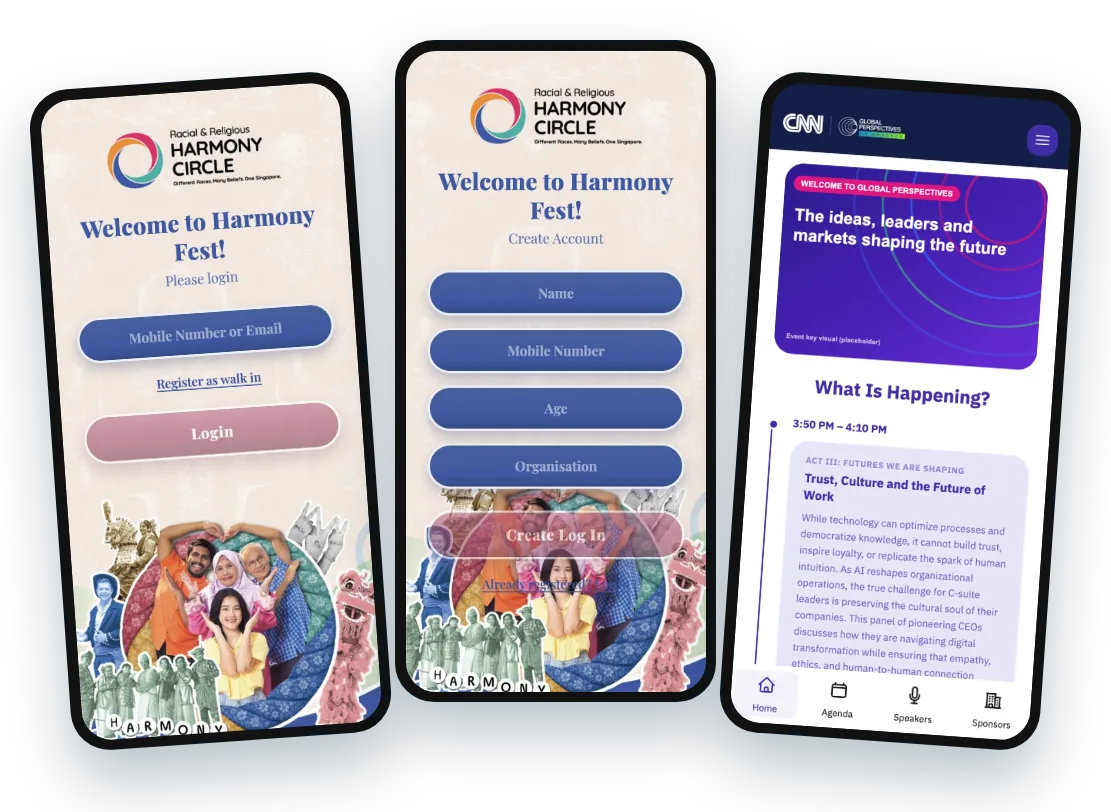
• A personal link in the invite email, so there is no password to forget
• A one-time code on top of the link for closed-door events with a confidential guest list
• Sign-in by mobile number or email for public events
• On-site sign-up for walk-in guests
• Guest mode in the web app: browse agenda, speakers and sponsors without signing in
• The attendee list comes from Klobbi's registration system, with no re-upload
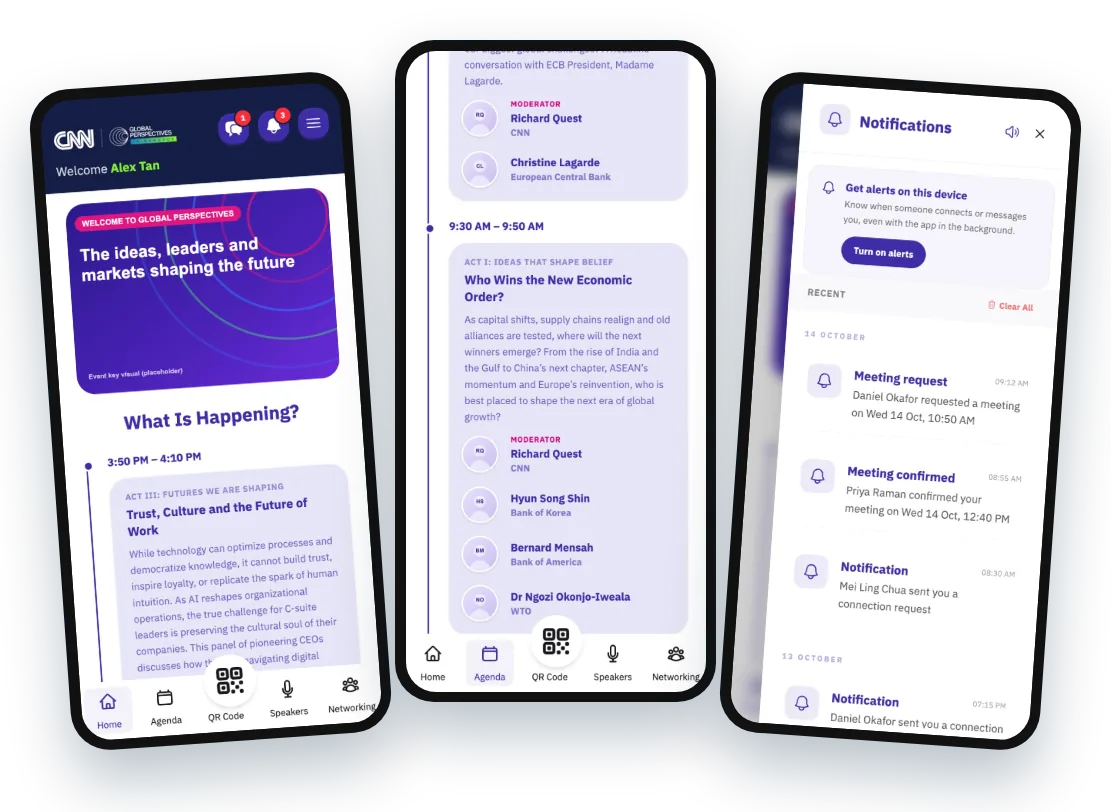
• When a time or room changes, every phone shows it right away, with no repeat announcements in the hall
• The home screen shows what is on now and what comes next
• Agenda by day and track, with moderators and speakers
• Guests pick sessions and build their own schedule
• Sign-up for smaller activities inside the event
• Speaker bios and session abstracts open with a single tap
• An event map with directions to halls, rooms and booths
• Feedback forms for each session and for the event as a whole
• Screens and forms in Thai, for events where most guests are Thai
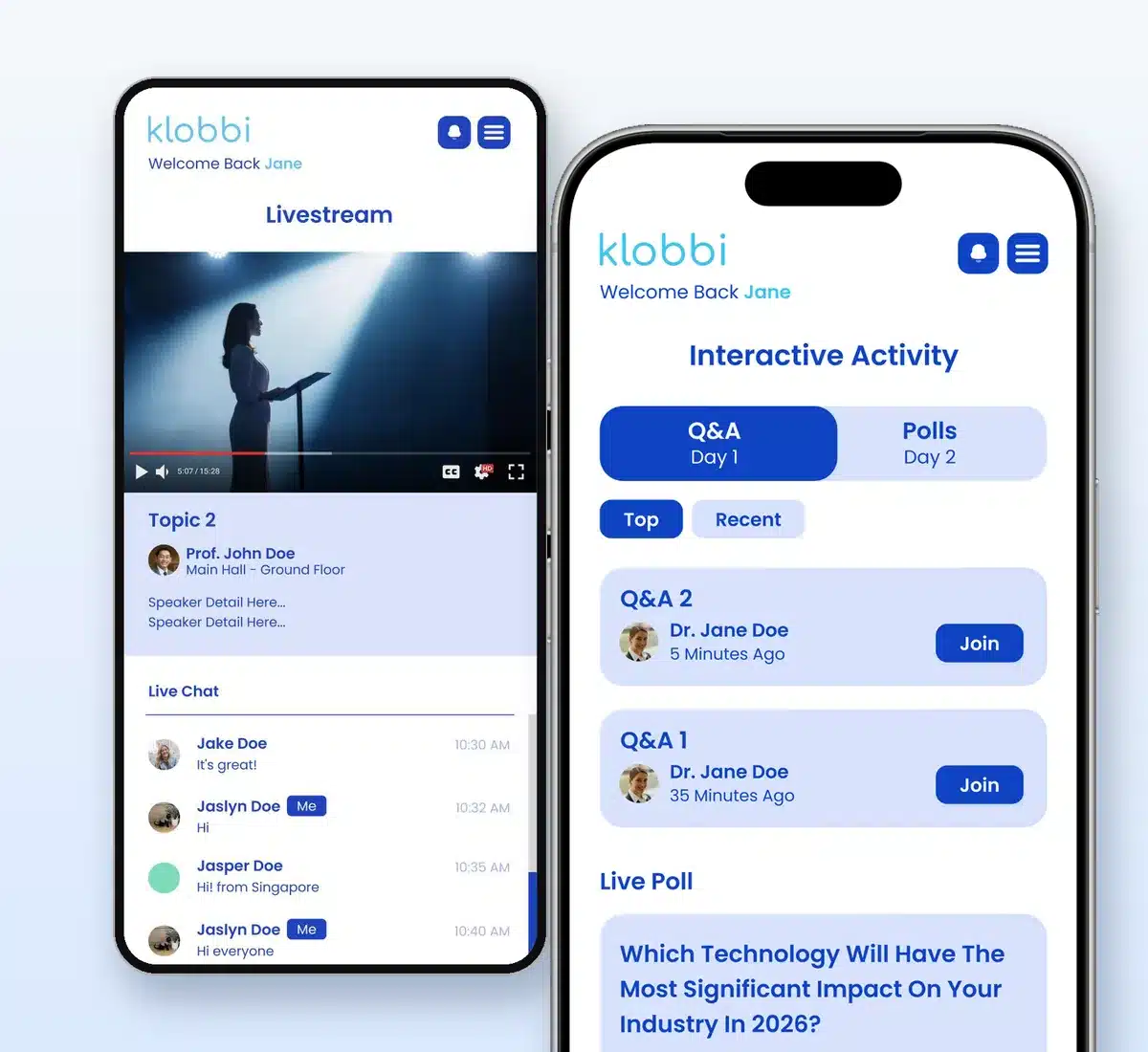
• Stream from the hall or a studio to people outside it, with chat and emojis
• Guests submit questions and upvote the ones they care about; a moderator approves them before they hit the screen
• Polls with results on the screen in the hall
• Thai captions and Thai-English translation when paired with Klobbi Oracle
• More on the audience engagement page
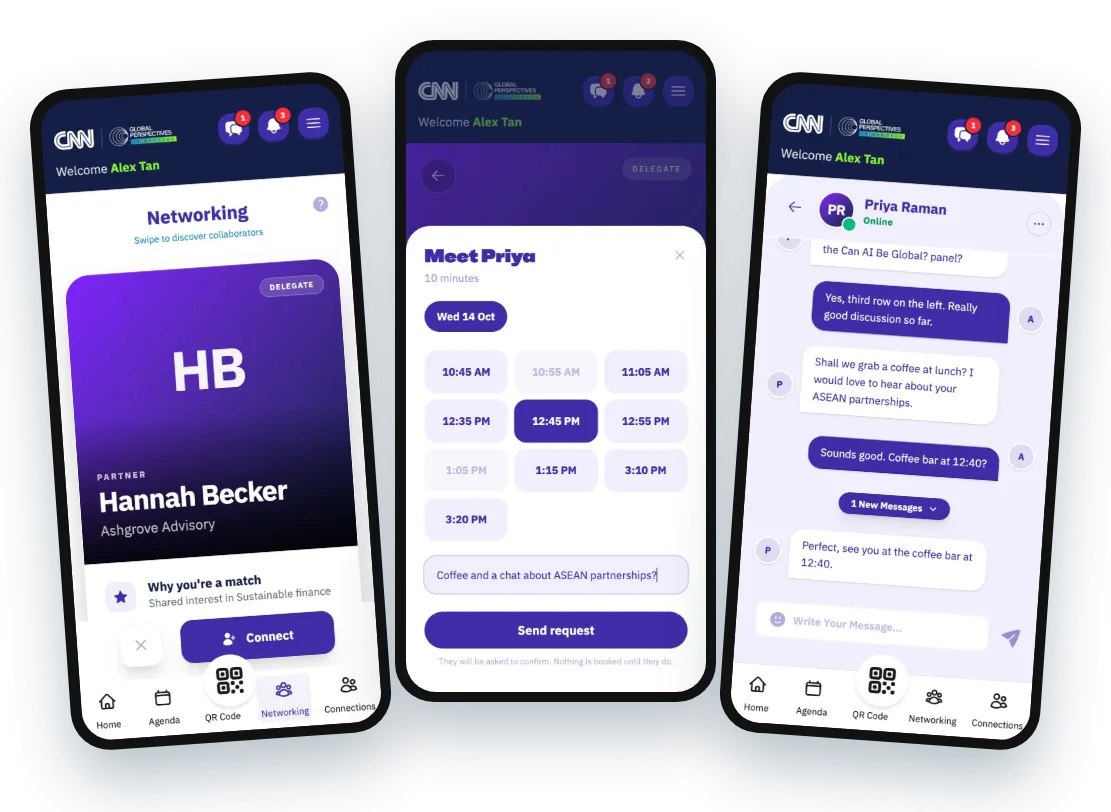
• Guests choose whether others can see them
• Match cards explain why two people should talk, based on shared interests
• Search the guest list by name, title or company and send a connection request
• Private in-app chat
• 10-minute meetings in break slots the organizer sets; the other person accepts or declines
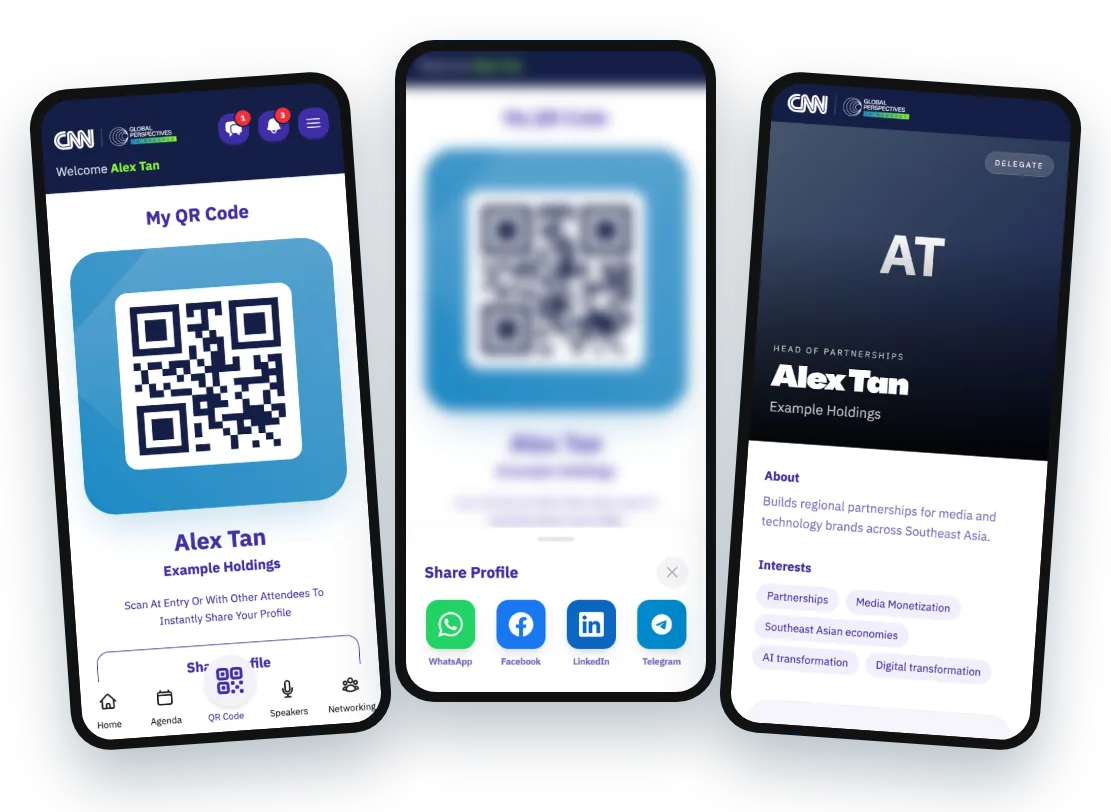
• One QR code works as entry ticket, check-in, badge print, contact exchange, activity pass and gift claim
• Save it to Apple Wallet or Google Wallet
• Scan another guest's code to swap contact details
• Share a profile on WhatsApp, LinkedIn, Facebook or Telegram
• The digital card keeps working after the event
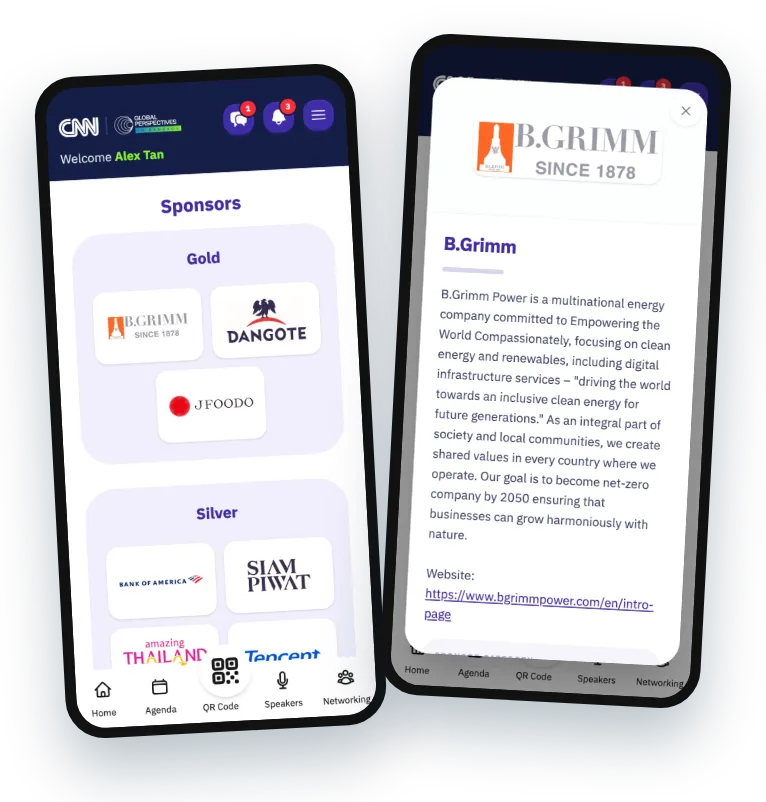
• Sponsor levels, with a page for each sponsor
• Digital booths with brochures, videos and links
• Exhibitor list by category and booth number
• Sponsors can see who viewed their page or scanned their booth code
• Add-ons: exhibitor appointments with Klobbi Meet, business matching with Klobbi Match, and booth lead capture with Lead Retrieval
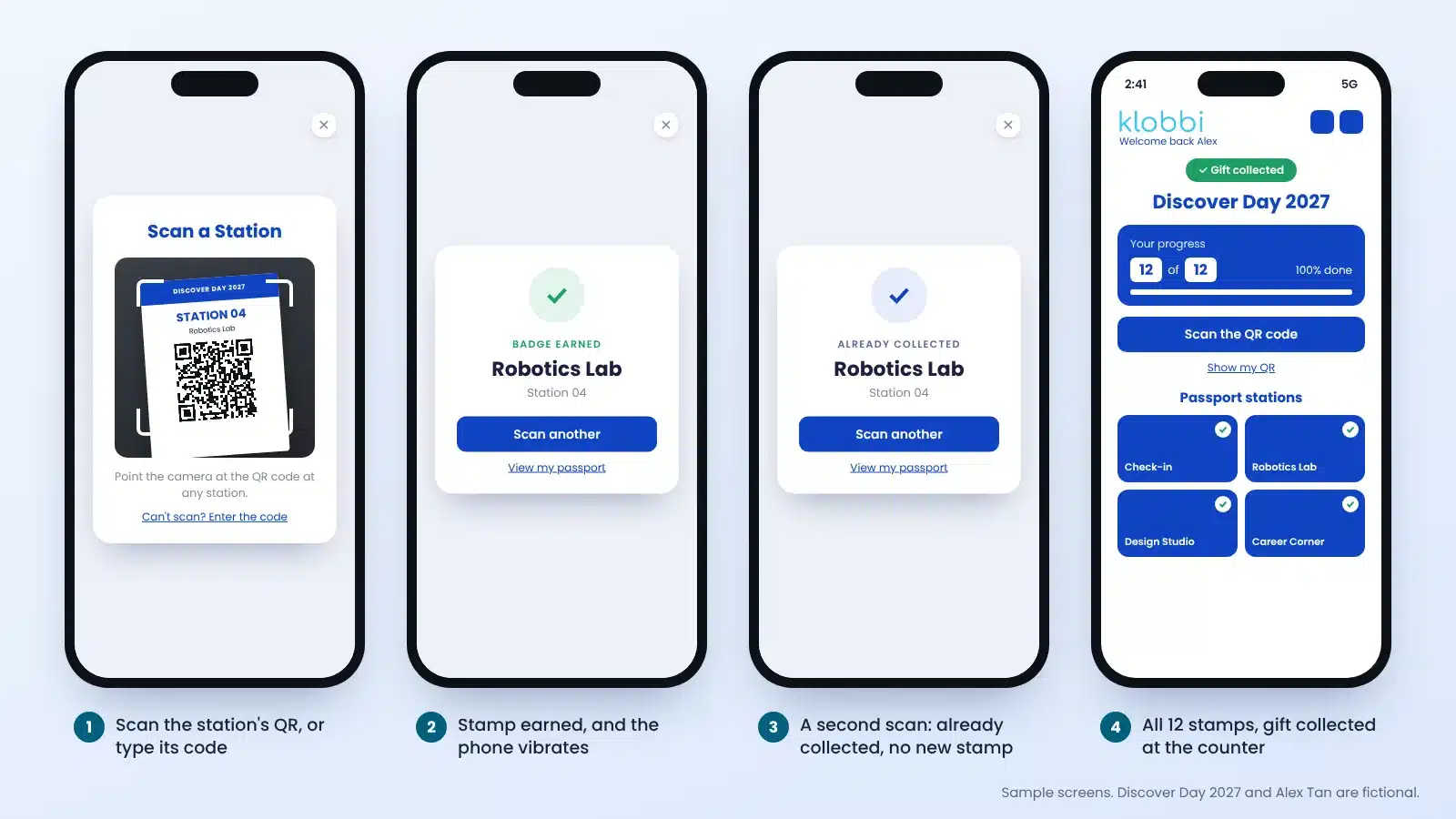
• Collect a stamp at each point, with a progress bar
• Guests scan the poster, or staff scan the guest: it works both ways
• Set prize rules: every stamp, a set number, or tiers
• Claim at a counter or a vending machine; no double claims
• Pre-printed QR cards for guests who prefer not to use a phone
• Used at SIT Open House 2026 in Singapore: 10,000 visitors in two days
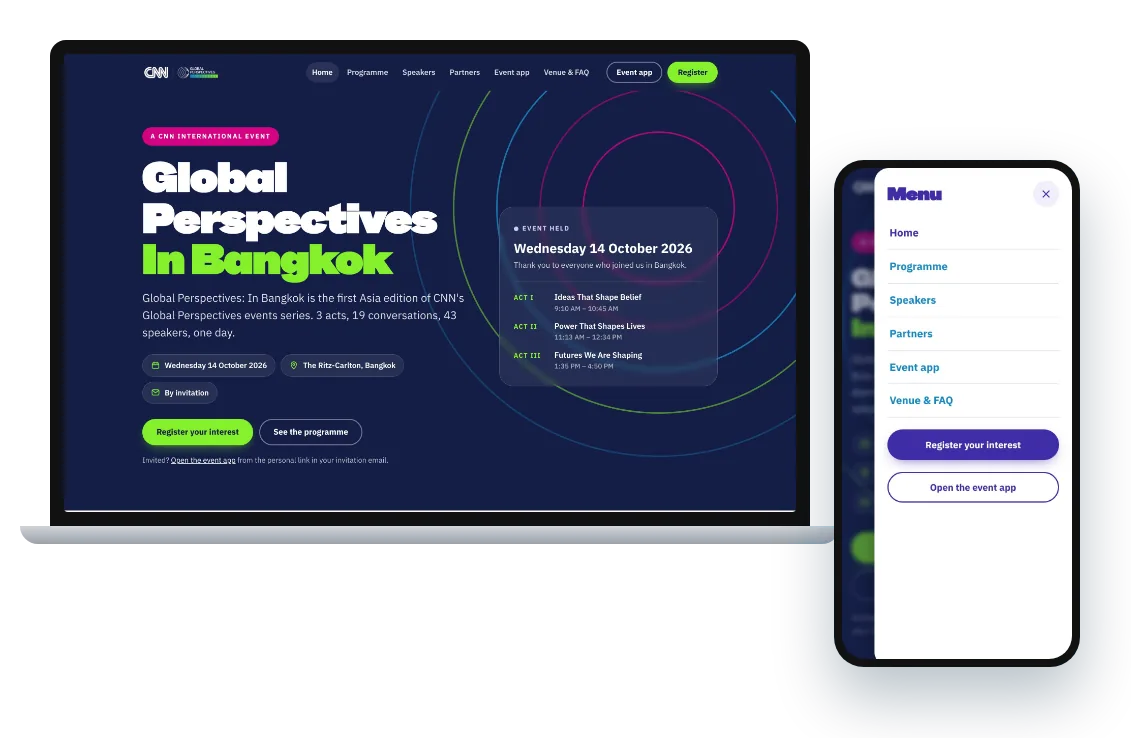
• Your logo, colors and banner on every screen
• An event website that stays in step with the app's agenda, speakers and partners
• Opens on a laptop as well as a phone
• Works with Klobbi Registration, Orator, Oracle and Showmaster
• A back office to change stamp points, prizes, quizzes and announcements, no coding
• A usage report after the event
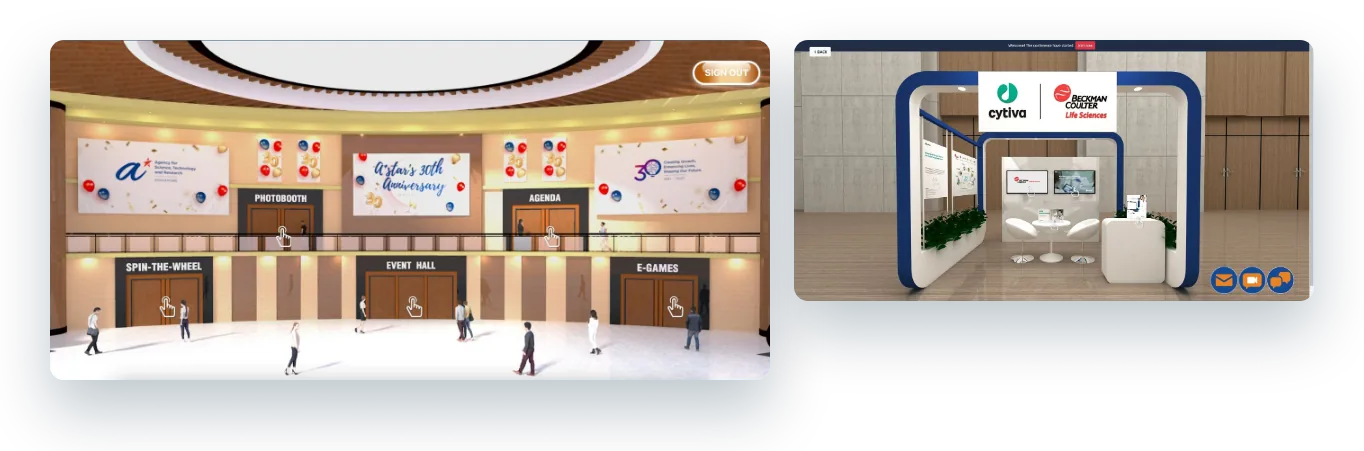
• The same app presented as a virtual venue in your branding
• A 3D lobby with every zone one click away
• A virtual exhibition hall with sponsor booths and live chat staff
• Multi-track streaming with replays
• Games, photo booths and a help desk
• Ready in about two weeks
International meetings in Bangkok often bring Thai and overseas guests together. Local staff work in Thai, while overseas delegates use English. An event app gives everyone the same agenda and one QR code that works from check-in through to business card exchange.
Klobbi works directly with event owners and with professional congress organizers (PCOs). The PCO team sends the agenda, speaker list and design files. Klobbi builds the app and links it to registration. Q&A and polls can be switched on in the same app, and Klobbi Oracle adds captions and translation.
Both formats need an internet connection, either venue Wi-Fi or mobile data. Some hotel ballrooms and convention centers lose signal when the room fills up. Klobbi recommends testing coverage with the venue ahead of time and sending the link so guests open the app before the event day.
For guests who are not comfortable with phones, Klobbi can pre-print QR cards. Staff scan those cards at check-in and at activity points just like the in-app pass.
Klobbi's developers in Singapore build the app and link it to registration and check-in. The Bangkok team at Klobbi (Thailand) Co., Ltd. runs the project from the first brief to the last session, in Thai and English. You send the agenda, speaker details, sponsors and design files to the Bangkok team, and a project manager assigned to your event works alongside you on the day.
Guest data is stored on servers in Singapore; there is no Thailand data center yet. Data is deleted within 30 days after the event. Klobbi Pte Ltd (Singapore) holds ISO/IEC 27001 certification from TÜV SÜD and the CSA Cyber Trust mark, a Singapore cybersecurity scheme. Klobbi works to Thailand's Personal Data Protection Act B.E. 2562 (2019).
Share your event date, venue and expected number of guests, and let us know whether you lean toward the mobile app, the web app, or haven't decided. We reply within one business day.
WhatsApp (+65 8836 2597) Email sales@klobbi.comOur event uses a professional congress organizer (PCO). Who sends what to Klobbi?
The PCO or the event owner sends the agenda, speaker names and bios, the sponsor list and design files. Klobbi's developers in Singapore build the app from that material. The Bangkok team coordinates with the PCO through to event day.
Can one app serve Thai and overseas guests at the same event?
Yes. The app's screens and forms can be set in Thai, and the Bangkok team works in both Thai and English. For Thai captions or Thai-English translation during talks, add Klobbi Oracle.
Which Klobbi team handles an event in Thailand?
The Bangkok team at Klobbi (Thailand) Co., Ltd. runs the project and the event day. Klobbi's developers in Singapore build the app. You deal with the Bangkok team, in Thai or English, from start to finish.
Our event is in a hotel ballroom. What should we check beforehand?
Ask the venue whether its Wi-Fi can handle a full room and how strong mobile signal is inside. Send guests the app link so they open it before the event, and have pre-printed QR cards ready for guests who prefer not to use a phone.
Can sponsors at a Bangkok trade show see who visited their booth?
Yes. Sponsors can see who viewed their page in the app or scanned their booth code. For detailed lead notes at the booth, add Lead Retrieval, an add-on.