
Klobbi EventApp
Klobbi EventApp · mobile and web
Klobbi EventApp is an event app Singapore organisers can run two ways. EventApp Mobile is an app attendees install on iPhone or Android, which gives the organiser more control. EventApp Web opens from a link with nothing to install, so more attendees use it. Both carry the programme, networking, sponsor booths and one QR pass.
ISO/IEC 27001 certified · CSA Cyber Trust mark · Singapore team since 2018
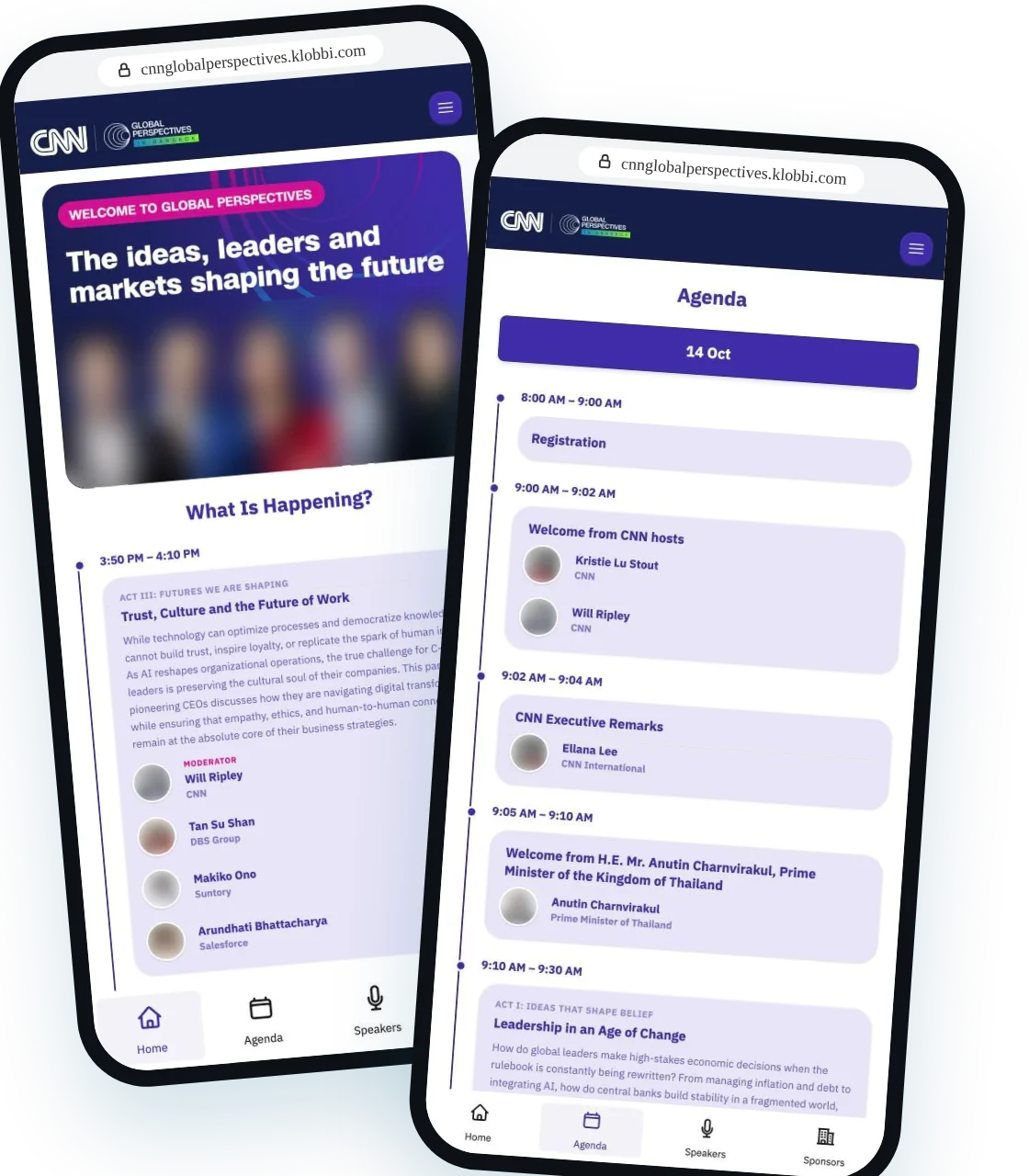
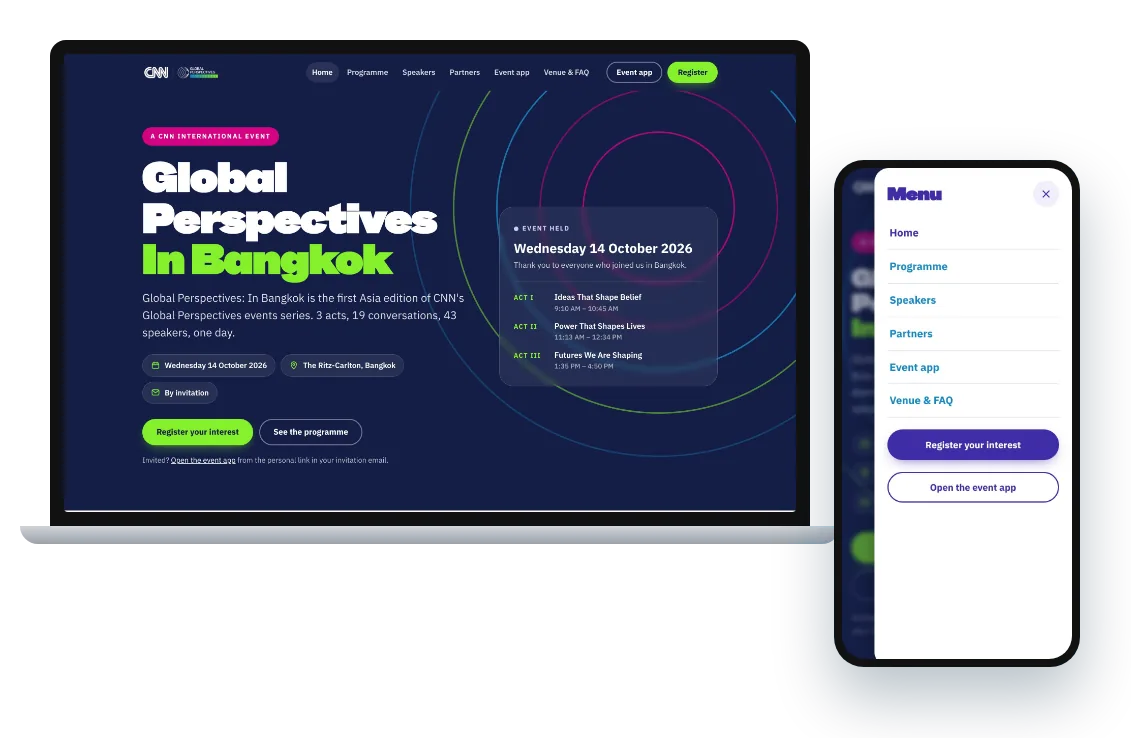
CNN Global Perspectives: In Bangkok
The Ritz-Carlton, Bangkok · 14 October 2026 · built on EventApp Web. Speaker photos are blurred on this page.
29
programme items
43
speaker profiles
10
sponsors
0
apps to download
The choice comes down to one trade. A download adds a step for every attendee and gives you more control over the experience. A link removes the step and gets more people in.
Download
A mobile event app your attendees install once on iPhone or Android and keep. They sign in before they see anything, and you can send push notifications. Suits congresses, association events and communities that meet again.
See the mobile event appNo download
An event web app attendees open by tapping a link or scanning a QR code. Nothing to install, so it works on locked company phones. Suits conferences, open houses and expos where every guest must get in on the day.
See the event web appTable 1. EventApp Mobile and EventApp Web compared.
EventApp Mobile
EventApp Web
How attendees get in
Install the app on iPhone or Android, then sign in
Tap a link or scan a QR code
What you gain
More control: attendees sign in before they see anything, and you can send push notifications
The widest reach: nothing stands between the invitation and the app
Company and government phones
Installs only where the organisation allows it
Nothing is installed, so app-store restrictions don't stop it
Time to launch
At least six weeks
At least one week on Klobbi's templates
Several events a year
One app can carry several events, each set up on its own
One link per event
Reaching attendees during the event
Push notifications to every attendee's phone
Email, and updates inside the app
Fits best
Recurring events and communities
One-off conferences, open houses, expos
Both versions run on the same attendee record as Klobbi's registration, check-in and badge printing.
Both versions carry the same features. The mobile app adds sign-in before content and push notifications; the web app adds a no-download link, guest mode and wallet passes.
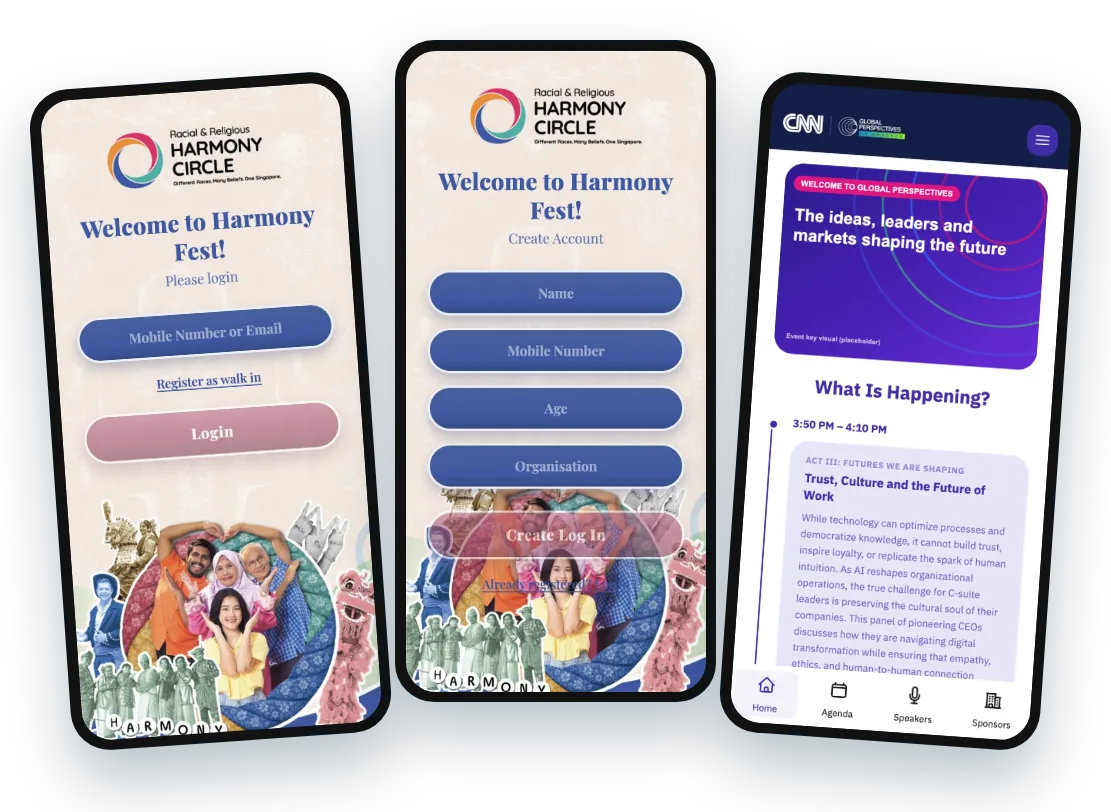
• Personal link in the invitation email: no password to remember
• One-time code on top, for closed-door summits
• Sign in by mobile number or email at open events
• Walk-in sign-up at the door
• Guest mode in the web app: agenda, speakers and sponsors without signing in
• Guest list straight from Klobbi Registration, with no second upload
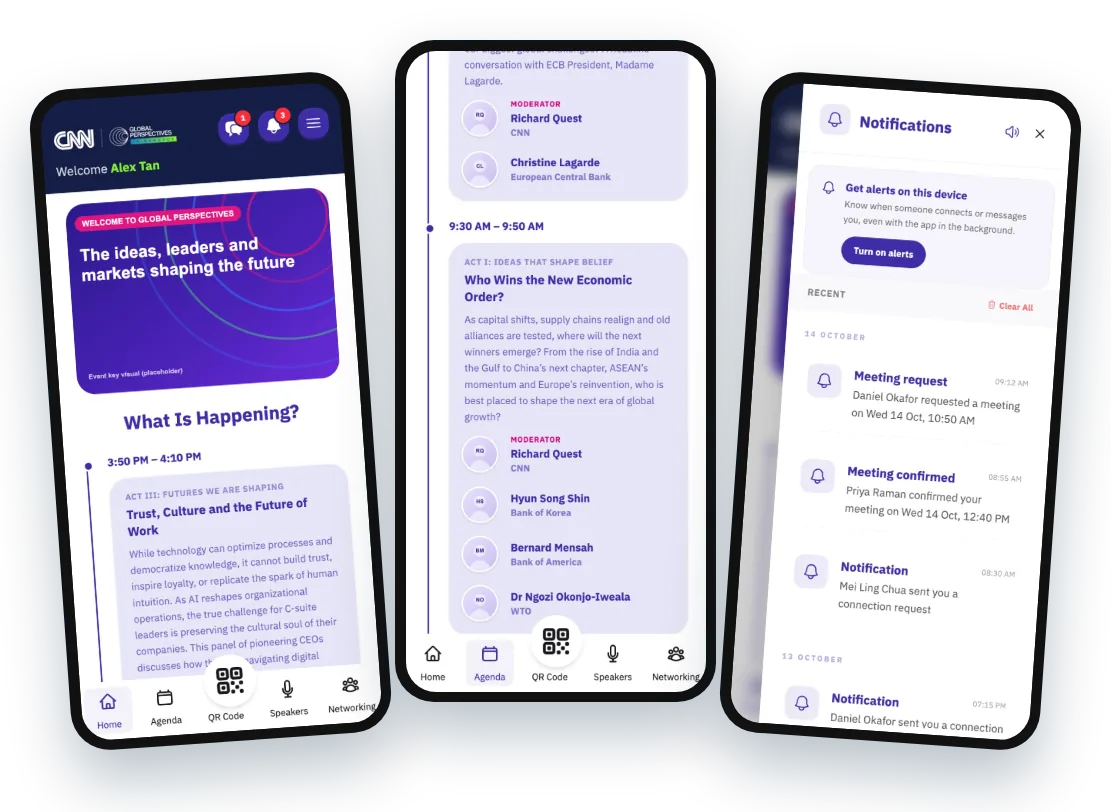
• Live programme: changes reach every phone, so no more "change of time" announcements
• What is happening: now and next on the home screen
• Agenda by day and track, with moderators and speakers
• My Agenda: each attendee builds a personal track
• Deep dives: register for mini-sessions inside the event
• Speaker biographies and session abstracts one tap away
• Event map and wayfinding to halls, rooms and booths
• Feedback on each session and on the event
• Notifications for meetings, connections and changes
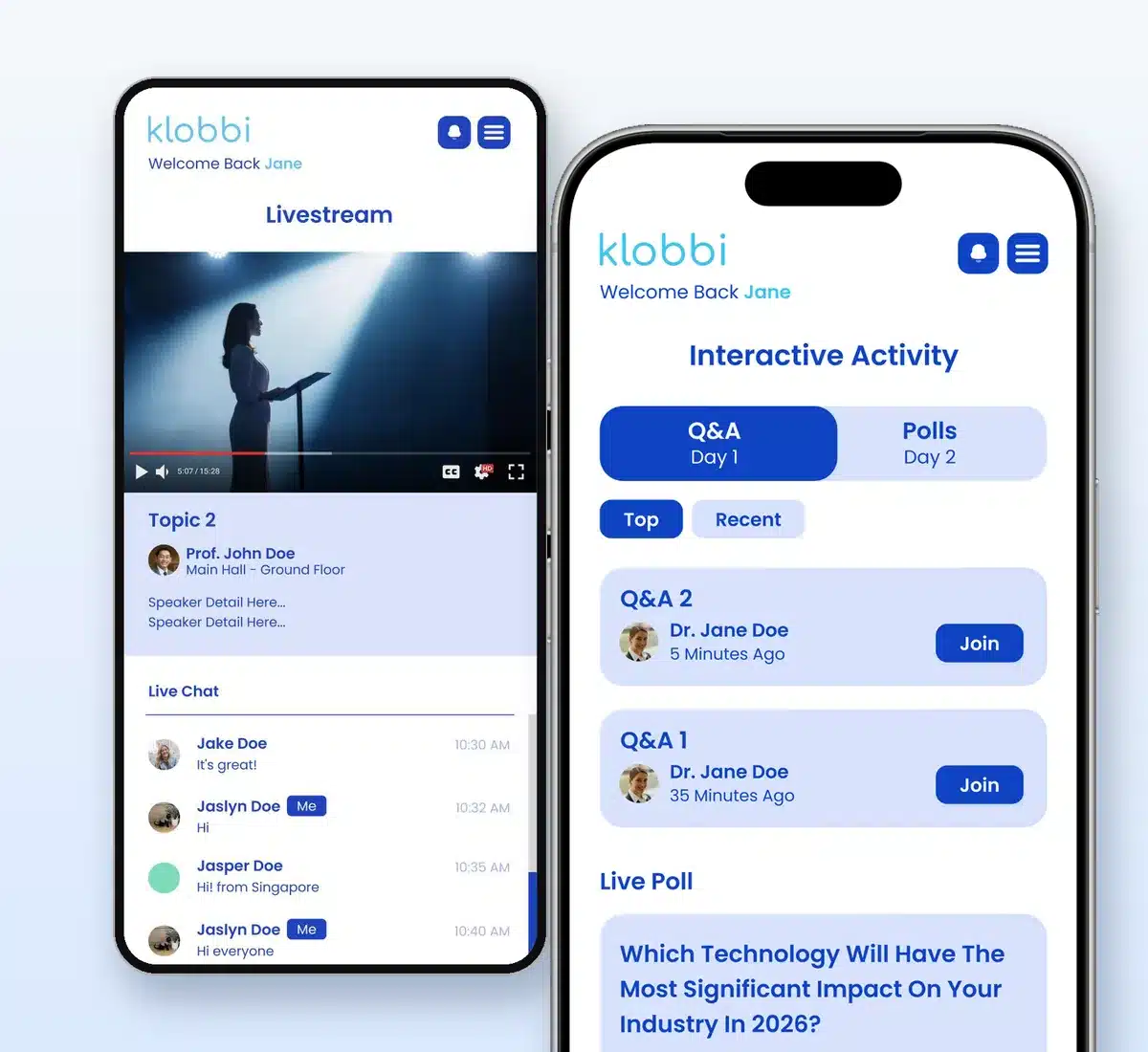
• Live stream from the venue or a studio to people outside the room
• Live chat and emojis beside the stream
• Event Q&A: the room asks and upvotes, a moderator approves
• Live polls with results on the venue screen
• AI transcription, live translation and an instant summary with Klobbi Oracle
• Pledge wall and personality quiz. See audience engagement
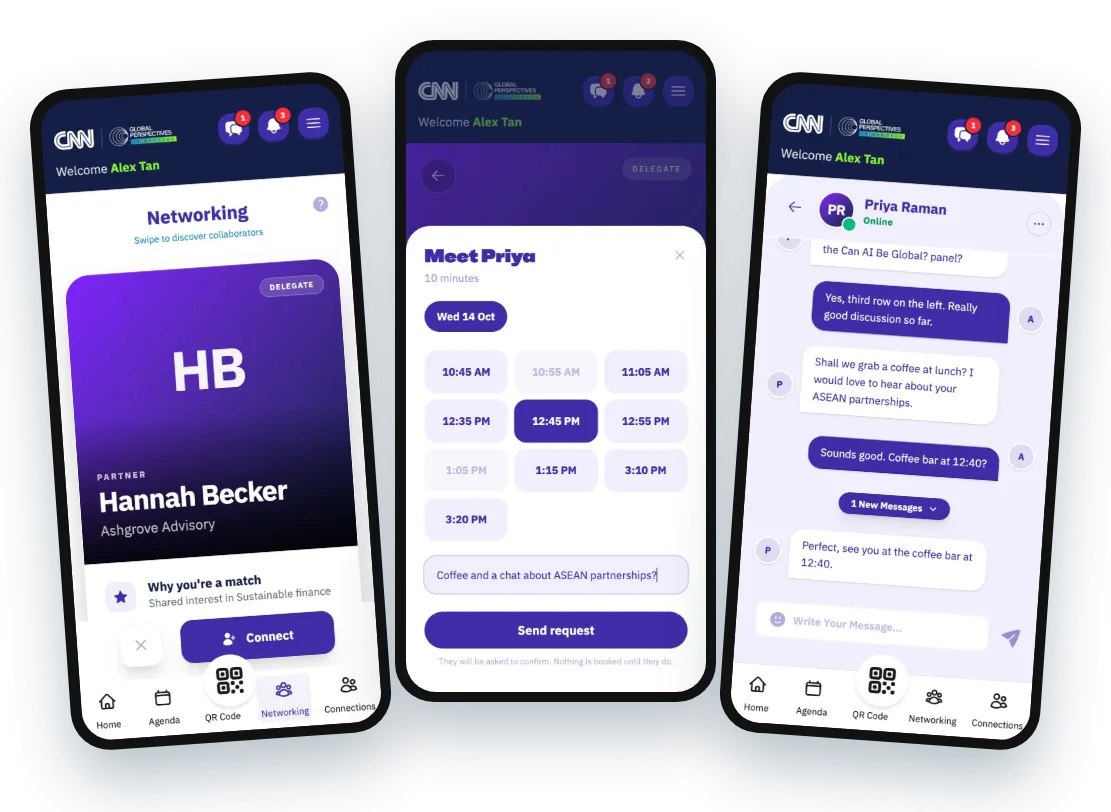
• Go online to network, or stay invisible
• Match cards that say why two people match, by shared interest
• Search the attendee list and send connection requests
• Profiles with interests and skills; contact details once connected
• Secure in-app chat
• 10-minute meetings booked inside the organiser's break windows, accepted or declined by the other person
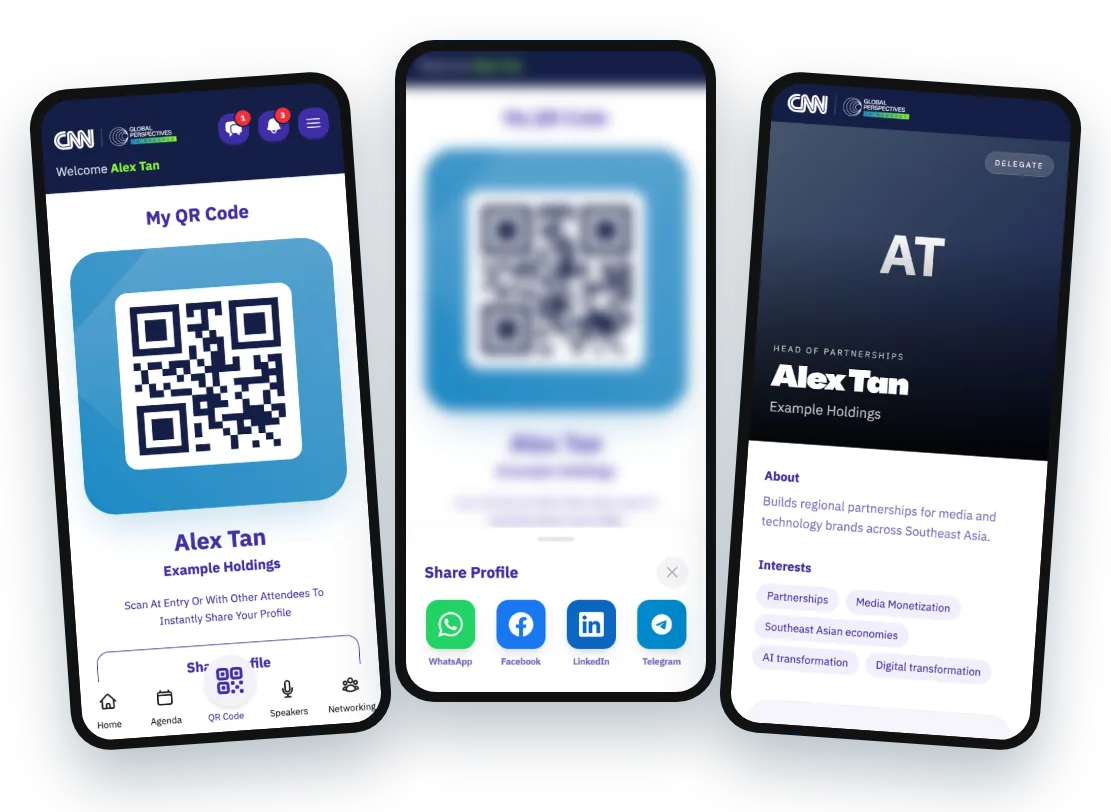
• One QR for ticket, check-in, badge printing, business card, activities and gift redemption
• Saved to Apple Wallet or Google Wallet
• Scan another attendee's QR to swap contacts
• Share a profile by WhatsApp, LinkedIn, Facebook or Telegram
• A public profile page: "Meet Alex at the event"
• The card stays useful after the event, as a gift to clients
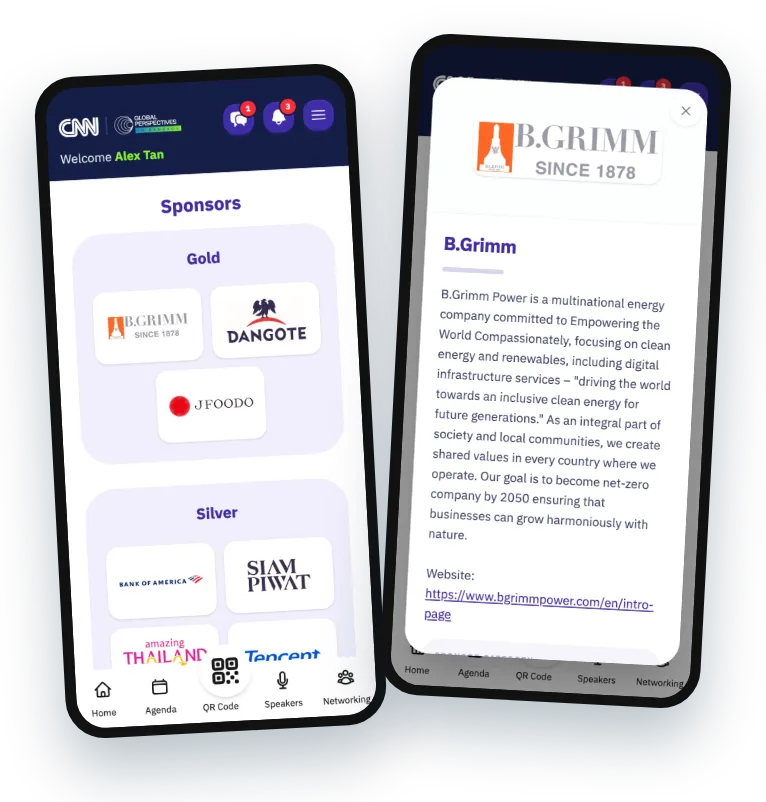
• Sponsor tiers, each sponsor with its own page
• Digital booths with brochures, videos and direct links
• Exhibitor directory by category and booth number
• Sponsors see who viewed their page or scanned their booth code
• Appointment booking with exhibitors (Klobbi Meet)
• Lead Retrieval and AI business matching (Klobbi Match) as add-ons
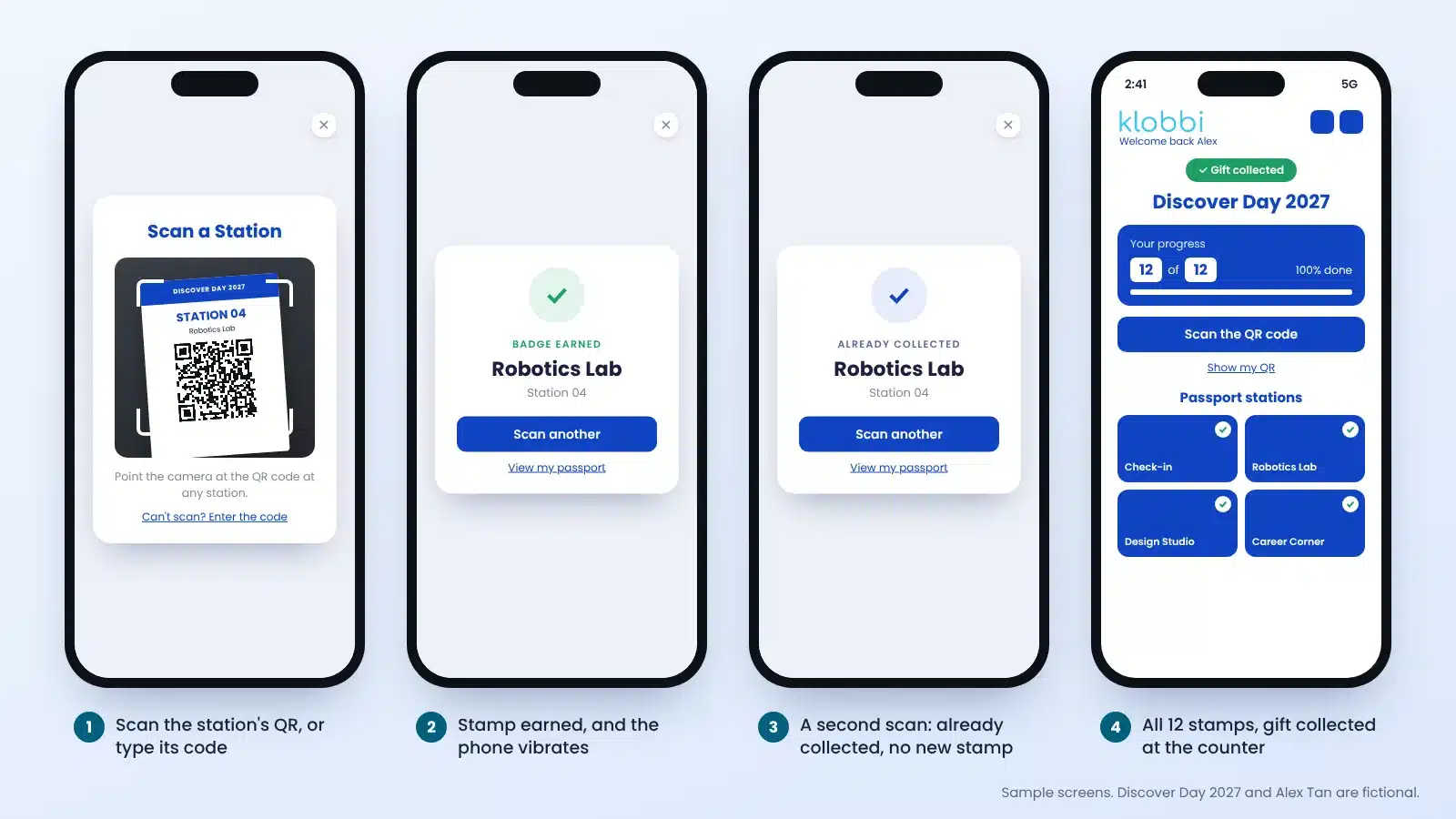
• Stamp trail: a stamp at each station, with a progress bar
• Scan both ways: the visitor scans the poster, or staff scan the visitor
• Gift rules: all stamps, any number, or tiers such as five booths for a coffee and twenty for the grand prize
• Redemption at a counter or a smart vending machine; a gift can't be claimed twice
• Pre-printed QR cards for guests who are not tech-savvy
• Ran at SIT Open House 2026: 10,000 visitors over two days. See the digital event passport
• Your logo, colours and banner on every screen
• A public event microsite that stays in sync with the app's programme, speakers and partners
• Works on a laptop as well as a phone
• Connects with Klobbi Registration, Orator, Oracle and Showmaster
• Back office: change stations, rewards, quizzes and announcements without code
• Activity report after the event; data hosted in Singapore under ISO/IEC 27001 and Singapore's PDPA
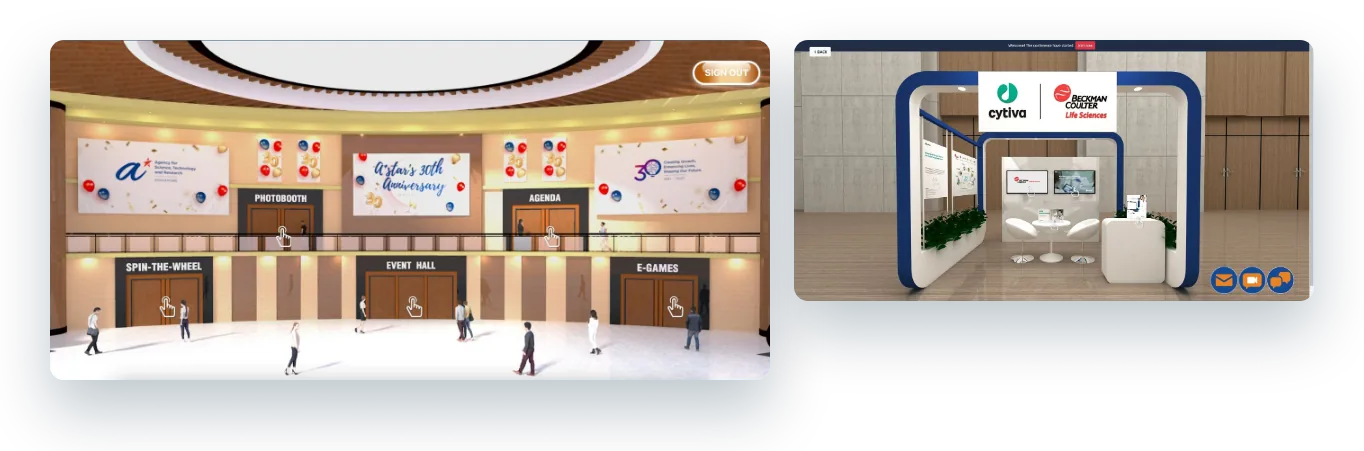
• The same app, dressed as a branded virtual venue
• A 3D lobby with every zone one click away
• Virtual exhibition with sponsor booths and a rep on chat
• Multi-track live stream, with replays on demand
• Games, photo booths and a help desk
• Live in about two weeks. Built for A*STAR, SGH, RSAF, Duke-NUS and others
SIT Open House 2026 ran on EventApp Web with Event Passport: 10,000 visitors over two days and 12 collection points, with nothing to install.
CNN Global Perspectives: In Bangkok (14 October 2026) ran its programme, speaker profiles, sponsors and attendee networking on EventApp Web.
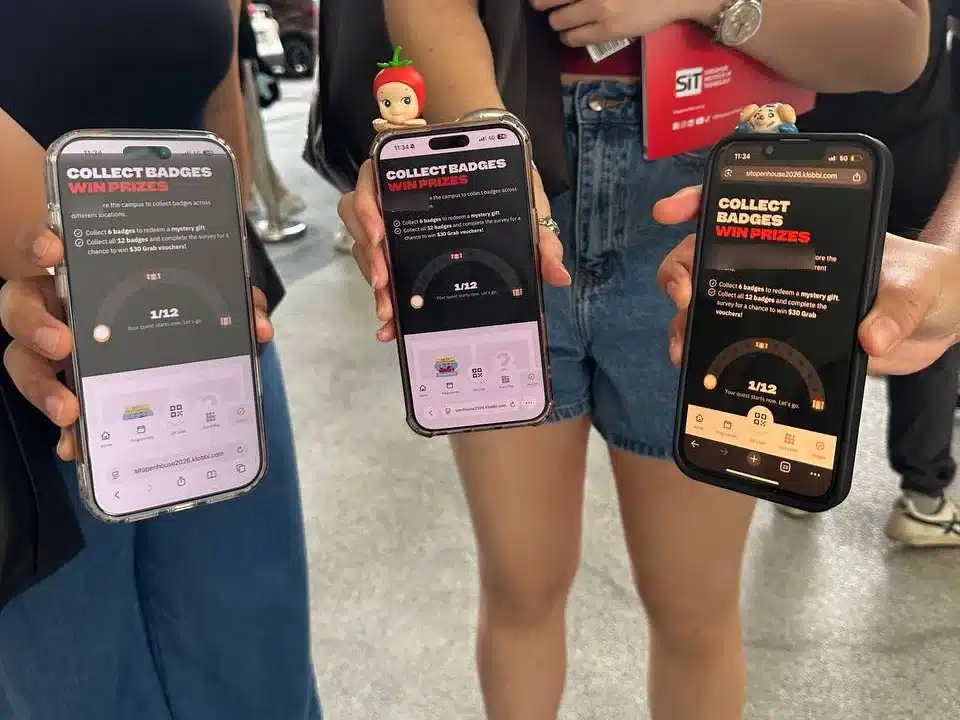
EventApp Web at SIT Open House 2026.
Klobbi's team in Singapore. You send the programme, speakers, sponsors and artwork; we build the app, connect it to registration and check-in, and a named project manager runs the event day with you.
Attendee data is hosted in Singapore. Hosting in your own country can be set up as a customisation. Klobbi is ISO/IEC 27001 certified, holds the CSA Cyber Trust mark and works to Singapore's PDPA.
Send us your dates, venue and expected headcount, and say whether you are leaning towards mobile or web. We'll reply within one working day.
WhatsApp us Email sales@klobbi.comWhat is the difference between a mobile event app and an event web app?
A mobile event app is installed on the attendee's iPhone or Android phone and stays there. An event web app opens in the phone's browser from a link or QR code, with nothing to install. Klobbi builds both from the same event content.
Which event app is better for a one-day conference in Singapore?
For a single conference day, EventApp Web usually suits better, because every attendee can open it at the door without a download. EventApp Mobile suits events and communities whose members return.
Does the event app connect to registration and badge printing?
Yes. The attendee's QR pass is the same code Klobbi's kiosks and staffed stations scan at check-in, and the badge prints as the guest arrives.
How long does an event app take to set up?
EventApp Web takes at least one week on Klobbi's templates. EventApp Mobile takes at least six weeks.
How is the event app priced?
Klobbi quotes per event. The quote follows attendee numbers, the features you switch on and whether you want Klobbi crew on site.