
Klobbi EventApp
Home › Solutions › Event apps › Event web app
Klobbi EventApp · event web app
Klobbi EventApp Web is an event web app that Singapore organisers send as a link or QR code. Attendees open it in their phone's browser, with nothing to download, and find the live programme, their own agenda, networking, sponsor booths and one QR pass for check-in and badge printing. Klobbi's Singapore team builds and runs it.
ISO/IEC 27001 certified · CSA Cyber Trust mark · Singapore team since 2018
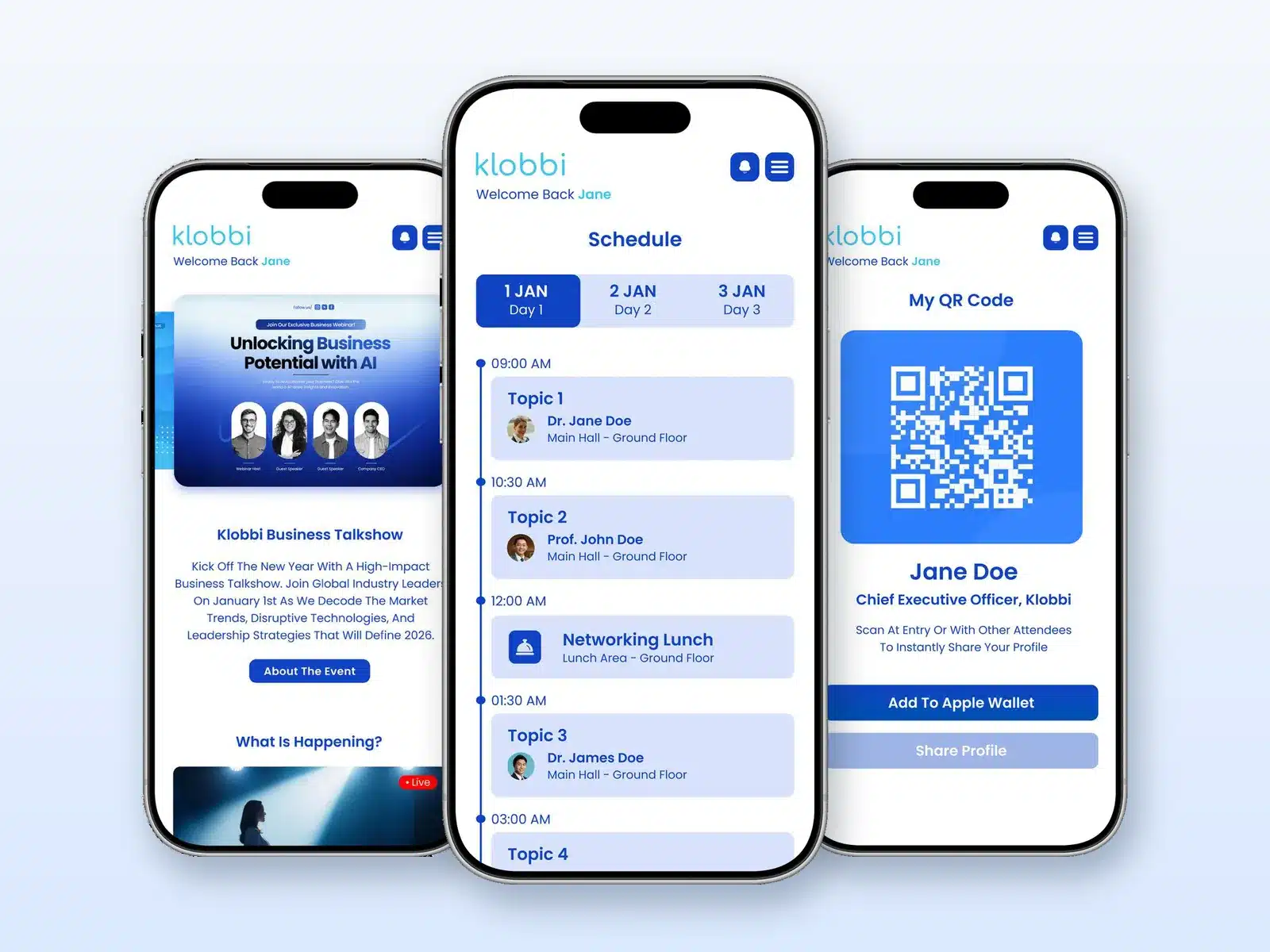
Sample screens with a fictional attendee.
An event web app is a mobile event app that runs in the phone's web browser instead of being installed from the App Store or Google Play. Klobbi EventApp works this way: attendees tap a link or scan a QR code, on iPhone or Android, and the event is on their screen.
Nothing is installed, so there is no store listing to find, no download over the venue Wi-Fi and no update to push when the programme changes. Each attendee opens the app from a personal link in their invitation email, which signs them in without a password.
Because a link gets more of the room into the app. Every step between the invitation and the app loses some attendees, and a web app has one step: tap. You give up some of the control a downloaded app offers, and gain usage. If control matters more than reach, see the mobile event app.
Managed phones are the second reason. Many corporate and government phones only allow approved apps, so an app-store event app may never install. EventApp installs nothing, so that block does not apply. The phone still needs a browser and a data connection.
A link also travels well: in the invitation email, in your own WhatsApp broadcast, or on a QR standee at the registration counter.
The programme, their own agenda, their QR pass, networking and sponsor booths all sit behind one link. Event Passport, Oracle and the trade-show add-ons switch on per event.
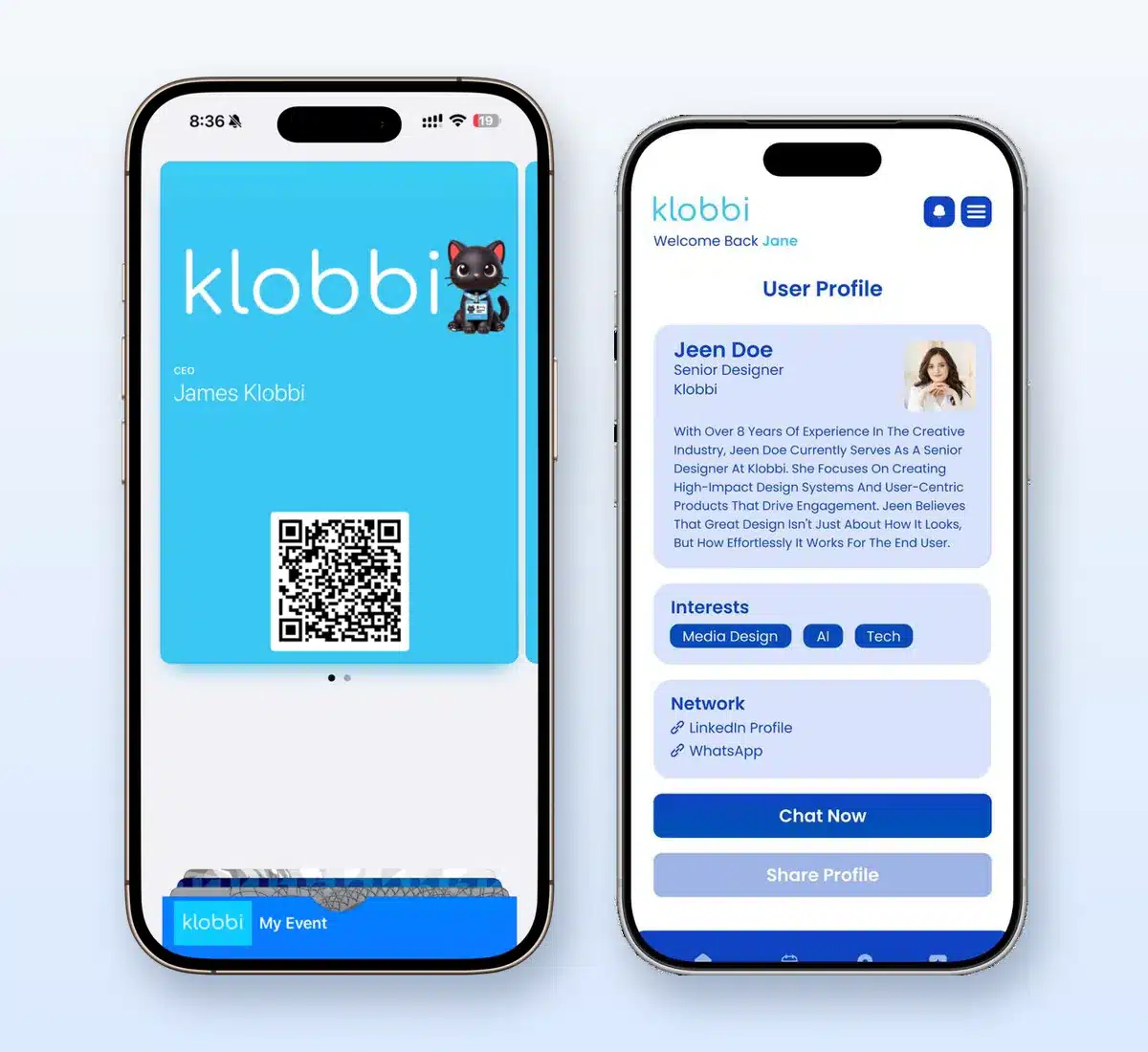
Every attendee gets one Universal QR, which they can save to Apple Wallet or Google Wallet. It is their ticket, their check-in, their digital business card and their key to activity points and prizes. At the door, Klobbi's kiosks and staffed stations scan it and the badge prints as each guest arrives.
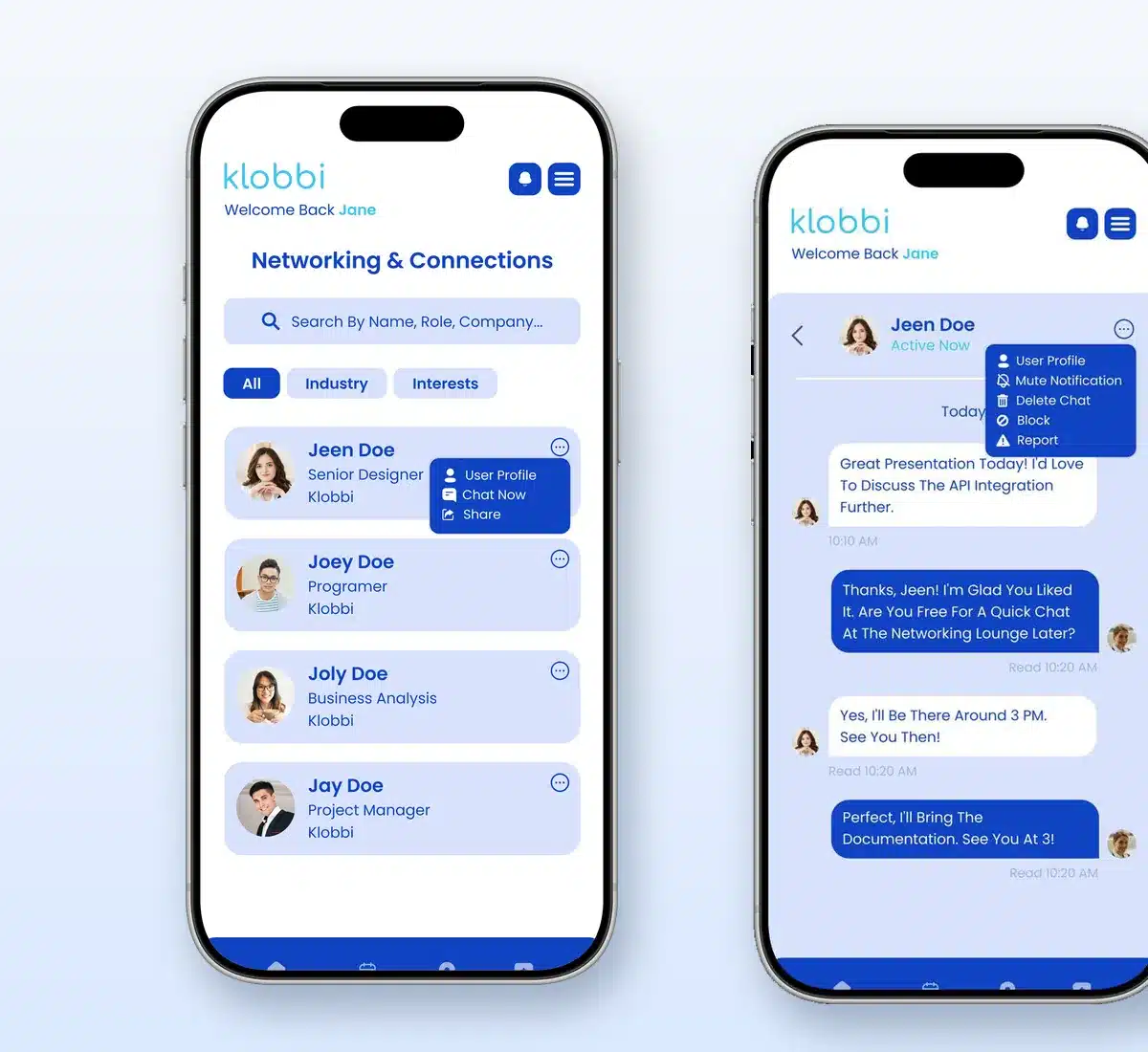
Attendees opt in to matching by shared interests, send connection requests, swap digital business cards and chat to fix a time to meet. For trade events, Klobbi Match suggests business matches and Klobbi Meet lets exhibitors and visitors book meetings before the event.
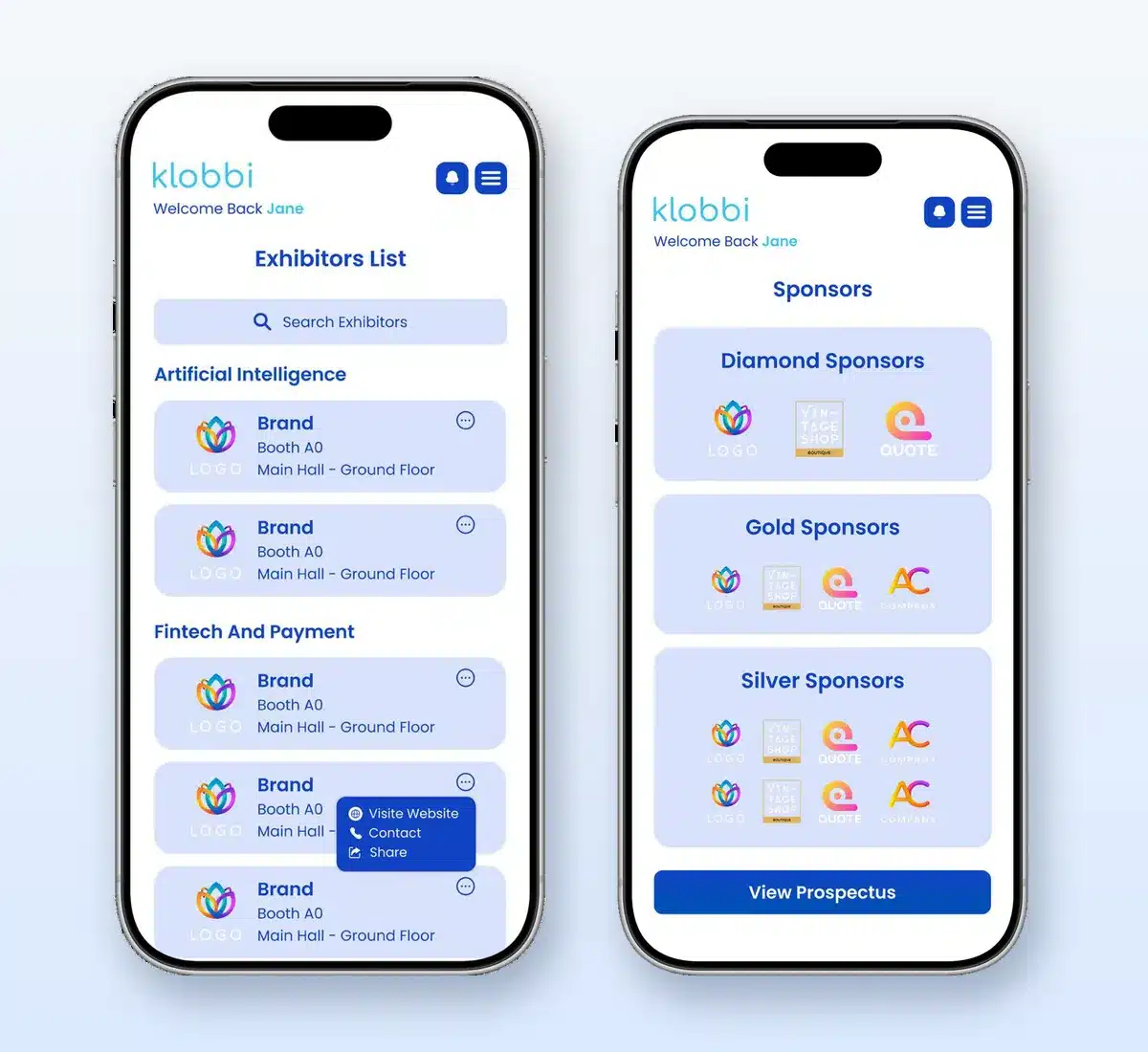
Each sponsor and exhibitor gets a digital booth with their brochures and links, listed by category with booth numbers and sponsor tiers. Attendees can book an appointment from the booth. With Lead Retrieval, booth staff scan an attendee's QR on their own phone and add notes on the spot.
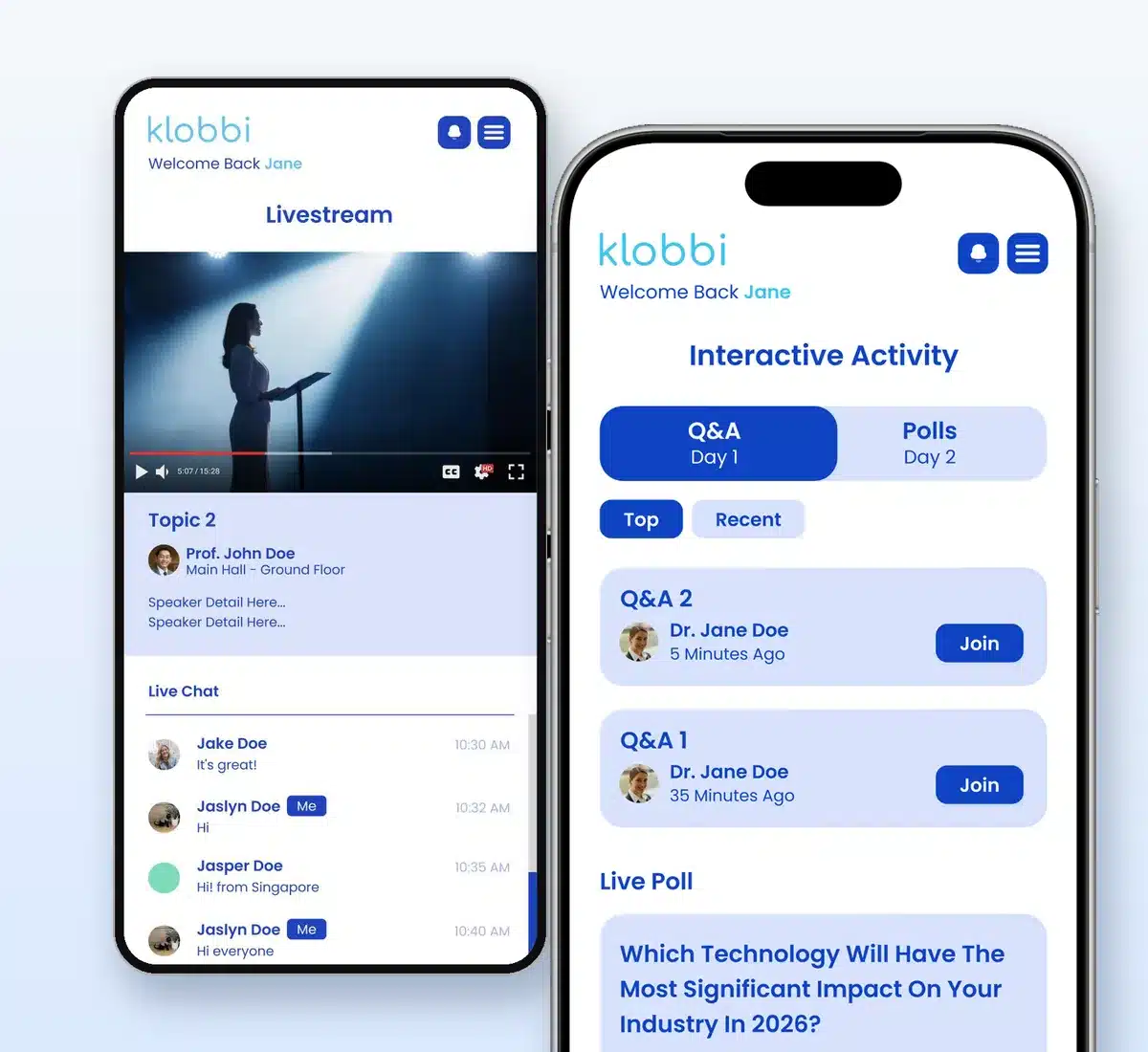
Attendees ask questions, upvote the ones they want answered and vote in polls from the same app, while the session runs. Q&A and polling are part of EventApp and switch on per event. See conference audience engagement. For live captions, translation and an AI recap, add Klobbi Oracle.
When a session moves, the new time shows on every attendee's phone. My Agenda lets each attendee build their own track, Deep Dives let them register for mini-programmes inside the event, and speaker profiles are a tap away. Profiles can come from Orator, Klobbi's speaker management module, and an event map can be added, as at SIT Open House 2026.
In Event Passport mode the event becomes a stamp trail: visitors scan a QR at each station and collect a gift once they meet your rule. The digital event passport page has the detail. A social wall, Cammi virtual photo booth or lucky draw can run at the same event.
Everything the mobile app does, opened from a link with nothing to install. Switch on only what your event needs.
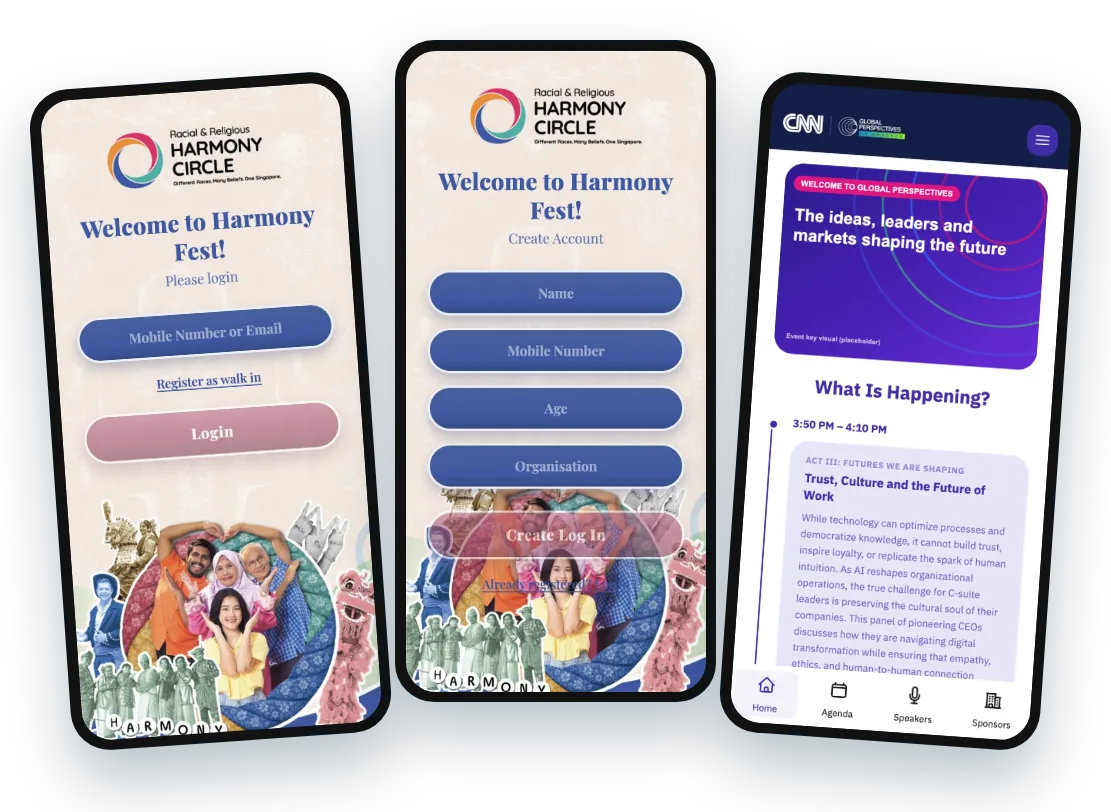
• Personal link in the invitation email: one tap, no password, no download
• Guest mode: anyone can browse the agenda, speakers and sponsors
• Sign in by mobile number or email at open events
• Walk-in sign-up at the door
• One-time code on top, for closed-door summits
• Browser alerts for meetings and connections
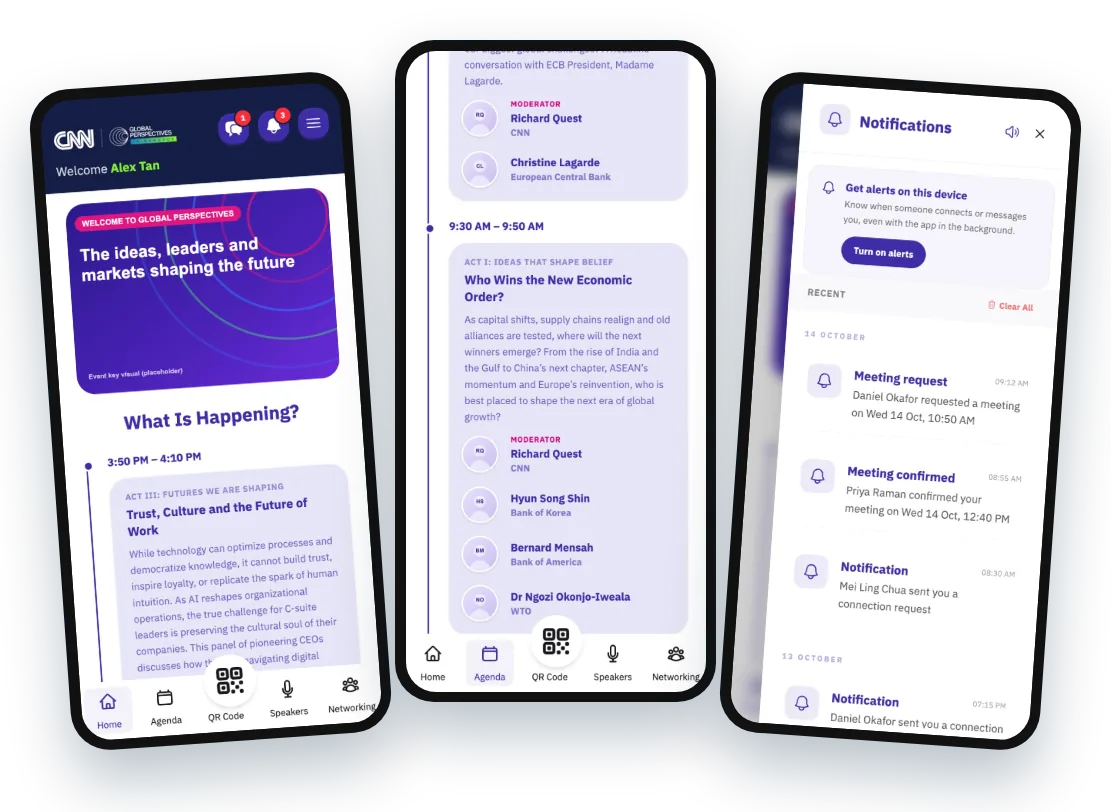
• Live agenda: a room or time change shows in every browser at once
• Now and next on the home page, so attendees know where to go
• Sessions by day and track, with moderators and speakers
• My Agenda: attendees save the sessions they want
• Deep dives: sign up for smaller sessions inside the programme
• Speaker profiles and session abstracts a tap away
• Event map and wayfinding for halls, rooms and booths
• Feedback forms for sessions and the event
• Alerts for meetings, connections and changes
• Live stream in the browser for anyone who can't be in the room
• Chat and emoji reactions next to the stream
• Q&A with upvotes: the best questions rise, the moderator approves each one
• Polls with live results on the main screen
• AI captions, translation and a session summary with Klobbi Oracle
• Pledge wall and personality quiz: see audience engagement
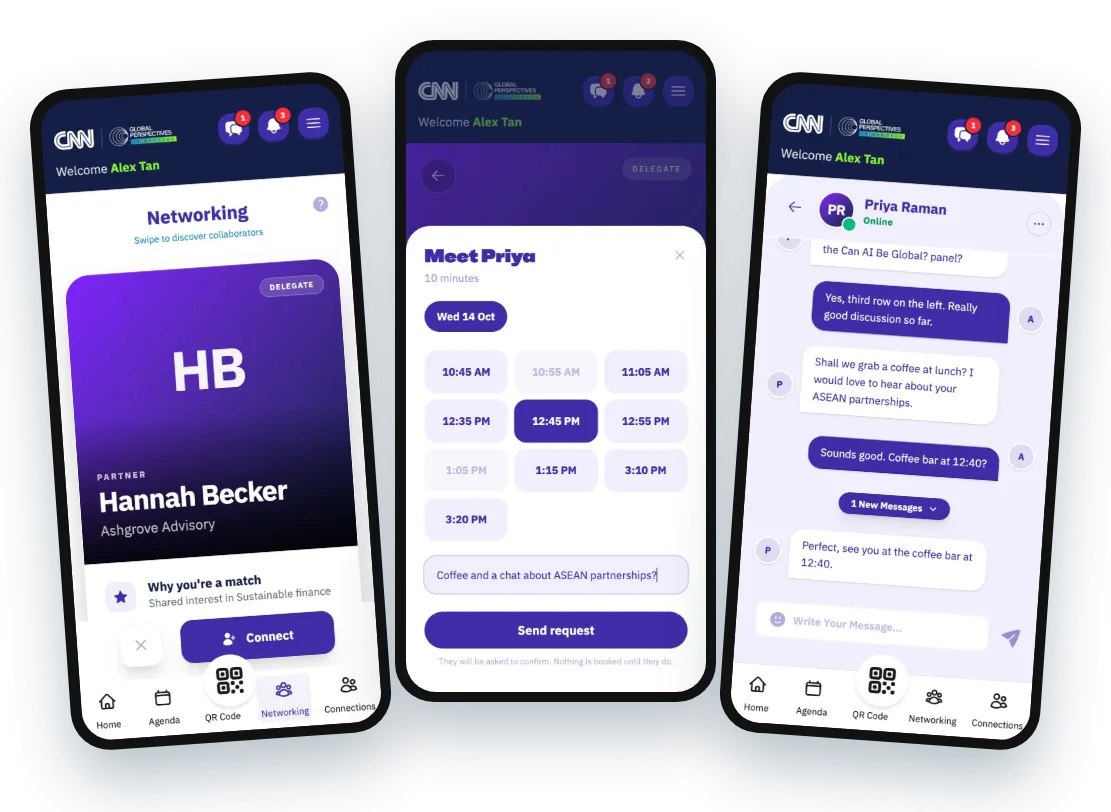
• Attendees choose to go online for networking, or stay hidden
• Suggested matches with the shared interests that link them
• Search attendees by name, role or company and send a request
• Profiles show interests and skills; contact details only after connecting
• Private one-to-one chat
• 10-minute meetings in the break slots the organiser sets, confirmed by both sides
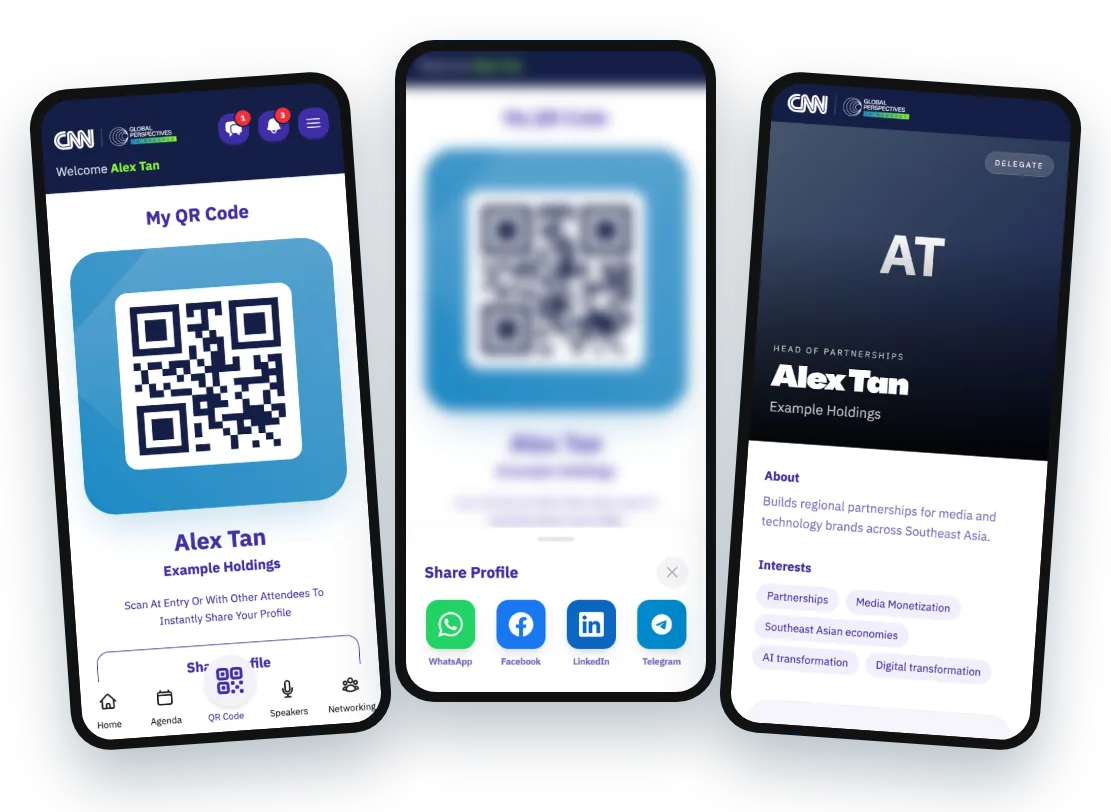
• One QR code covers the ticket, check-in, badge printing, business card, activities and gifts
• Add it to Apple Wallet or Google Wallet straight from the browser
• Scan each other's code to exchange contacts
• Send a profile by WhatsApp, LinkedIn, Facebook or Telegram
• A public profile link that says "Meet Alex at the event"
• The card keeps working after the event
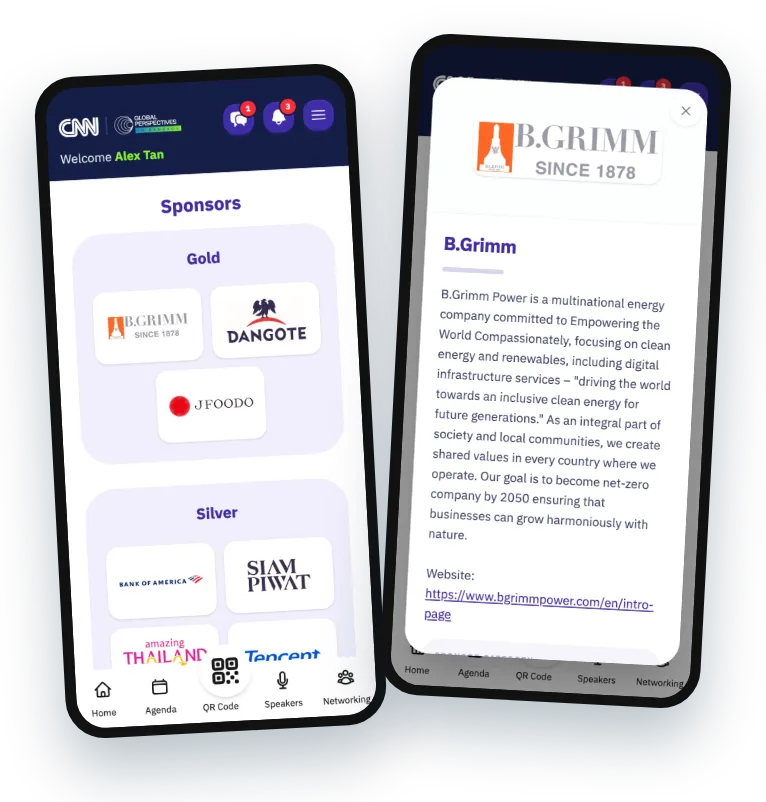
• Sponsors grouped by tier, each with a page of their own
• Digital booths holding brochures, videos and links
• An exhibitor list by category, with booth numbers
• Reports on who viewed each page or scanned each booth code
• Book a meeting with an exhibitor through Klobbi Meet
• Add Lead Retrieval or Klobbi Match AI matching when you need them
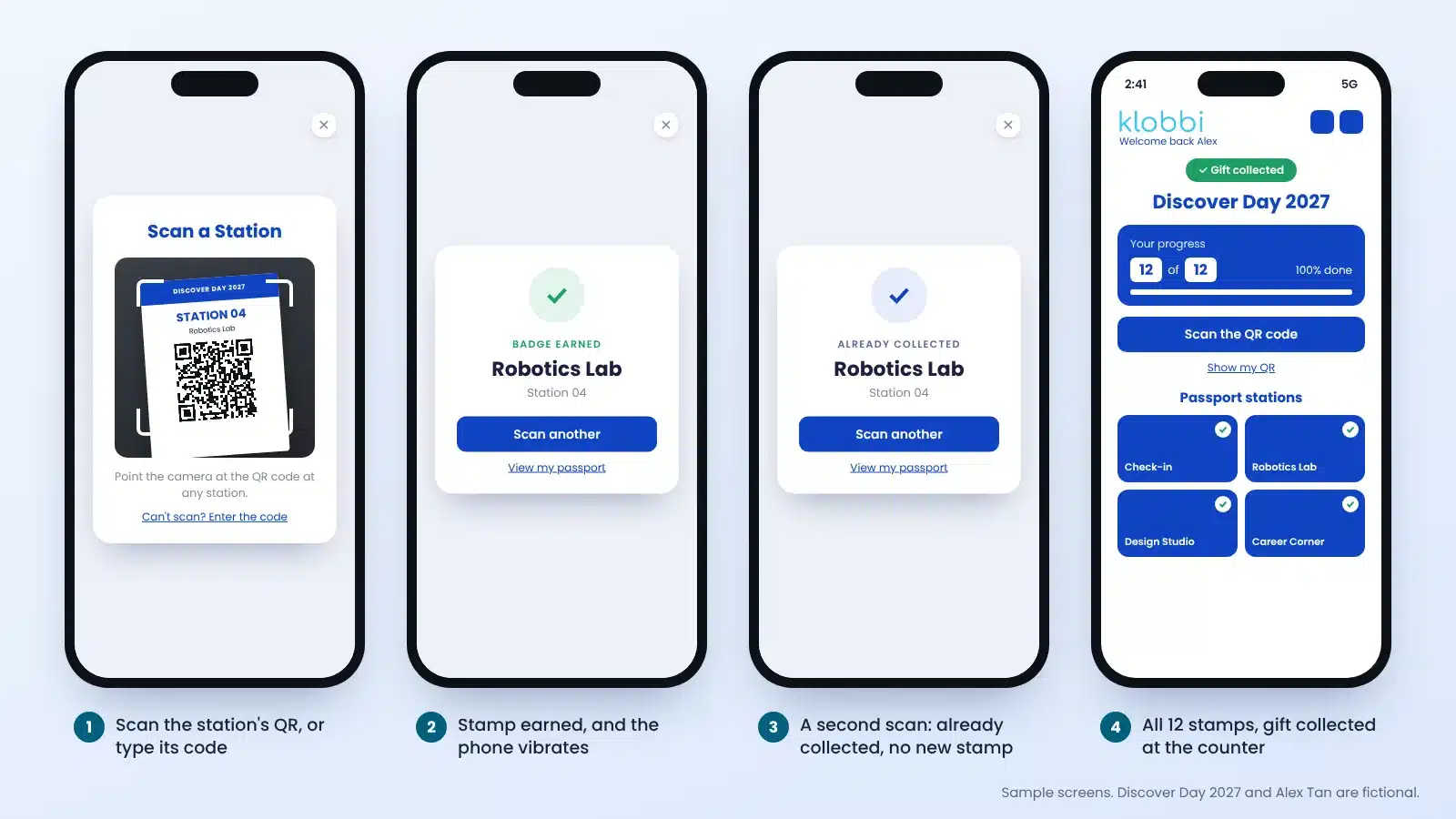
• Collect a stamp at each station and watch the progress bar fill
• Visitors scan the station poster, or staff scan the visitor
• Your rules: every stamp, a set number, or tiers from a coffee to the grand prize
• Gifts at a counter or a smart vending machine, claimed once only
• Printed QR cards for guests without a smartphone to hand
• 10,000 visitors used it at SIT Open House 2026. See the digital event passport
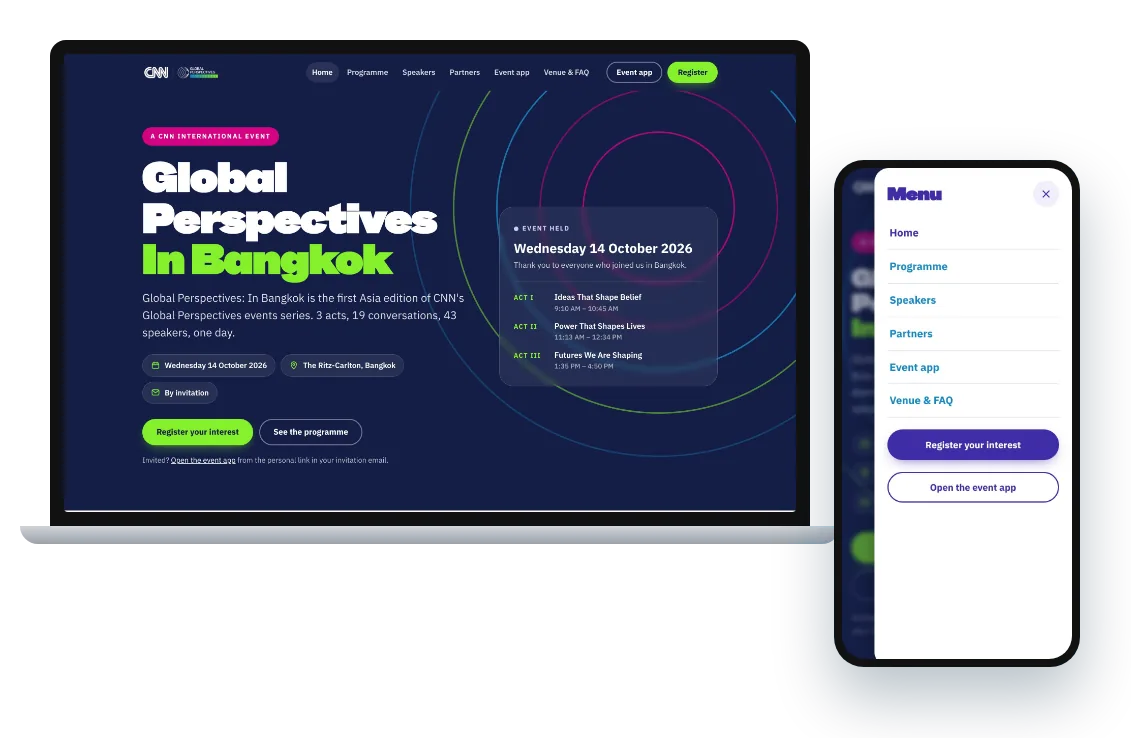
• Your colours, logo and banner throughout
• A public event microsite fed by the same programme, speakers and partners
• Opens on a laptop too, not only a phone
• Works with Klobbi Registration, Orator, Oracle and Showmaster
• Back office for stations, rewards, quizzes and announcements, with no code
• Post-event activity report; data hosted in Singapore under ISO/IEC 27001 and PDPA
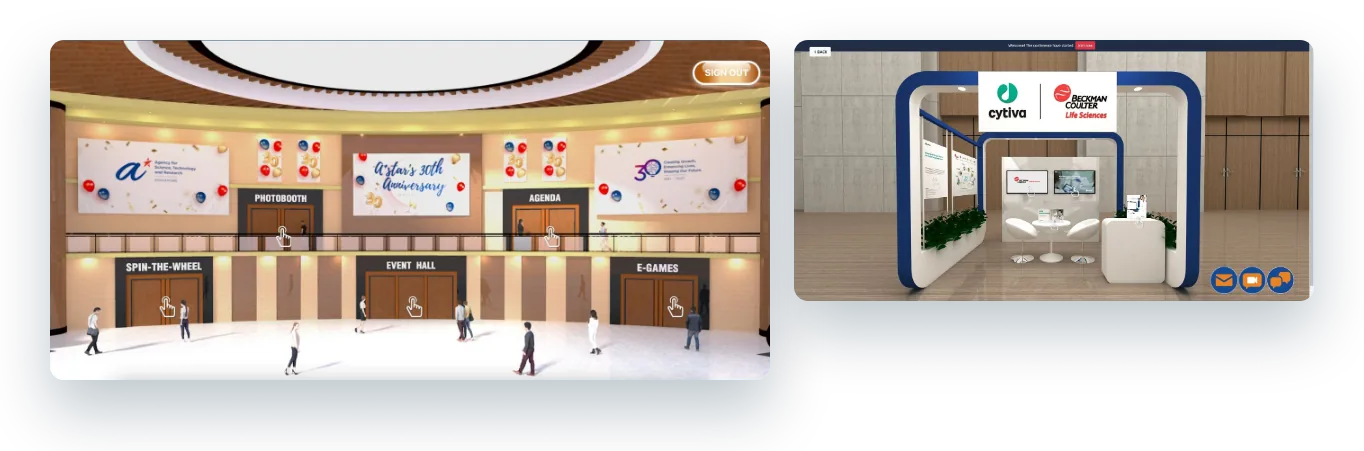
• EventApp Web can become a branded virtual venue
• A 3D lobby that links every zone
• An online exhibition hall with sponsor booths and staff on chat
• Parallel live streams, then replays
• Games, photo booths and a help desk
• Ready in about two weeks; past venues for A*STAR, SGH, RSAF and Duke-NUS
A web app wins on reach, and a mobile app wins on control. Klobbi builds both. See the full comparison.
Table 1. EventApp Web compared with EventApp Mobile.
EventApp Mobile
EventApp (web app)
Getting in
Find it in an app store, then download and install it
Tap a link or scan a QR code
Company and government phones
Installs only if the organisation's device management allows it
Nothing is installed, so app-store restrictions don't stop it
Venue Wi-Fi
A full app download, often over the venue Wi-Fi
A web page to load
The pass at the door
Inside the app, once it is installed and signed in
QR in Apple Wallet, Google Wallet or the browser
What you gain
More control over the attendee experience
The widest reach
At least one week when you use Klobbi's templates. You send the content; we build the app, connect it to registration and check-in, and run the day with you.
1
The programme with session times and rooms, speaker bios and photos (or speakers fill these in through Orator), sponsor and exhibitor lists with logos and brochures, and your event banner artwork.
2
Klobbi's team loads your content into an EventApp template and walks you through it before attendees see it.
3
They sign up on Klobbi's event registration platform, and the confirmation email carries their QR.
4
A kiosk or staffed station scans the QR and the badge prints. Guests without their QR are found by name.
5
Programme changes appear on every phone, and attendees move between sessions and booths in the same app.
SIT Open House 2026 ran on Klobbi's event web app and Event Passport: 10,000 visitors over two days, with nothing to install. Visitors opened it in Safari or Chrome on their own phones for the programme, a personal QR, an event map and a campus badge trail with gifts.
CNN Global Perspectives: In Bangkok (14 October 2026, The Ritz-Carlton, Bangkok) ran its programme of 29 items, 43 speaker profiles, 10 sponsors and attendee networking on the same web app.
10,000
visitors at SIT Open House 2026
2
days, on visitors' own phones
0
apps to download
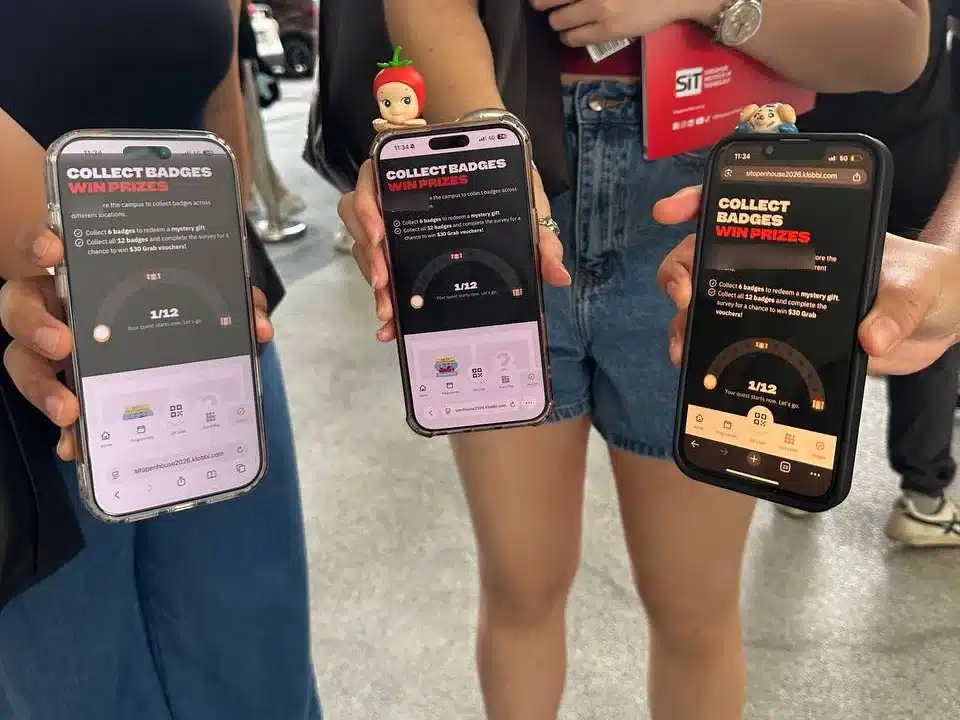
Visitors at SIT Open House 2026 with the web app open in their phone browsers.
Yes. EventApp's virtual and hybrid style is the same product in a different dress: a branded virtual venue with a 3D lobby, exhibition booths, poster displays, photo booths and a live stream. A virtual venue can go live in one week. See virtual and hybrid events.
When Klobbi runs your check-in too, a named project manager is on site and our crew works the registration desk. Most guests show their QR, from EventApp or their wallet, and the badge prints. Guests who can't find their QR are found by name, walk-ins are registered at the desk, and a misspelt name is corrected and reprinted without holding up the queue.
EventApp needs a data connection on each attendee's phone, so plan Wi-Fi or mobile signal in every hall.
Attendee data for EventApp is hosted in Singapore. If your organisation needs it hosted in your own country, we can set that up as a customisation.
Klobbi is ISO/IEC 27001 certified, holds the CSA Cyber Trust mark and works to Singapore's PDPA. The attendee list stays yours: we don't market to your attendees or sell their data, and we delete it at the end of the retention period you set.
Send us your dates, venue, expected headcount and what attendees should do in the app. We'll reply within one working day.
WhatsApp us Email sales@klobbi.comDo attendees need to download an app to use Klobbi EventApp?
No. Klobbi EventApp is a web app, so it opens in the phone's browser from a link or a QR code. There is nothing to install from the App Store or Google Play.
Will EventApp work on company or government phones that block app installs?
Usually, yes. EventApp installs nothing, so app-store restrictions don't stop it. The phone still needs a browser and a data connection, and some organisations restrict websites too, so tell us early if your guests use managed devices.
Can attendees keep their event pass in Apple Wallet or Google Wallet?
Yes. Each attendee's Universal QR can be saved to Apple Wallet or Google Wallet. The same code is their ticket, checks them in, prints their badge and works as a digital business card.
How do sponsors and exhibitors use the event app?
Each sponsor and exhibitor gets a digital booth, listed by category with booth numbers, where attendees can book an appointment. Klobbi Meet books meetings before the event, and Lead Retrieval lets booth staff scan attendees' QR codes on their own phones.
How long does it take to set up an event app?
At least one week when you use Klobbi's templates. You send the programme, speakers, sponsors and banner artwork, and Klobbi builds and tests the app with you.
Where is EventApp attendee data hosted?
In Singapore. If your organisation needs the data hosted in your own country, Klobbi can set that up as a customisation.
Do we need both an event website and an event app?
Often, yes. An event website sells the event and takes registrations; EventApp is what attendees use on the day. Klobbi builds both on the same attendee record.
How is EventApp priced?
Klobbi quotes per event. The quote follows attendee numbers, the features you switch on and whether you want Klobbi crew on site, and organisations that run many events a year can add EventApp to an annual Klobbi Hub licence.
Does Klobbi also build a mobile app that attendees download?
Yes. EventApp Mobile is the download version of the same event app. See the mobile event app page.